
- Published
- Nov 5, 2026
- Reading time
- 15 min read
GA4 Custom Dimensions Show (not set)? Trace the Parameter
Fix missing GA4 custom dimensions with a practical parameter audit: check live events, scope, field names, report availability and a controlled new test cohort.
In this guide (11 sections)
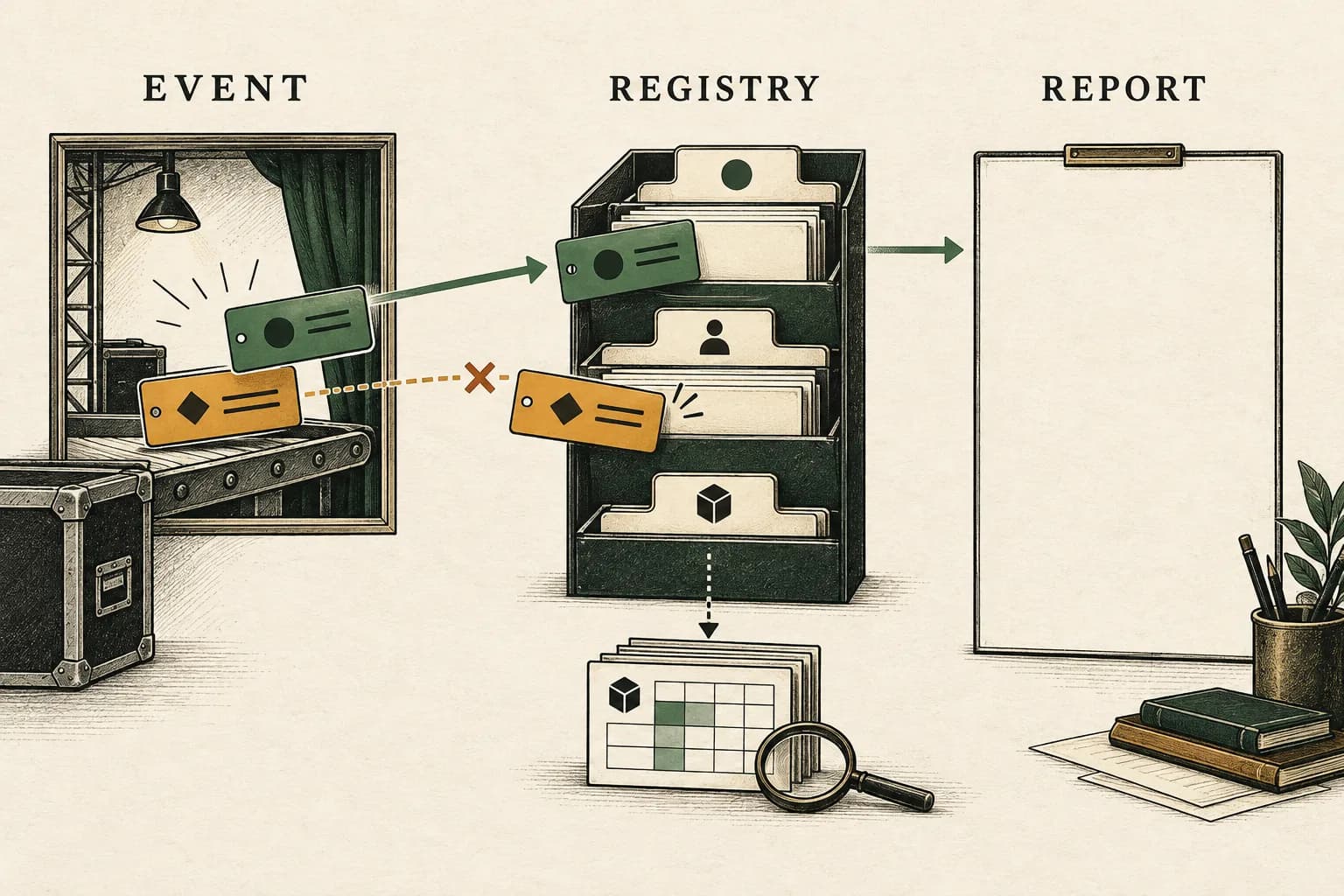
Trace the exact parameter on a real event, then check the matching custom definition and report surface. Seeing a value in Realtime or DebugView establishes that you observed it in that context. It does not establish that the published website sends it consistently, that the definition uses the same field and scope, or that your chosen report supports it.
Start by naming the symptom. A dimension missing from the picker needs a different investigation from a visible dimension whose rows say (not set). A category that appears but cannot produce the numeric analysis you need may require a custom metric instead. Waiting alone cannot repair any of those contract mismatches.
This guide concerns arbitrary custom fields. For missing landing pages or acquisition labels, use the GA4 attribution and landing-page diagnostic. For an entire stream with no usable events, start with the collection and receiving-path checklist.
The real questions behind this diagnostic#
These are older, evergreen troubleshooting questions, checked against current documentation rather than presented as new incidents:
- A 2022 Stack Overflow question describes transaction parameters visible in live reporting but a Free Form dimension returning
(not set). - A 2023 Tag Manager question describes preview purchases carrying a custom field while ordinary purchases do not show it as expected. The discussion includes separate data-layer purchase pushes, making the actual event and its timing important evidence.
- A 2022 reporting question asks how to analyze ratings after seeing parameters in Realtime. That is also a definition and aggregation problem, not simply an event-count problem.
The posts establish genuine reader needs. Their suggested fixes are not proof of what caused another property's missing values. The workflow below tests the relevant possibilities independently.
Trace the field before changing the report.
If collection is uncertain, inspect the request destination, consent and receipt path first.
Trace the GA4 receiving pathOpens a practical guide. No email required.
1. Write a field contract before changing tags#
Make a short worksheet for one field. Include the property and stream, expected event, transmitted identifier, value type, collection level and destination report. Record when the definition was created and when the released implementation began sending the field. Keep the two timestamps separate.
For example, “Button zone” could be a display label, while button_zone is the actual event parameter. A label that reads nicely in a report does not change the identifier carried by an event. Compare the complete strings from the implementation and Admin rather than relying on the team's spoken name for the field.
| Question | Useful evidence |
|---|---|
| Which activity should contain the value? | One named event and a reproducible user action |
| What is the transmitted identifier? | The parameter or property name on the actual event |
| What does the value mean? | A bounded category, a user attribute, an item attribute or a number with units |
| Where should it appear? | A specific report, Exploration or other supported surface |
| Which population is being tested? | Release version, event dates, consent conditions and relevant filters |
This worksheet prevents a common false comparison: a successful test event from today's preview session against a historical report containing last month's production activity.
2. Compare the released event with the preview event#
Google Tag Manager Preview can run the current workspace draft as though it were deployed. It is useful precisely because it can test an unpublished configuration. Consequently, a preview success is not evidence that regular visitors receive that same version. Check the published container and the actual production event separately. Google's Preview documentation explains this distinction.
For the same reproducible action, inspect the event name, destination, parameter name, value and collection level. Determine whether the field exists when the GA4 event is sent, not merely somewhere in a later data-layer snapshot. If an application makes multiple pushes, establish which push triggers the tag and what data is available at that moment.
Treat a timing race as a hypothesis. Do not copy the two-push explanation from a forum and declare it the cause of your issue. A release mismatch, a different trigger, a missing variable or a different event path could produce similar symptoms. Preserve the original sequence before modifying it.
Keep testing within the site's approved consent behavior. Do not force consent, remove production controls or add another tag simply to make a value appear. If the production event is absent entirely, resolve that collection problem before evaluating a custom dimension. If the event arrives but lacks the field, the definition cannot supply the missing value for that occurrence.
3. Match the collection level to the definition#
An event parameter, a user property and a parameter inside an ecommerce item are different contracts. Reusing the same friendly label does not make their scopes interchangeable.
| Intended information | Collection and definition to check | Important reporting distinction |
|---|---|---|
| Category attached to a particular action | Event parameter with an event-scoped custom dimension | Evaluate the relevant events, not an assumed permanent user attribute |
| Custom attribute of a user | User property with a user-scoped custom dimension | Verify that a user property is being collected, rather than only an event parameter with a similar name |
| Custom characteristic of a product in an ecommerce event | Parameter within the items array and an item-scoped custom dimension | Item-scoped custom dimensions are supported in Explorations but cannot be added to standard reports |
| Numeric quantity to aggregate | Numeric event parameter with an appropriate custom metric | Event counts do not substitute for the numeric quantity's aggregation |
Google documents user-scoped definitions and item-scoped definitions separately. The latter explicitly states the standard-report limitation. An unavailable item field is therefore not automatically evidence of failed collection.
Before adding a definition, check whether GA4 already provides the required dimension or metric. Duplicating a predefined field consumes scarce configuration capacity and creates another label to maintain. This guide does not require creating a duplicate definition for built-in content categories or recommended fields that already have the reporting support you need.
4. Inspect the registration, not just its existence#
Open Custom definitions in the intended property. Confirm the underlying parameter and scope, not only the displayed name. Check that the property receiving the event is the property whose registry you inspected. Record the definition's settings in your worksheet so a second person can compare them with the collected event.
Google's event-scoped setup instructions distinguish the report-facing name from the event parameter and state that scope and parameter cannot be changed after saving. They also describe report availability after 24–48 hours once the custom data has been sent and the definition created.
Use that processing window for a correctly configured, newly collected test cohort. It is not a promise that waiting repairs a wrong identifier, unsupported report surface or missing field. Nor should the test plan assume that creating a definition automatically fills every historical report. Establish post-registration behavior first; evaluate any earlier period separately.
If the contract is wrong, have the configuration owner plan a corrected definition and migration. Check current capacity and downstream dependencies before archiving anything. A field that looks unused in one report may support an audience, dashboard or another team's investigation. Preserve its identity and dates in the change record.
5. Test the correct report surface#
Once the appropriate field is available, add it to the actual analysis. In a Free Form Exploration, importing a dimension into Variables and placing it in Rows or Columns are separate steps. A field listed in Admin is not automatically present in every saved Exploration.
First use a narrow, known event population with a simple event-count measure. Remove unrelated breakdowns from this test view so the result answers one question: does this field appear on the eligible events being inspected? Record filters rather than silently changing a shared report. Then restore the intended breakdowns one at a time.
A missing picker entry, a blank category and a truncated high-cardinality result should not be grouped together as “GA4 lost the data.” Google's custom-definition guidance warns about high-cardinality fields and discourages redundant definitions. An (other) row and (not set) are different symptoms: one concerns grouping of values; the other is an unavailable value for the dimension being reported.
If an existing, authorized raw export contains the relevant events, use it as an additional collection check. Keep its event dates, field location and population explicit. Do not assume a new export can retrieve unavailable historical events, or that a raw parameter automatically proves it was available through a particular report definition. Warehouse investigation and report configuration answer different questions.
Separate a missing value from a value that changed representation#
A category can arrive and still lose the representation your analysis needs. An older question about leading zeros, posted in December 2025, compares web/server and native-app results. Its code includes both an actual number and a quoted numeric-looking string. Those are two different test cases; the post is not evidence that every value changes at the same boundary.
Start before Analytics. JSON numbers do not preserve leading-zero formatting. The JSON number grammar excludes leading zeros from numeric literals. If application code has already converted a category into an integer, quoting its serialized result later cannot recover the original characters. Inspect the source value, its application type and the actual serialized body separately.
There is also an Analytics-specific boundary. Google's event-scoped custom-dimension instructions note that event-parameter integer values are parsed for web events but not for app event-scoped custom dimensions, and recommend alphanumeric rather than numerical values. A native-app result therefore does not establish the representation a web stream will expose. The documentation supports this distinction; it does not establish the exact cause of an uninspected account's value change.
For a bounded category, agree on an explicit alphanumeric vocabulary before collection. Do not adopt the old answer's suggestion of a “Text” type selector as a documented GA4 configuration feature, or insert invisible characters to manipulate parsing. A readable, versioned vocabulary is easier to inspect than values that look identical but compare differently.
Hypothetical representation audit: a campaign uses two permitted creative categories, 0042 and 42. The leading zeros are meaningful in this invented contract, and neither value identifies a person or an order.
| Checkpoint | Evidence to retain | What it can establish |
|---|---|---|
| Application value | Exact characters and type before serialization | Whether formatting was already lost upstream |
| Actual sent value | Sanitized body and observed destination stream | Whether the sender emitted a string or number |
| Optional authorized raw export | Matching event occurrence and the recorded parameter | Another observation boundary, not automatic report parity |
| Registered report | Same new cohort, scope and field | How the reporting surface represents the category |
| Native-app comparison | Separate SDK, stream and test receipt | A platform-specific comparison, not proof about web processing |
If both categories become the number 42 at one boundary, the mapping is many-to-one. No downstream string conversion can tell which original category produced that value. A proposed vocabulary such as v_0042 and v_42 makes the intended distinction explicit; test it as a new collection contract rather than assuming it repairs old rows. Keep the old and new vocabulary versions visible in the worksheet.
Run one controlled event per permitted category in the approved test setup. Compare each value through the checkpoints above, then inspect the matching report after the applicable definition and processing steps. Do not use repeated submissions of real purchases as a representation test, and do not treat a successful transport response as proof of the report's category value.
Preserve an unresolved historical bucket if the original characters are unavailable. Do not silently left-pad every old number or merge new prefixed categories into an older series without a documented mapping. A numeric-looking category is still a category; adding a custom metric would change the analysis rather than restore the lost representation. Keep the vocabulary small and appropriate instead of creating a high-cardinality field containing customer, transaction or contact identifiers.
6. A worked example: distinguish payload coverage from report coverage#
Consider a hypothetical implementation expecting ten cta_select event occurrences to carry button_zone. These are event occurrences, not ten users, sessions, leads or purchases.
| Observed released-event payload | Event occurrences | Diagnostic implication |
|---|---|---|
Contains button_zone with an allowed category | 6 | Six occurrences satisfy this part of the intended payload contract |
Contains button_area instead | 2 | A different field was sent; a display-label change cannot reconcile it |
| Contains neither field | 2 | The intended category was absent on these occurrences |
| Total inspected | 10 | The audit population is the same ten occurrences throughout |
The intended-field payload coverage is 6 ÷ 10 = 60%. That is a QA statistic for this invented sample, not a GA4 report's coverage, an attribution rate or an AdProof result. Even if a definition happens to reference button_area, it does not make those two events correctly instrumented for the button_zone contract.
Suppose the owner corrects the release and registry, then inspects four new controlled occurrences after both changes. All four include the intended field. That establishes 4 ÷ 4 payload coverage in the new test sample. Keep that cohort separate from the earlier ten. Allow the documented processing interval, then evaluate the matching field on a supported reporting surface with the same dates and filters.
If the report still differs, preserve the four event observations and investigate the reporting conditions. Do not rewrite the older six-out-of-ten result as 100%, and do not infer a platform-wide loss rate from fourteen controlled events.
7. Choose a metric when the question needs a quantity#
A rating illustrates the distinction. A dimension can group activity into labels such as rating categories. Counting the associated events tells you how many such events occurred; it does not by itself calculate the average rating.
Google's custom-metric instructions describe event-scoped numeric measurements and units. Define the intended aggregation and denominator before implementing one. For an average, establish which eligible observations contribute to both numerator and denominator, and distinguish absent responses from a valid zero. Do not sum category labels or divide by all pageviews unless that is the analysis you actually intend.
Use a numeric payload and a suitable unit for a quantity. Keep a categorical identifier categorical, even if it contains digits. Do not create a second field merely because a report's first visualization was unhelpful; resolve the measurement question first.
8. Close the investigation with an evidence packet#
Retain the field contract, definition settings, release identifier, controlled-event observations and the report's exact dates and filters. Include the observed processing interval and any unsupported surface. Make the next action specific: fix the released payload, correct the registration, change the analysis surface or investigate a remaining reporting discrepancy.
Avoid using arbitrary identifiers, free-text responses or personal details as shortcuts. Google prohibits sending information it can recognize as PII; its guidance specifically addresses custom dimensions and user-entered fields. Use bounded, appropriate categories and sanitized evidence. Google's PII guidance explains the collection restriction.
For paid campaigns, preserve the separate delivery-side evidence alongside this GA4 worksheet. AdProof supports campaign-scoped raw-event and aggregate exports with date and timezone controls. Use those exports to document the ad-delivery population while your analytics owner verifies the site's custom-field contract. The anonymized fashion-retail delivery case illustrates documenting an impression baseline before interpreting performance; it does not validate a GA4 field or establish sales attribution. Our marketing QA guide provides a broader checking sequence. Request an AdProof demonstration with the campaign scope and report question; keep the analytics configuration evidence available for the discussion.
Frequently asked questions#
Why can a category lose its leading zeros even when I send text?
Check both application serialization and the Analytics processing boundary. A number cannot retain leading-zero formatting as a JSON number, while Google's event-scoped guidance separately describes web-versus-app parsing differences and recommends alphanumeric values. Inspect the actual sent value and stream before choosing a new vocabulary. A prefix cannot reconstruct unavailable historical characters.
Why can DebugView show a parameter while a custom dimension is (not set)?
The observed test event and the report may have different payloads, dates, scopes or configuration. Compare the released event's exact field with the definition, then test a known new cohort on a supported reporting surface. A live-tool observation alone does not establish the complete reporting contract.
How long should I wait after creating an event-scoped custom dimension?
Google describes a 24–48-hour availability interval after custom data has been sent and the definition created. Record both events. Investigate mismatched identifiers, missing production fields and unsupported surfaces before treating additional waiting as the remedy.
Can I use an item-scoped custom dimension in a standard GA4 report?
Google's current instructions say item-scoped custom dimensions cannot be added to standard reports. Use a supported Exploration and confirm the custom value is collected inside the ecommerce event's items array. Do not reinterpret the surface limitation as proof that the event was lost.
Should a numeric parameter be a custom dimension or custom metric?
Use a dimension for a category and a custom metric for a numeric quantity you need to aggregate, with suitable units. Define the intended calculation and eligible denominator first. Event counts, category labels and averages are different measurements.
Trace the field before changing the report.
If collection is uncertain, inspect the request destination, consent and receipt path first.
Trace the GA4 receiving pathOpens a practical guide. No email required.