
- Published
- Oct 30, 2026
- Reading time
- 11 min read
CTV vs OTT: How to Audit the Devices Your Ads Reached
Audit the device mix behind a CTV or OTT buy. Compare targeting, report classifications and delivery evidence while preserving unknown and conflicting records.
In this guide (10 sections)
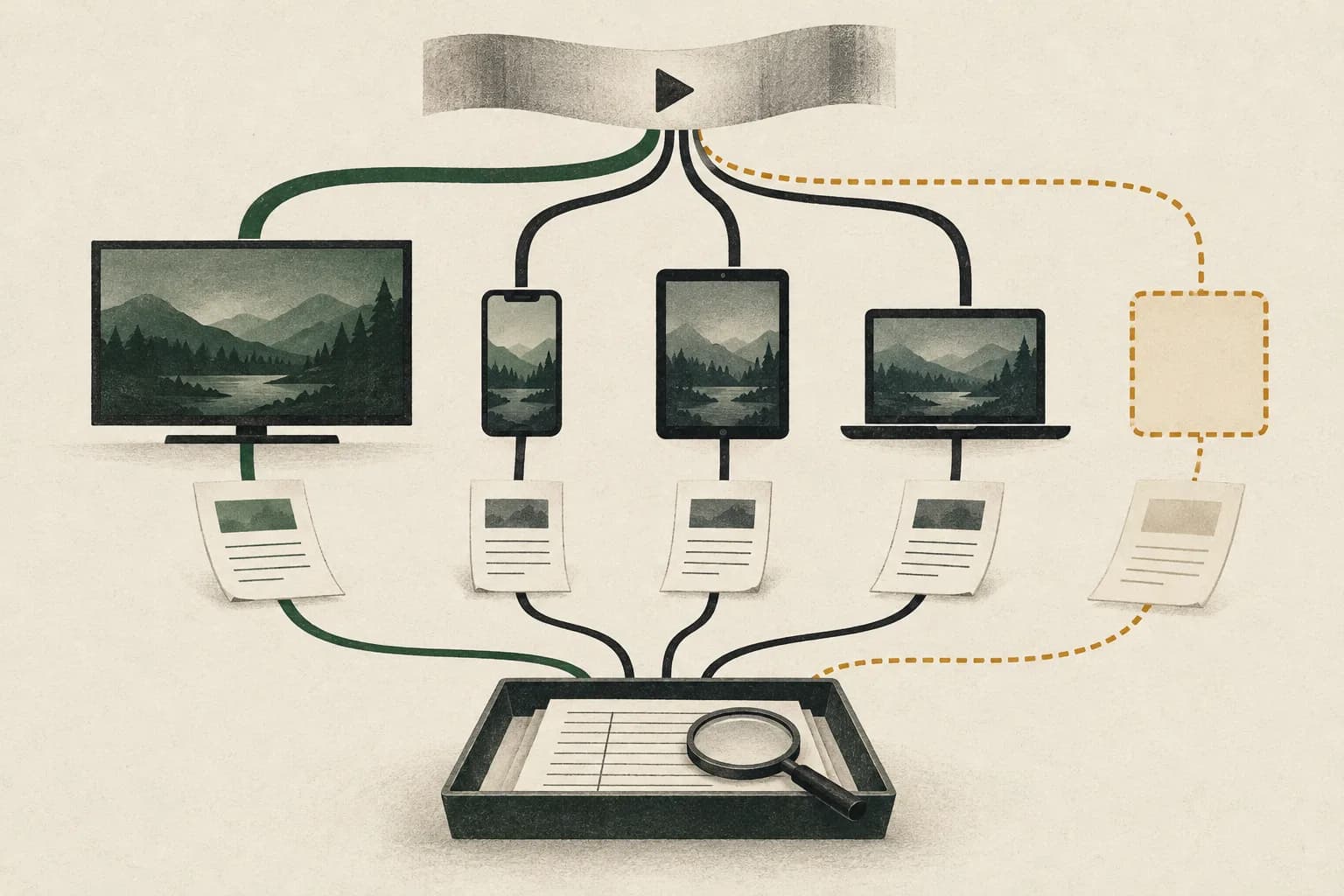
If a buy labeled CTV includes phone or tablet delivery, first establish what the label promised. Was the agreement limited to TV-screen devices, or did it cover a streaming service across screens? Then compare the effective device targeting with a device-type delivery report for the same campaign population. Keep unexplained and conflicting classifications visible.
A campaign name, app name or long-form video label cannot settle the hardware question. Neither can a high completion rate. Conversely, non-TV delivery is not automatically invalid traffic or a contractual failure when the approved buy allowed it.
A public programmatic-advertising question about the device mix behind a CTV label asks how buyers should handle precisely this ambiguity. The discussion includes third-party market-share figures; this guide does not use those figures as a benchmark or verify them as campaign evidence. Its practical question is how to establish the devices represented in your own delivery.
Define the promise before measuring compliance#
The IAB Tech Lab distinguishes the terms by delivery and consumption: OTT describes delivery over IP, while CTV describes consumption on connected television devices. In buying and research reports, however, labels can also represent broader content or channel groupings. Record the definition actually used instead of assuming every document uses identical boundaries.
The IAB's 2024 video-spend study, page 16, explicitly allowed some mobile or desktop distribution within its CTV content category. That historical research taxonomy is useful evidence of differing definitions. It is not a current universal rule authorizing mobile delivery in every TV-only campaign.
For a TV-device commitment, define accepted categories and exceptions explicitly. Include how streaming devices, smart TVs, game consoles and set-top boxes are treated; what happens when classification is unavailable; and whether the requirement applies to requests, counted impressions or billed delivery.
For a cross-screen streaming commitment, specify the permitted device mix and reporting breakdown instead. That may be a valid purchase with a different evaluation question.
A useful requirement reads: “Report counted video impressions by the agreed device classes for these placements and dates, and identify the unresolved share.” Avoid changing the definition after seeing the result.
Check the device mix behind your buy.
Start with the agreed device scope and compare it with the available delivery evidence.
Discuss video measurementA short inquiry to scope relevant options; no campaign access is needed.
Keep content, app, device and audience separate#
These fields describe different objects. A streaming service can offer an app on several device families, while a TV device can show many services and programmes.
| Evidence | What it can help establish | What still needs separate evidence |
|---|---|---|
| App/store identifier | Which application is claimed | Hardware used for this delivery |
| Programme or channel metadata | Which content is claimed | Device class and actual playback |
| Device classification | Category assigned under a stated method | Authenticity and coverage of that classification |
| Playback or completion signal | An event under the integration's rules | Attention, person count and device authenticity |
| Household or audience estimate | Reach under a linkage/modeling method | A physical-device audit for each delivery record |
A device-mix audit should not become an audience-identity exercise. Keep distinct devices, households and people outside the impression denominator unless the study specifically measures them. Our CTV measurement guide explains why delivery, visibility, identity and outcomes require separate evidence contracts.
Step 1: freeze the actual buying configuration#
Save the applicable campaign or line-item settings, placement scope, device targeting, relevant change history and dates with timezone. Record the setting that was effective during delivery, rather than relying only on today's screenshot.
Do not confuse app selection with device selection. In a concrete platform example, Google's app-targeting documentation says an iOS app ID can target both mobile and Apple TV inventory and directs buyers to add device-type targeting when they want only one environment. An app allowlist alone therefore does not establish a TV-only buy in that workflow.
Use the platform's actual category definitions. Display & Video 360 device targeting groups streaming devices, smart TVs, game consoles and set-top boxes under Connected TV, and distinguishes that from its audio-only Connected device category. Similar words in another system may have different mappings.
If the buy uses several line items or buying paths, preserve each configuration separately. A TV-only screenshot from one line item cannot describe the rest of the campaign. Ask which settings and inventory agreements govern any apparently broader path before proposing a repair.
Step 2: obtain delivery by device, not a label total#
Request a device-type report using the same campaign scope and completed reporting interval. Include the impression metric's definition, filtering basis, extraction time and any unknown category. Where compatible, break out line item, app, inventory source and day to identify the population responsible for the result.
Google's CTV reporting reference identifies Device Type as a reporting dimension for connected-TV reporting. It describes App/URL separately for app inventory. Those are complementary dimensions rather than interchangeable proof.
Preserve the original exported labels before normalizing them. Keep the total, every category and any excluded rows. Check that the report is not truncated or filtered to recognized TV records before calculating the TV share.
Use separate compatible exports if the reporting tool cannot combine all requested dimensions. Document the resulting reconciliation limit. A report that cannot expose a device field is an evidence limitation, rather than permission to classify every row from the campaign name.
Do not compare a request-level device distribution directly with an impression-level distribution and call the difference misdelivery. Requests and counted delivery can represent different populations. First align the event and filters using the CTV impression reconciliation workflow.
Step 3: write down the classification method#
Ask who assigned the device label, at what stage and from which signals. Was it declared in a bid request, inferred by the buying platform or observed through a measurement integration? Keep these descriptions alongside the category value.
Google's Display & Video 360 methodology, for example, describes bid-time classification using information passed by the exchange. It notes that information available at view time can differ and describes using user-agent and app-SDK information for classification. This is a platform-specific explanation, not proof that every source uses the same process.
For OpenRTB records, preserve the protocol version and device-code mapping. The IAB Tech Lab AdCOM device list distinguishes Connected TV, Connected Device and Set Top Box, as well as phone, tablet and computer categories. Do not collapse similar names or interpret a generic connected-device value as verified TV hardware.
The OpenRTB Device object includes device type and descriptive signals such as user agent, make, model and operating system. Their presence supplies claims for investigation; it does not authenticate the physical device.
If relevant fields are missing, record unavailable evidence. If they conflict, keep both observations. A bare device code is insufficient to resolve an inconsistency by itself.
Step 4: inspect conflicts without inventing certainty#
Start with a small authorized sample from the largest unexpected slice. Ask the publisher, exchange, buyer and measurement recipient to explain their respective observations for that same sample.
In SSAI, identify whether user-agent or other request information belongs to an insertion server or the viewing device. The SSAI verification guide covers that ownership problem. A server identifier cannot simply be reclassified as a phone or television because the campaign requires one.
Keep these common shortcuts out of the conclusion:
- A large video resolution or fullscreen player does not identify the physical screen.
- A completed ad does not establish that it played on TV hardware.
- A premium programme or app name does not restrict the app to one device family.
- An IP address does not establish screen type or a unique household.
- A disagreement between two labels does not independently establish fraud.
For casting or companion-device arrangements, ask which device renders the ad and which produces the record being examined. Preserve the integration's answer rather than assuming the controlling phone is the playback screen, or the reverse.
If that path produces click activity, investigate unexpected CTV click records by separating remote interaction, QR response and companion-device events. The response device and the screen rendering the ad can answer different reporting questions.
An authorized controlled test can show how a known device path appears at each boundary. Record the app, device family, relevant versions and actual evidence returned. Success on one path supports that path; it cannot authenticate all historical records or every device family in the campaign.
Step 5: reconcile the mix with unresolved records included#
Choose one mutually exclusive reporting scheme. For a TV-device requirement, useful groups are: classified TV, classified non-TV, conflicting evidence and insufficient evidence. Specify whether “classified” means a platform report alone or a stronger agreed review standard.
Do not rename platform-classified records “independently verified” unless the additional evidence supports that wording. Preserve each original classification and its source in the working record.
Hypothetical example: two percentages answer different questions
Suppose a hypothetical review covers 100,000 counted video impressions in a fixed UTC window. Under the agreed evidence rules, the team records:
| Review outcome | Counted impressions |
|---|---|
| Classified TV | 70,000 |
| Classified non-TV | 20,000 |
| Conflicting classification | 5,000 |
| Insufficient device evidence | 5,000 |
| Total | 100,000 |
The categories reconcile to 100,000. Classified TV represents 70% of all reviewed impressions. Among the 90,000 impressions with a resolved classification, the TV share is approximately 77.8%. Both calculations are valid descriptions of their stated populations; calling the campaign “77.8% TV” without mentioning the unresolved 10% would conceal the evidence gap.
If the approved plan allowed both TV and non-TV streaming, the 20,000 non-TV impressions may be permitted delivery. If it required TV devices, they need a scoped explanation against that requirement. Neither interpretation establishes how many impressions were billed, fraudulent or refundable.
These numbers are invented teaching figures. They are not an AdProof customer result or an expected market distribution.
Keep spend-weighted analysis separate. An impression share is not automatically a spend share, and incomplete cost allocation should not become a precise financial claim.
Step 6: change the bounded cause and retest#
Choose a next action from the evidence:
| Finding | Next action |
|---|---|
| Approved buy permitted cross-screen streaming | Clarify the label and preserve the agreed device breakdown |
| Effective device settings were broader than the purchase | Ask the buying owner to propose a correctly scoped configuration change |
| App targeting unintentionally crossed device families | Review device constraints for that exact platform and path |
| Buyer and delivery labels conflict | Request classification method, timing and matched-sample evidence |
| Device evidence is unavailable | Retain the unknown share and agree a future reporting requirement |
Avoid excluding an entire app simply because one device slice is unexpected. First identify whether the issue belongs to a device constraint, one buying path or the mapping itself.
After an approved change, verify the effective setting and repeat the same report in a comparable window. Keep inventory, dates, counting rules and processing maturity explicit. A smaller non-TV slice may demonstrate a changed observed mix; it does not by itself establish improved attention, audience reach or sales.
For a financial dispute, carry the verified scope into the separate invoice and delivery reconciliation. A classification finding is evidence for review, not a credit note.
Frequently asked questions#
Can OTT ads run on phones and tablets?
Internet-delivered streaming video can be consumed across device families. Whether that delivery meets your purchase depends on the agreed inventory and device scope. Request the actual device breakdown rather than treating the OTT label as a TV-only guarantee.
Does a CTV app ID prove the impression came from a television?
No. An app identifier and a device category describe different things. Check the store and platform mapping, effective device targeting and delivery classification. Some targeting workflows explicitly span mobile and TV inventory under the same app ID.
Should unknown or non-TV device records be marked as fraud?
No automatic conclusion follows. Separate permitted non-TV delivery, apparent scope mismatches, conflicting classifications and missing evidence. Invalid traffic requires its own evidence and counting rules.
Does a high completion rate prove a TV-only campaign?
No. Completion is a playback-related event under the integration's rules. It does not authenticate hardware, establish viewability or count viewers. Audit the device evidence separately.
Bring the classified delivery and the buying promise together#
AdProof supports scoped campaign exports with dates, timezone and supported filters, including device type. Use the available event/report record as one side of a device-mix review and compare it with the buyer's settings and publisher evidence. Confirm what device fields and source information are available for the actual integration before promising a stronger conclusion.
The anonymized streaming-publisher verification case illustrates delivery reconciliation. It does not establish a hardware-authentication or household-identity guarantee. Request an AdProof measurement review with the campaign window, agreed device requirement and the unexpected or unresolved slices you need to investigate.
Check the device mix behind your buy.
Start with the agreed device scope and compare it with the available delivery evidence.
Discuss video measurementA short inquiry to scope relevant options; no campaign access is needed.