
- Published
- Oct 31, 2026
- Reading time
- 10 min read
GA4 Purchases but No Product Views? Audit Item Identity
Trace split GA4 ecommerce rows across views, carts and purchases. Audit item keys, variants, report dimensions and quantities before claiming lost sales.
In this guide (9 sections)
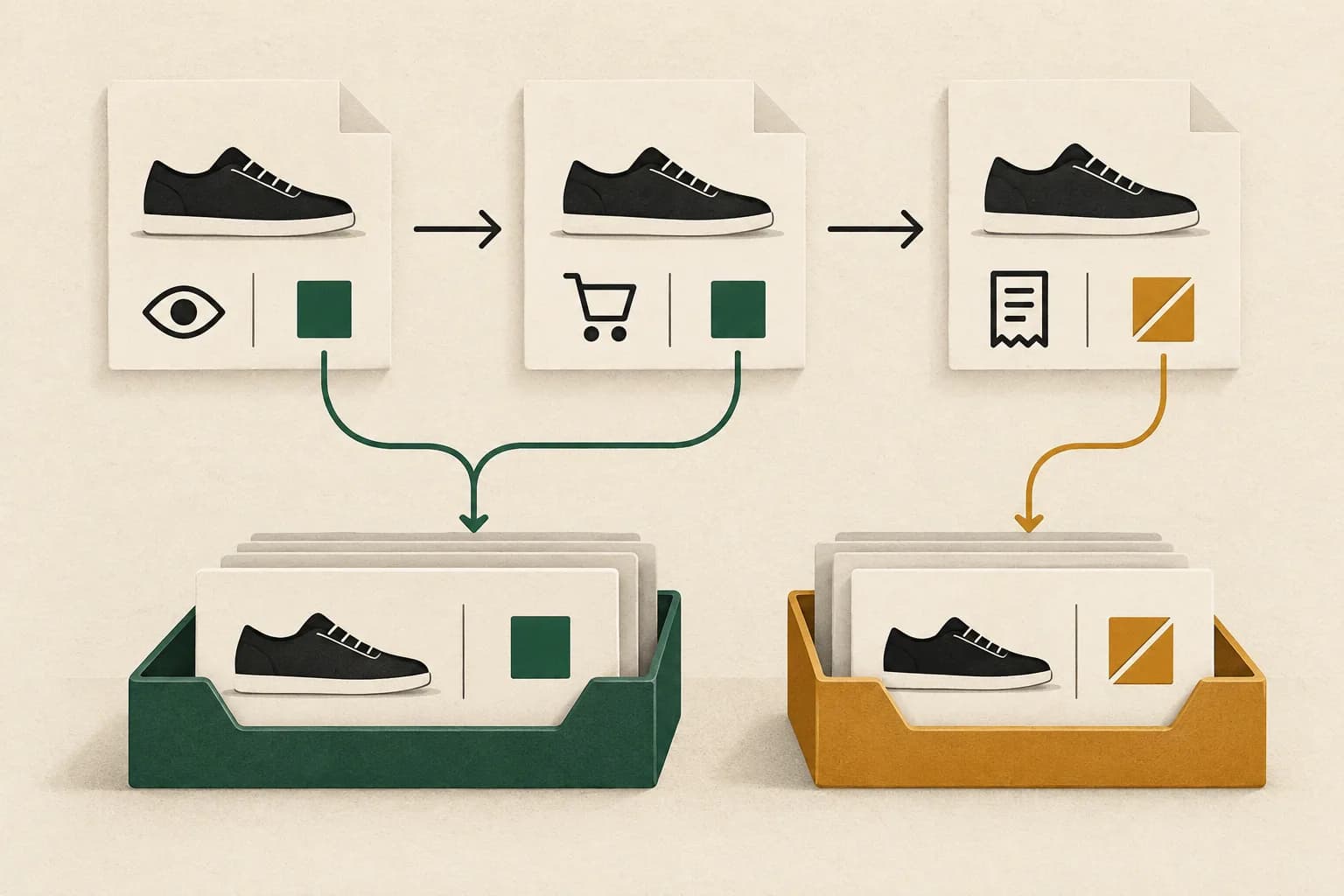
When one GA4 product row has views and cart additions but no purchases, while another has purchases and no views, compare the item fields sent by each event and simplify the report's dimensions before changing the purchase tag. A parent product, a variant, a renamed item and a page are different reporting keys. Two rows do not establish two products, lost orders or broken attribution.
Start with one affected variant and one controlled journey. Establish what the application did, what each sender emitted and what the selected report grouped together. Then decide whether the issue belongs to collection, catalog mapping or the report itself.
The real problem behind the split rows#
In an older public discussion about disconnected product events, a retailer describes individual products appearing twice: one row contains earlier shopping events and another contains purchases. Removing a page-path breakdown did not resolve the symptom. Replies suggest variant and parent-product differences, but that suggestion is a hypothesis to test, not proof of a platform defect.
A second question about missing product information describes ecommerce events counted in an Events report while an accompanying product card remains blank. This adds a separate checkpoint: an event appearing somewhere in GA4 does not establish that the reader is using the correct item-based report.
These questions support an evergreen diagnostic. They do not establish a new outage, a universal commerce-plugin bug or a reason to replace an integration without inspecting its output.
Follow one item through the funnel
Record item fields across events and the dimensions used in your report.
Use the tracking QA checklistOpens a practical guide. No email required.
1. Write down the grain of the business question#
Choose the entity you intend one row to represent. For example:
| Intended row | Useful business question | Identity decision to document |
|---|---|---|
| Sellable variant | Which size and color were viewed and purchased? | Stable variant key and its parent relationship |
| Parent product | How did the whole product family perform? | Explicit mapping from child variants to the parent |
| Product-detail page | What happened on a particular page? | Page URL and whether it represents several variants |
| Order | How many accepted orders were placed? | Order identifier and purchase-count definition |
Do not move between these grains inside one comparison. A page that contains three selectable sizes is not three product-detail pages. A purchase containing two units is not necessarily two orders.
Keep a small catalog lookup with the sellable key, parent key, variant description and effective dates. Use identifiers from the commerce system, not a fuzzy title match. If a migration changed SKU format, preserve the old-to-new relationship explicitly rather than quietly replacing historical keys.
If the question is actually Google Ads sold-product and feed matching, use the separate cart-data reconciliation guide. Matching GA4 shopping events to one another and matching sold items to a Merchant Center feed are different checks.
2. Compare like metrics before comparing identities#
Google's Ecommerce purchases report reference identifies separate item-based measures populated by the corresponding shopping events. Items viewed, items added to cart and items purchased do not mean the same thing as event count or the number of people who progressed through a sequence.
Freeze the property, web stream, reporting timezone, date range and report filters. Start with an item dimension and the relevant item metrics in the Ecommerce purchases report, or an appropriate item-based exploration. Remove optional page, source and other breakdowns while investigating. Save the original report settings so you can restore the business view afterward.
A purchase is typically recorded on a checkout or confirmation page; a detail view occurs elsewhere. Adding an event's page location can legitimately distribute actions into different rows. Conversely, removing a page dimension cannot repair different item values already sent by two events.
Read every metric label. Comparing a purchase event count with item quantities can create an apparent discrepancy even when the payload is internally consistent. If revenue itself is missing, follow the zero-revenue diagnostic rather than trying to repair monetary parameters by merging product names.
3. Trace one item through the outgoing events#
Use an authorized test environment or a clearly isolated test journey. Choose a product whose expected parent and variant IDs are known. Record its selection, detail view, cart addition, checkout and accepted purchase. Use synthetic order details; keep personal and payment information out of the evidence.
Create an evidence table from the actual emitted fields, not just the intended data layer:
| Checkpoint | Record for the selected item | What a mismatch would mean |
|---|---|---|
| Product detail | Event name, destination and complete item object | The displayed product may not match the item reported |
| Variant selection | Key before and after selection | Selection may change identity or only a descriptive field |
| Cart addition | Selected key, name, variant and quantity | Cart sender may use another catalog representation |
| Checkout | Every included item and its quantity | A cart snapshot may differ from one click's contents |
| Purchase | Accepted order's item keys and quantities | Checkout or server mapping may use another identity |
Google's ecommerce implementation guide represents shopping items inside the items array and supplies examples across the shopping lifecycle. Inspect item_id, item_name, item_variant and any fields used as report dimensions at each relevant point. Include exact spelling, case, prefixes and types in the comparison.
The following is a hypothetical inspection extract, not a complete executable event:
view_item:   item_id = "SHOE-P42", item_name = "Trail shoe"
add_to_cart: item_id = "SHOE-P42", item_name = "Trail shoe"
purchase:    item_id = "SHOE-P42-GREEN-40", item_name = "Trail shoe / green / 40"
This extract demonstrates a parent-versus-variant change. It does not reveal which side is correct for the agreed measurement contract. Compare it with the commerce catalog and business question before choosing a repair.
Also test a product without variants. A difference confined to configurable products narrows the investigation, but does not by itself identify the responsible application or tag.
4. Keep item scope inside the item object#
A transaction identifier or overall event value is not a product identifier. Google's ecommerce scope guidance distinguishes event-level information from item-level information. An items array contains separate item objects; placing a product field elsewhere does not automatically populate the corresponding item dimension.
Inspect every item in a multi-item purchase. One valid first item does not establish that all remaining entries are present, well-formed or mapped consistently. Likewise, a populated order value does not establish item-level coverage.
Compare three boundaries separately: the application's representation, the outgoing request and GA4's receiving diagnostic. Google's ecommerce validation guide explains that DebugView exposes event parameters and a separate items tab when the event contains an items array. A screenshot of source code is weaker evidence than seeing the actual selected item's collected fields.
If a vendor-managed sender owns checkout events, obtain its documented field contract and inspect an authorized test. Adding another purchase sender to compensate for an identity mismatch can create a second problem. Use the tracking QA checklist to keep senders and destinations explicit.
5. Separate a collection repair from a reporting rollup#
There are two common, different outcomes:
The same sellable item is emitted inconsistently. Fix the responsible mapping at its source, then test the next controlled journey. Keep the chosen item representation consistent across the applicable events. Record which events cannot legitimately know the eventual selected variant yet; do not invent that selection early.
The events intentionally use different catalog grains. Preserve the underlying records and build an explicit parent mapping for the analytical question. For example, a product-family report can aggregate known child variants under the parent while a variant report retains those children. An ambiguous or unmapped item must remain visible as an exception.
Also hold descriptive fields stable where appropriate. Even with a stable identifier, adding Item name or Item variant as a breakdown changes the combination of values defining a row. A display-name change can split an analysis that includes that name. Do not assume an identifier makes every possible multidimensional report collapse automatically.
A reporting lookup can make compatible historical records interpretable. It cannot prove that missing earlier events occurred or rewrite old processed GA4 events merely because the implementation is corrected today.
A hypothetical reconciliation with explicit quantities#
Suppose an isolated period contains the following item measures for a single product family. These are invented teaching figures, not customer results:
| Recorded item key | Item views | Items added to cart | Items purchased |
|---|---|---|---|
| Parent P42 | 80 | 20 | 0 |
| Variant P42-GREEN-40 | 0 | 0 | 8 |
The initial view makes the parent appear to sell nothing and the variant appear to sell without any views. A verified catalog lookup says the variant belongs to P42. A family-level rollup therefore contains 80 item views, 20 cart-added units and 8 purchased units.
Eight divided by 80 is 10%. Label that as the period's purchased-item-to-item-view ratio, if it is useful at all. It is not a demonstrated user conversion rate: units and repeated views differ from unique users, and the totals do not establish ordered journeys by the same people. Purchases may also follow views outside the selected period.
Assume the eight purchased units came from five accepted orders. Five is an order count and eight is an item quantity. Neither should be relabeled to make a funnel look smooth. To ask how eligible users progressed through ordered steps, define a separate GA4 funnel exploration with its own population and sequence rules.
If the mapping covered only six of the eight purchased units, disclose 6/8, or 75%, coverage by purchased units. Do not apply that percentage to revenue or users without measuring those denominators separately.
Close the audit with a repeatable acceptance record#
Keep the evidence narrow enough for another analyst to reproduce:
- The intended product or variant grain and catalog mapping version.
- Original report settings and the simplified item-based view.
- One controlled journey's actual item objects at each collection boundary.
- Expected versus observed items and quantities, with unresolved rows retained.
- The implementation release time and the first reporting period checked afterward.
Recheck a variant product, a simple product and a multi-item basket after the repair. Confirm collection promptly, then check processed reporting after its normal processing period. Do not repeat real purchases merely to create a cleaner dashboard.
For campaign reporting, keep the website evidence alongside an independently defined delivery baseline. The anonymous fashion-retail case study illustrates that separation: it concerns measured ad impressions, not a verified product-level sales outcome. AdProof supports scoped campaign exports with dates, timezone and available dimensions. Use those exports to document the advertising side of a comparison; retain the commerce and GA4 item audit separately. AdProof does not repair GA4 item identities or automatically join shopping events to orders.
Frequently asked questions#
Does an item with purchases and zero views prove the view tag is broken?
No. Check the reporting period, selected dimensions, item values and actual outgoing events. A purchase can refer to a different key or follow a view outside the period. A controlled collection test is needed before identifying a missing event.
Should every variant use its parent product ID?
Choose the grain required by the commerce and measurement contract. A parent-only representation loses variant detail. Where a family report is needed, an explicit child-to-parent mapping may be appropriate; do not erase valid variant keys simply to merge rows.
Can I fix old GA4 rows by changing the item name today?
A prospective implementation correction does not rewrite already-processed historical events. An explicitly documented analytical lookup can group compatible historical records, but it cannot recover uncollected events or establish journeys that were never observed.
Are item views and purchases a product conversion funnel?
They are aggregate measures unless an analysis applies a defined user population and sequence. Repeated views, quantities, different dates and different people can contribute to the totals. Use a separately specified funnel when the question is progression by users.
Follow one item through the funnel
Record item fields across events and the dimensions used in your report.
Use the tracking QA checklistOpens a practical guide. No email required.