
- Published
- Oct 31, 2026
- Reading time
- 10 min read
GA4 Site Search: Missing Events, Duplicate Counts and Terms
Diagnose GA4 site-search events and search terms. Separate results views, repeated searches and suggestion clicks, validate collection without double counting.
In this guide (9 sections)
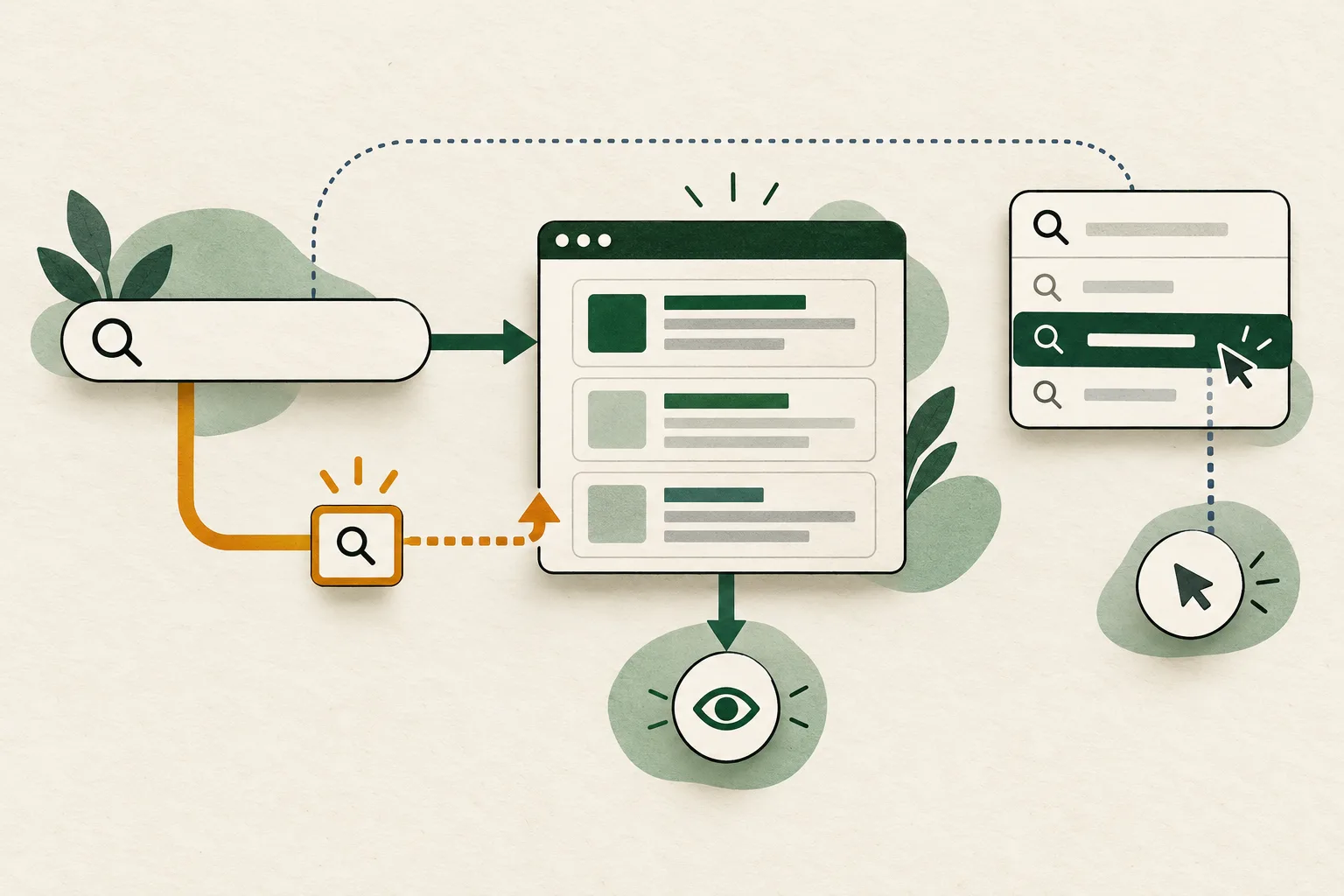
For missing or inflated GA4 site-search counts, first define the action you intend to count. A displayed results page, a search submission, a repeated term and a selected autocomplete suggestion are different observations. Check the actual URL and outgoing event before adding a manual tag or interpreting the total as evidence of search-box usage.
GA4's automatic web measurement recognizes a results page through configured URL query parameters. That mechanism can suit a conventional search URL, but it does not by itself establish how someone reached the page or which suggestion they selected. The diagnostic should end with one known collection owner and an explicit counting rule.
Three real questions, one measurement contract#
An older Stack Overflow question describes a /search?query=dog URL, enabled enhanced measurement and no visible view_search_results event. A reply proposes manual tagging and suggests automatic collection no longer works. Current Google documentation still describes automatic site-search measurement, so that blanket explanation should not become your starting assumption.
Another question about autosuggest asks whether search events could include external traffic because relatively few users appear to select suggestions. A third question about unique searches asks why event counts exceed an older session-deduplicated measure.
These are older implementation questions, not evidence of a new GA4 incident. Together they expose a practical gap: collecting an event and knowing what its count represents are separate tasks.
Define the search action you want to count
Record the search URL, outgoing event and collection owner before adding a tag.
Use the tracking QA checklistOpens a practical guide. No email required.
1. Define results, submissions and selections separately#
Write a short contract before editing tags:
| Observation | Suggested counting boundary | What the total cannot establish alone |
|---|---|---|
| Results view | One completed presentation of search results under an agreed rule | A new search-box submission or an autocomplete selection |
| Search submission | The application's accepted submission action | That results successfully rendered |
| Suggestion selection | An accepted click or keyboard selection of a suggestion | That the visitor later bought something |
| Session-unique term | First eligible occurrence of a normalized term within a defined session | Unique people or all-time distinct terms |
Decide whether pagination, sorting and returning to cached results are new results views. There is no useful universal answer independent of the product question. A search interface that updates on every keystroke needs a deliberate completion boundary; blindly sending an event for every input change can measure typing rather than completed searches.
Keep results views and suggestion selections distinguishable. If both are important, use separate, documented events and inspect their sequence. Do not rename two different actions to the same event merely to obtain a larger total.
2. Inspect the actual search URL and stream settings#
Google's enhanced-measurement documentation lists five default search query keys: q, s, search, query and keyword. Other keys can be configured. The search term is sent in search_term.
For a controlled query, record the final URL as the tag sees it. For example, /search?query=boots uses a documented default key. /search?term=boots requires checking whether term is configured. A search term in a path segment, a request body or an application variable is not automatically the same URL-query mechanism.
In the intended GA4 property, open the actual web stream and inspect the individual Site search setting, not only the overall enhanced-measurement switch. Also inspect the Google tag's automatic-event detection setting where applicable. Verify that the destination on the outgoing request is that same stream.
A copied URL, a preview environment or a second property can otherwise make a correctly functioning implementation appear absent in the report you are viewing. Record settings before changing them; avoid switching every enhanced-measurement option off and on as a general repair.
3. Follow one result from the application to collection#
Use harmless test terms in a test environment or an isolated authorized test. Observe these boundaries in order:
- The application accepts the query and displays results, including a legitimate no-results state.
- The URL and application state reflect the result being observed.
- The intended tag runs under the site's actual consent and configuration conditions.
- One outgoing event reaches the intended destination with the expected name and term.
- Receiving diagnostics and subsequently processed reporting show the corresponding data.
Inspect the real request rather than assuming that a GTM trigger preview proves a request was sent. Conversely, a request attempt does not establish that a processed report will display it immediately. Use the existing tracking QA workflow to record each boundary.
For a single-page application, test an initial search URL and an in-place search from another screen. Check whether the application changes history, replaces the URL, updates only internal state or emits its own completion event. A history change is evidence of navigation state, not proof that useful results finished rendering.
The SPA pageview guide explains how competing navigation senders arise. Apply that ownership discipline here without assuming that a pageview event proves a search event was also generated.
If collection is absent, retain the observed failure point: wrong stream, disabled specific detection, unexpected URL structure, tag timing, blocked execution or another reproducible boundary. Do not conclude from one missing diagnostic that all automatic site-search measurement is broken.
4. Choose one owner before introducing manual collection#
A manual implementation can be appropriate when the application cannot express the intended result-view boundary through supported automatic detection. That is a design decision to validate, not an obligatory fix for every missing event.
Inventory automatic site-search detection, GTM tags, application code and vendor-managed scripts. Use the supported settings and implementation contract to prevent two owners from observing the same action. If a manual owner replaces automatic site-search measurement for the relevant destination, coordinate that change narrowly and verify the other enhanced-measurement features separately.
The acceptance test is concrete: one qualifying results presentation produces one intended event; unrelated navigation produces none. Test reloads and back navigation under the agreed rule. Do not add a second sender and plan to divide its totals by two later, because duplication may affect only certain routes or consent states.
For manual measurement, agree the event name and search_term field with the implementation owner. Google's current dimensions reference identifies Search term as a predefined dimension populated by search_term on search or view_search_results. Inspect that built-in dimension before registering a redundant custom definition. Use the appropriate reporting surface and event filter so different action types do not become one ambiguous total.
5. Distinguish event totals from session-unique terms#
Google's automatically collected events reference documents unique_search_term on view_search_results: it is sent only when its value is 1, meaning the string is unique to that session. An absent flag is not a documented explicit zero and should not automatically be classified as a broken search event.
Check actual collected values before relying on that parameter. A custom definition does not manufacture a missing value or retroactively prove earlier uniqueness. A manually emitted search event also does not acquire a verified session-deduplication rule merely because it uses a familiar event name.
Use a small repeat-search test: search the same harmless term twice in one known session, then use another term. Inspect which event attempts carry the flag and which do not. Keep the same stream, session context and collection owner throughout. Test the implementation rather than trying to force every event to contain unique_search_term=1.
If a session-unique metric is required, document its exact implementation and reporting method. Distinct term strings across a whole date range, sessions containing search and session–term pairs are different denominators. A warehouse calculation additionally depends on available export coverage and defensible session keys; it should not silently turn missing identifiers into one shared session.
A hypothetical count that explains the difference
Assume the following completed results views were collected once each under a defined test contract. Terms have already been normalized under the same explicit rule:
| Session | Observed terms, in order | Results-view events | Unique session–term pairs |
|---|---|---|---|
| A | boots, boots, hat | 3 | 2 |
| B | boots, coat, coat | 3 | 2 |
| Total | Six recorded results views | 6 | 4 |
There are six events, four unique session–term pairs, three distinct terms across the period and two sessions. Those figures are compatible. They are not six searches by six people, and the two sessions do not necessarily represent two people.
An accidental second sender on every action would create twelve event attempts in this controlled example. That is a separate collection defect; it is not the same explanation as legitimate repeated terms. Verify receiving and reporting behavior instead of assuming every additional attempt must appear as an additional processed row.
Do not normalize away meaningful differences simply to reduce the total. Decide how case, whitespace, spelling corrections and locale should be treated, retain the mapping rule and keep privacy constraints in view.
6. Test what the event can actually say about behavior#
The automatic mechanism is driven by the results URL. As a diagnostic test, open a qualifying results URL directly and observe collection. If that action emits a results event without a search-box submission, the implementation's results-view total cannot independently prove how often visitors used the box.
This is an inference about the measurement boundary, not a claim that every external arrival triggers a search event in every configuration. Keep the actual observed settings and consent state with the test.
Likewise, a results event does not identify whether someone pressed Enter, clicked the search button or selected an autosuggest option. Measure an accepted suggestion selection separately if that is the product question. Compare eligible sessions and compatible dates, and retain cases where a selection did not produce results.
Site-search terms also differ from Google Search Console queries and Google Ads search terms. Use Google’s Search Console versus GA4 comparison when reconciling external search discovery. Do not use internal search counts as a substitute for organic keyword demand.
Keep the test safe and the reporting useful#
User-entered search text can contain personal information. Google's PII guidance specifically warns about search boxes and requires removing PII before collection. Avoid capturing unrestricted inputs or using real customer details in test queries. Check URLs, event parameters and debug evidence, not only the visible search-term table.
A release checklist should confirm the results boundary, one sender, expected term, repeated-term behavior, direct-entry behavior, suggestion-selection distinction and privacy checks. Save the settings and a small acceptance record so later changes can be compared with the same contract.
When evaluating advertising, keep internal search behavior alongside a separately scoped delivery report. The anonymous fashion-retail case study demonstrates an impression-measurement baseline, not proof of search usage or sales causality. AdProof supports campaign exports scoped by dates, timezone and available dimensions. Those exports can document ad delivery while the website's own collection evidence documents site search. AdProof does not configure GA4 search detection or automatically establish which search caused an order.
Frequently asked questions#
Why is view_search_results missing even though page_view appears?
Check the specific Site search setting, destination, actual URL query key and application timing. A pageview does not establish a search-event trigger. Observe one controlled journey through the outgoing request and receiving diagnostic before adding another tag.
Do I need a custom dimension for Search term?
The current GA4 dimensions reference provides a predefined Search term dimension populated by search_term on search or view_search_results. Check the collected parameter, event filter and reporting surface before creating a duplicate custom definition.
Why does unique_search_term show as missing on some events?
Google documents the automatic parameter as sent only when its value is 1, for a term unique to that session. Its absence is not an explicit zero. Verify repeated-term behavior and the collection owner before interpreting missing values or building a unique-search metric.
Does a search-results event prove someone selected an autocomplete suggestion?
No. It observes a different boundary. An accepted suggestion selection needs its own deliberately defined interaction measurement when that distinction matters. A results URL or event total cannot identify the input method by itself.
Define the search action you want to count
Record the search URL, outgoing event and collection owner before adding a tag.
Use the tracking QA checklistOpens a practical guide. No email required.