
- Published
- Oct 30, 2026
- Updated
- Nov 15, 2026
- Reading time
- 13 min read
Google Ads Data Exclusions After a Tracking Outage
Understand Google Ads data exclusions after bad conversion data. Map affected clicks, preserve reports and prepare a scoped incident plan for owner review.
In this guide (12 sections)
A Google Ads data exclusion changes the conversion data used by applicable Smart Bidding strategies. It does not delete those conversions from reporting, fix your tag or guarantee that campaign performance immediately returns to normal.
After a conversion-tracking incident, first establish what went wrong and stop the incorrect collection. Preserve the historical evidence. Then prepare a separate, scoped proposal if the account owner needs to consider excluding affected bidding inputs.
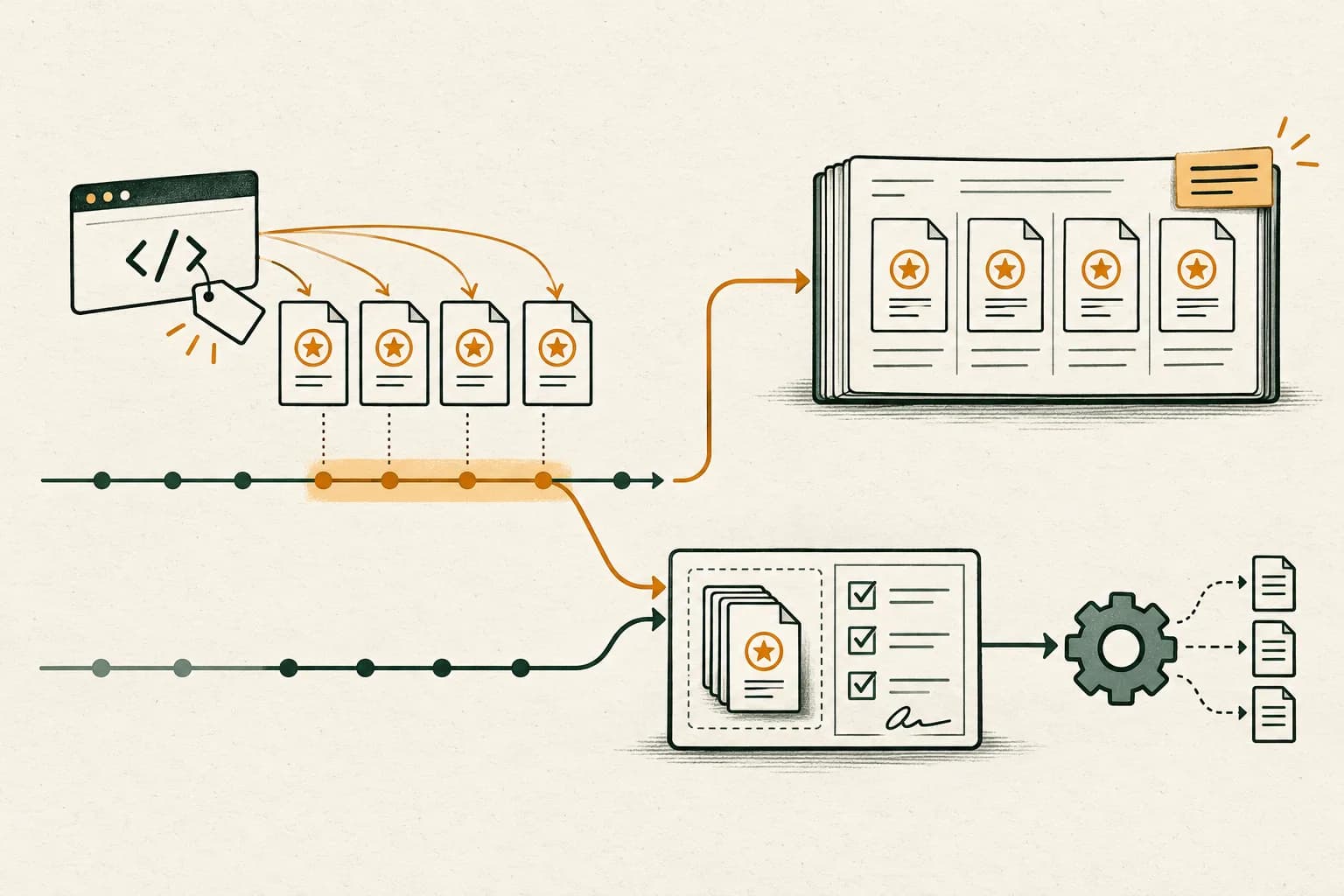
The most important date distinction is that Google's exclusions apply to clicks associated with affected conversions, which can precede the event outage. Copying the outage's calendar dates into an exclusion without investigating conversion delay can miss relevant interactions or include unrelated activity.
Community reports on conversion-tracking incidents#
In an older accidental-primary-action question, an advertiser reports that page views entered campaign conversions for a day. After changing the action to secondary, they ask whether to use an exclusion or wait. Replies disagree, and one describes an exclusion as removing the day's conversions.
A separate older tracking-error discussion reports a tag treating every page as a conversion. The author later describes increased CPC despite an exclusion and mentions an offline upload. The thread does not independently prove which change caused subsequent performance, or that an exclusion failed.
These are evergreen incident-response questions. Current Google Ads documentation resolves the key boundary: excluded conversions can remain visible in reports because the exclusion concerns Smart Bidding's data, not report deletion.
Mark the outage window before interpreting conversions
Record the affected dates and conversion action, then check which bidding decisions the exclusion applies to. Discuss what the outage evidence shows.
Discuss measurement optionsA short inquiry to scope relevant options; no campaign access is needed.
Separate the possible responses#
A report containing incorrect conversions creates several tasks with different purposes:
| Response | Its purpose | Evidence needed before considering it |
|---|---|---|
| Repair collection or goal configuration | Stop incorrect future measurement | Faulty trigger, source or effective campaign-goal evidence |
| Annotate the incident in analysis | Keep historical comparisons interpretable | Affected definition, dates, scope and known limitations |
| Review a data exclusion | Address affected inputs to eligible Smart Bidding | Relevant click cohort, conversion delay, campaign/device scope |
| Assess a conversion adjustment | Correct supported individual conversion records | Eligible source and matching records under the adjustment rules |
| Assess a seasonality adjustment | Express an expected conversion-rate change for a future event | A supported, independently justified future-event scenario |
Google's conversion-adjustment reference distinguishes restating values from retracting supported conversions. It has matching and source requirements; it is not a universal delete button for any page-view action.
The seasonality reference concerns expected rate changes around future events such as promotions. A tracking incident is a different diagnosis. Do not choose an intervention because its menu is nearby or its name sounds similar.
Step 1: Establish the actual failure#
Start with a specific claim: “The purchase event stopped reaching the selected destination after this deployment,” or “This trigger recorded a page view as an accepted enquiry.” Preserve a business record and the emitted event that demonstrate the difference.
Classify what you have observed:
- Missing events that the source system confirms should have existed.
- Extra events from an incorrectly defined or repeated trigger.
- Incorrect monetary values or units.
- A wrong action being included in the campaign's effective goal.
- A report comparison using different dates, populations or definitions.
- A business journey that actually stopped producing outcomes.
A low conversion total alone does not distinguish these cases. A genuine fall in orders, a failed import and a misleading report filter need different owners. Do not create an exclusion merely to make disappointing business performance disappear from analysis.
For a website action, use the inactive-conversion investigation to test the correct destination and trigger. For an import, use the offline-processing diagnostic to separate source selection, delivery, processing and attributed reporting.
Step 2: Reconstruct which goals and actions were relevant#
Save the conversion action's identifier, source and configuration during the incident, plus the affected campaigns' goal selections. A current screenshot after the repair cannot by itself establish the previous configuration.
Google's primary/secondary documentation makes the selected goal relevant: primary actions are used for bidding when their standard goal is selected. A custom goal can use included secondary actions too.
That exception matters to the accidental-page-view question. Changing a label to Secondary does not, by itself, prove that every campaign stopped using the action. Inspect effective goal membership and preserve the before/after evidence.
Keep this separate from the exclusion decision. Establishing that an action was eligible for use does not prove it caused a particular CPC movement or quantifies how much historical learning must be undone.
Step 3: Build a timeline with separate clocks#
Record the first confirmed bad occurrence, last confirmed bad occurrence, deployment or source change, discovery time, repair time and first verified correct occurrence. Use explicit timezone offsets.
Then distinguish:
- Interaction time: when the relevant ad click occurred.
- Business-outcome time: when the genuine order or lead occurred.
- Collection or upload time: when its data was sent.
- Report-observation time: when you inspected the result.
Google's conversion reporting reference explains click-date versus conversion-time columns. Those clocks should not be substituted for each other during an incident.
A queue failing on Tuesday can affect records associated with earlier clicks. Conversely, a Tuesday click can produce a conversion after the collection problem has been repaired. Keep directly observed associations separate from a delay-based estimate when individual matching is unavailable.
The platform measurement guide provides a broader snapshot and cohort framework for comparisons that continue developing after the initial observation.
Step 4: Prepare the smallest defensible review scope#
Google's data-exclusion overview limits the feature to conversion- or conversion-value-based Smart Bidding and lists Search, Display, Shopping and Performance Max support. Hotel and Travel campaigns are excluded from the documented support.
Verify the actual account, campaign type and strategy before preparing a proposal. Being inside Google Ads does not make every campaign or measurement route eligible.
The documented scope includes campaigns and devices, with times based on the account timezone. It is not an action-by-action reporting filter. A proposal covering a campaign's affected clicks can have a broader footprint than the few bad event rows that first revealed the incident.
For each proposed boundary, record why it is included. Document unaffected campaigns and device routes as well. If evidence is incomplete, identify the uncertainty for the account owner rather than silently applying an account-wide interval.
A hypothetical click-cohort worksheet#
Assume an approved incident review has established an incorrect mobile conversion-data interval from 20 October 2026 at 10:00 to 22 October at 18:00, in an account using Asia/Kolkata time, UTC+05:30. The table is hypothetical; it is not customer data or a proposed action on a live account.
| Evidence row | Click time in account timezone | Outcome time | Device | Observed issue |
|---|---|---|---|---|
| A | 18 Oct, 09:00 | 20 Oct, 10:15 | Mobile | Genuine outcome missing from the affected collection route |
| B | 19 Oct, 12:00 | 21 Oct, 14:00 | Mobile | Genuine outcome missing from the same route |
| C | 22 Oct, 09:00 | 22 Oct, 12:00 | Mobile | Incorrect conversion data confirmed |
| D | 21 Oct, 11:00 | 21 Oct, 11:30 | Desktop | Correct data from an unaffected route |
An event-date-only proposal starting on 20 October misses the 18 and 19 October clicks associated with rows A and B. Including all devices would also extend beyond the demonstrated mobile failure in this simplified dataset.
The next step is a review worksheet, not automatically selecting 18 October as the final start. Record how many other affected records were examined, the observed conversion-delay distribution and remaining uncertainty. These four rows do not establish complete boundaries for a real campaign.
If a broader candidate click interval contains 200 eligible clicks and only 120 have been classified against reliable evidence, then 80 remain unclassified: 200 − 120 = 80, or 40% of that candidate population. That is an uncertainty measure, not a recommendation to exclude 40% or a universal confidence threshold.
Step 5: Preserve reporting and assess any backfill separately#
Save the original exports and mark the affected population in your analysis. A data exclusion should not be described as having cleaned the historical dashboard: the reported conversions can remain.
Google's outage guidance cautions against generally backfilling conversion data because it can affect bidding. For reporting backfills after an exclusion, it specifies waiting at least five days and advises retaining the exclusion.
Treat those as conditions to assess with the implementation and account owners, not blanket permission to fabricate missing events or replay a queue. A legitimate source record, supported import path, original occurrence time and duplicate-handling evidence are still needed. Preserve rejected, unmatched and unresolved records.
Do not remove an exclusion simply because a report later looks complete. The documentation advises against removing an applied exclusion. If someone believes a prior scope was wrong, retain the evidence and escalate that specific configuration question before another account change.
Step 6: Prepare a concrete account-owner review packet#
A useful packet contains:
- The proven failure and the business measurement it affected.
- Original versus repaired collection/configuration evidence.
- Action IDs, effective goals and the incident's reporting definitions.
- The proposed click interval, explicit account timezone and device/campaign scope.
- Delay evidence and the uncertainty behind each boundary.
- Separate reporting annotations and any proposed record-correction or backfill assessment.
- The person reviewing the account change and the planned observation checkpoints.
This packet makes approval concrete. The authorized account operator can compare it with the current interface and official feature support before creating anything. The diagnostic itself does not require saving an exclusion or modifying budgets, targets or bid strategies.
After an authorized change, retain the applied scope and timestamp, verify fresh collection independently, and compare appropriately matured cohorts. Keep every subsequent configuration change in the incident history so that a moving performance chart is not attributed to one intervention by assumption.
Monitor conversion tracking after a site or tag release#
Incident response starts after a symptom is noticed. A lightweight monitoring routine can make the first bad interval easier to locate, but a zero-conversion day is not automatically an outage. Sparse lead actions, paused campaigns, changing demand, consent choices and normal reporting delay can all change what a short window contains.
Define one monitor per conversion action. Record the event's business meaning, source, campaign goal, count rule, time zone, date basis, expected cadence and owner. Keep two checks separate:
- Collection: does the released site or app send the intended event at the actual success point? Test the live path, destination and relevant parameters after a release, form change, domain migration or consent update.
- Business outcome: do completed orders, submitted forms or qualified leads appear in the first-party system under the documented business rule? Compare with Ads only after aligning action definitions, attribution date and duplicate handling.
A tag can fire while the business outcome is absent; a business can receive leads while the ad-platform event path is broken. A phone-link tap is not proof that a call connected, and a form-button click is not proof that the server accepted a submission. Do not compress these checks into one “conversions are healthy” badge.
Set alert baselines from the action's own volume and history. A high-volume purchase action may support a weekday-matched rolling comparison. A low-volume lead action may need a longer window, a denominator such as completed forms or eligible clicks, and a human review state. Derive thresholds from observed history and the cost of a missed incident; there is no universal percentage drop or click threshold in Google's conversion-status guidance. A forum suggestion is not a platform standard.
When an alert fires, freeze the action, date range, time zone and report columns. Check impressions/clicks and spend, then action status, goal membership and the site's release/container history. Test a safe live journey, verify consent state and event destination, and inspect platform processing before naming the cause. Only consider a data exclusion after evidence shows the conversion input was wrong for a bounded interval and the account owner has reviewed the bidding consequences described above.
An alert should include the action, numerator, denominator, comparison window, reporting lag, first observed time, most recent successful test and relevant releases. For example, “qualified-form action has no new events against its matched weekday baseline; paid clicks remain within the account's range; the checkout route changed at 14:10 local time” describes observations to verify. “Conversions fell 50%, tracking is broken” adds an unsupported cause unless an event-path test confirms it.
Keep the first alert and each recovery observation with the incident timeline. Close the monitoring incident only after the expected event path is verified and the downstream report has had its own processing interval. This monitoring layer complements the existing exclusion review; it does not itself establish incorrect bidding data or a need for an exclusion.
What this can and cannot establish#
A complete investigation can establish a collection fault, its observed scope and a defensible input-exclusion proposal. It cannot establish that campaign performance will instantly recover or that a particular account response caused later changes.
The official outage guidance explicitly allows for continued performance fluctuations. The historical CPC discussion above therefore cannot be used as proof that an exclusion should always work, never works, or requires a universal waiting period.
A more recent r/PPC question about detecting when conversion tracking stops asks how operators can spot the issue across client accounts. Replies visible on 15 November proposed account-specific baselines and manual checks, but did not establish a universal alert threshold or show that data exclusions are appropriate for every drop. The monitoring guidance below is an operational recommendation, not a Google-prescribed rule.
The anonymized fashion-retail delivery-quality case illustrates why reporting needs a defined measurement population before it supports another conclusion. For supported delivery-evidence review alongside your conversion incident, discuss the scope with AdProof. Bring campaign identifiers, dates, event definitions and comparable exports. Google account configuration, conversion corrections and bidding interventions remain with their owning systems and operators.
Frequently asked questions#
Will a data exclusion remove conversions from my reports?
No. Google documents that exclusions affect the conversion data used by applicable Smart Bidding strategies. Excluded conversions can remain visible in reporting.
Should the exclusion use the exact dates the tag was broken?
Not automatically. Exclusions apply to associated clicks, so conversion delay can require considering earlier interactions. Preserve account timezone, scope and evidence before selecting a proposed interval.
Is changing an accidental action to Secondary enough?
Verify the actual campaign goals and collection repair. A selected custom goal can still use secondary actions. The setting change also does not, by itself, resolve historical reporting or establish whether an exclusion is appropriate.
Can I backfill missing conversions immediately after applying an exclusion?
Do not assume so. Google's current guidance warns about backfill effects, specifies a minimum five-day wait for the described reporting-backfill scenario, and advises retaining the exclusion. Eligibility, genuine records and supported duplicate handling still require review.
Mark the outage window before interpreting conversions
Record the affected dates and conversion action, then check which bidding decisions the exclusion applies to. Discuss what the outage evidence shows.
Discuss measurement optionsA short inquiry to scope relevant options; no campaign access is needed.