
- Published
- Oct 29, 2026
- Updated
- Nov 15, 2026
- Reading time
- 16 min read
Offline Conversions Uploaded but Missing in Google Ads?
Audit Google Ads offline uploads from CRM selection through request status, processing, attribution and reporting, with a practical reconciliation worksheet.
In this guide (11 sections)
If an offline conversion upload succeeds but Google Ads shows fewer conversions, verify three different things: which business events your CRM selected, what the actual upload interface processed, and what the chosen Ads report counts. An HTTP success response alone does not establish that every record became an attributed conversion. Start with one conversion action and a mature, explicitly defined cohort before changing your integration or bidding goals.
An October 2026 advertiser question about CRM counts despite HTTP 200 responses describes this exact dispute. The CRM contains leads from several sources; a nonzero Ads count suggests some activity is reaching the action, but it does not audit every upload. A separate discussion about auditing offline uploads one record at a time exposes another trap: comparing a send log with a report organized by a different date.
Neither discussion proves the cause in your account. Their useful question is how to establish where the counts diverge without assuming either complete delivery failure or harmless attribution differences.
A newer advertiser question about a counted offline conversion later disappearing adds a post-acceptance case. The author reports three uploaded events with successful diagnostics, two still visible and one later absent. The account records and any later adjustment history are not available, so the post does not establish why that row disappeared.
Give every count a precise meaning#
Draw the path before exporting data:
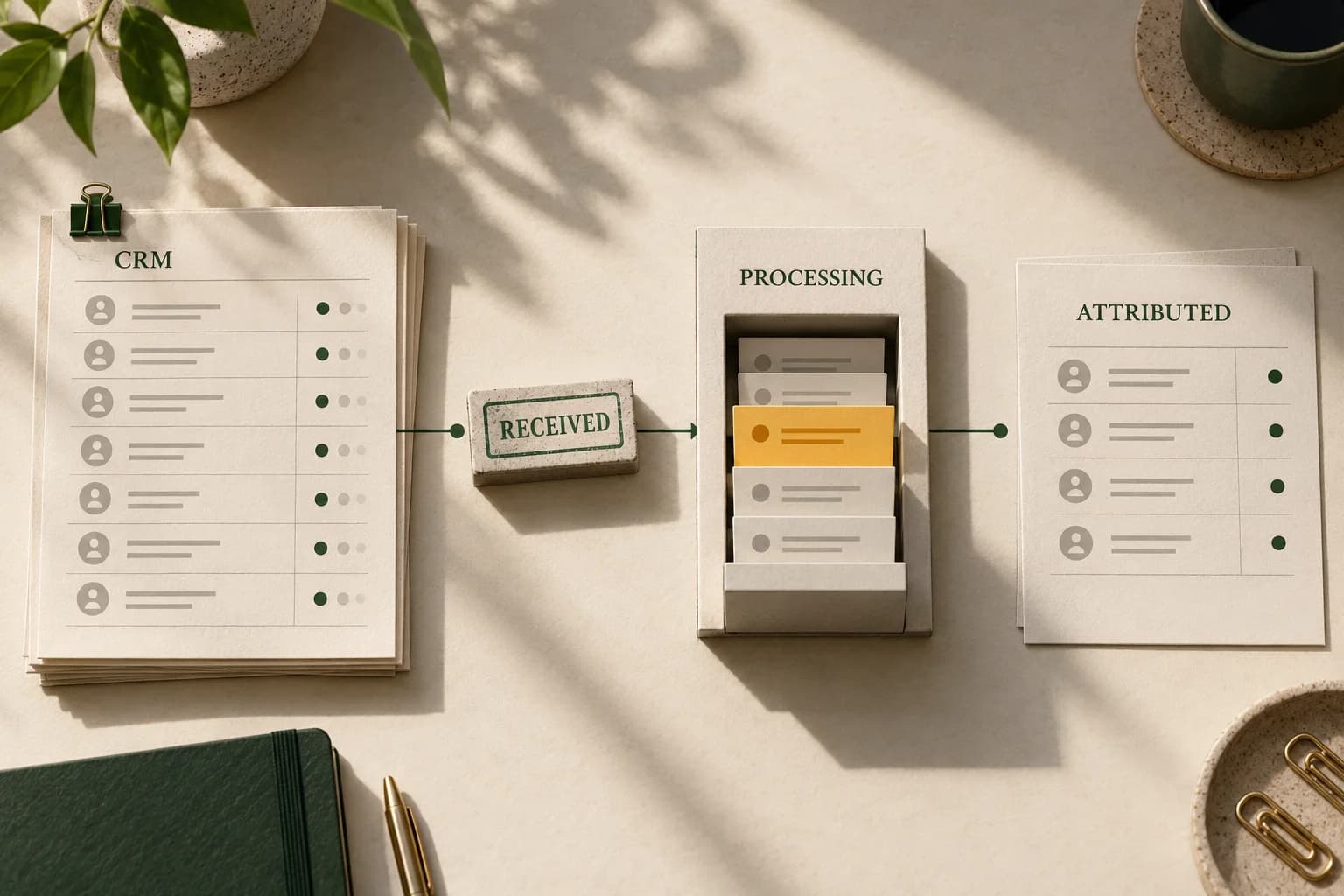
business event → selected record → attempted upload → processing result → attributed report
Keep request counts separate from event counts. Two successful requests might carry two records or two thousand records. Keep people, leads and lifecycle changes separate too: a person can generate several legitimate events.
| Checkpoint | Count to retain | Evidence that supports it |
|---|---|---|
| Business system | Events satisfying the agreed business definition | Dated CRM extract and definition |
| Selection | Distinct records the integration chose | Selection output, rule version and exclusions |
| Transport | Records actually included in requests | Request ledger, batch IDs and response references |
| Processing | Destination-specific outcomes | Terminal diagnostics, errors and warnings |
| Reporting | Credit in the selected Ads action and column | Saved report definition and extraction time |
An event omitted by your own selector cannot be diagnosed from an API response for another record. Conversely, a received record absent from a campaign report has not necessarily been lost in transport. Find the first unsupported transition and investigate there.
The broader platform measurement comparison explains why different systems can answer different questions. This guide makes the offline-import path auditable at each boundary.
Reconcile the offline conversion journey
Record selected CRM events, upload results and the Ads report for one action.
Use the tracking QA checklistOpens a practical guide. No email required.
Identify the interface actually receiving the data#
Ask the integration owner for the endpoint, API version or connector, destination account, action and response format. A CRM screen saying “Google Ads sync” is insufficient. A middleware job can succeed while its downstream destination is still processing or has failed.
Google's current legacy offline-upload guide carries a restriction beginning 15 June 2026 for access that had not previously used that upload path, and directs new implementations to the Data Manager API. Do not assume that every existing connector uses the same interface or that an old code sample describes its current behavior.
For Data Manager API ingestion, successful request acceptance is asynchronous. Google's request-status documentation instructs you to retain request_id, initially wait 30 minutes, then retrieve status with backoff until each destination is terminal. PROCESSING is unresolved; SUCCESS, PARTIAL_SUCCESS and FAILED describe the destination's processing outcome. Check warnings even when processing succeeds. Its event record_count includes received records that later succeed or fail; it is not a count of attributed conversions.
For an eligible legacy Google Ads API integration, inspect the actual upload response. The response distinguishes partial_failure_error and successful results, with empty result entries for failed rows. Validation-only requests do not provide successful upload results. Retain row positions and the job reference instead of logging only HTTP status.
Google's migration field mapping explicitly warns against treating the response shapes as interchangeable: Data Manager validates a request before asynchronous event processing and does not return the legacy per-row results array. Diagnose the interface you have; do not add a parser for a field it never returns.
Build a small reconciliation ledger#
Create a restricted operational table with one row per intended business event and destination action. Use internal references in shared troubleshooting reports; retain personal information only in the approved systems that need it.
Recommended fields are:
- Internal event reference and lifecycle stage.
- Actual event timestamp, explicit offset and business-system timezone.
- Destination account and conversion action identifier.
- Identifier type present, without copying raw identifier values into the report.
- Selector version, selection outcome and exclusion reason.
- Request or job reference, attempt time and retry relationship.
- Processing state, last inspection time, error and warning categories.
- Report action, date basis, column and extraction time.
Also retain an immutable association between your internal row reference and the request position. An aggregate error total may reveal a problem without identifying the affected CRM records. Record that limitation rather than pretending every difference can be joined back to a person from a report export.
Use two reconciliations: selected records versus attempted records, then attempted records versus documented processing outcomes. Your later reporting comparison is a separate control. This arrangement catches a selector regression even when every transmitted request is healthy.
Keep campaign credit separate from branch assignment#
A fresh paid-media question about a shared lead form and branch-level reporting describes a reported example with 30 B2B and 200 B2C conversions in Google Ads, versus 100 B2B and 130 B2C leads in branch-level CRM data. The poster also says inquiries from campaigns aimed at one branch can be fulfilled by another. At retrieval, the post showed “2h ago”; votes and replies were not exposed. The totals are the poster’s report, not independently verified results. Even though both example splits sum to 230, equal totals do not establish that the same leads, date range, stage, or counting rules were used.
Build a crosswalk before labeling this as a location-targeting defect. Keep separate fields for the ad interaction/campaign, the vertical or service the person selected, the branch the business assigned, and the branch that ultimately fulfilled the request. Add a stable internal lead reference and the relevant timestamps. When an eligible offline conversion workflow is later introduced, preserve the applicable click identifier or enhanced-conversions data with the business outcome under the organization’s privacy and consent rules; do not put raw identifiers or personal data in an editorial or reporting worksheet. Google’s offline conversion guidance describes saving a GCLID with lead information and later returning it with the offline conversion. That import is a separate mechanism from deciding which branch owns a lead.
Geo targeting is also not a fulfillment guarantee. Google says location targeting relies on multiple signals and is its best effort, with no 100% accuracy guarantee. Check the campaign’s actual location option, selected targets and exclusions, but classify an inquiry’s CRM branch assignment from the CRM evidence. A person may see or click a campaign associated with one area and still request or receive service from another branch; the campaign’s target and the business’s routing policy answer different questions.
If offline imports are not yet operating, report Ads campaign conversions and CRM branch outcomes as separate views. Reconcile them only through a documented join and compatible time, stage and denominator. Do not infer a 70-lead tracking loss or change geo targets merely from the two reported splits.
Read destination diagnostics before retrying#
Google's offline data diagnostics shows data quality, alerts and upload history. Open the affected action's diagnostic rather than relying on an account-wide badge. Save the observation time, destination and relevant job or day. A healthy summary does not establish that a particular sale received campaign credit.
Classify each unresolved transition before choosing an action:
| Observation | Investigation | Immediate response |
|---|---|---|
| CRM event missing from selection output | Selector, stage mapping or extraction failure | Repair the proven selection issue |
| Selected row absent from request ledger | Queue, serialization or batch-boundary failure | Recover the missing operational evidence |
| Request rejected | Actual interface error | Correct the documented request problem |
| Destination still processing | Pending ingestion | Recheck with bounded backoff |
| Terminal errors for some records | Affected record classes | Correct those records and control retries |
| Processing completed, report count differs | Attribution and reporting contract | Reconcile the report before resending |
Do not turn every warning into a failed-event count. A record can carry more than one warning, and warning categories can overlap. Preserve the raw diagnostic artifact and explain whether your calculated categories are mutually exclusive.
Retries should refer to the original event and prior attempt. Do not move a sale's timestamp forward merely to get it accepted, invent an ad identifier, or remove an inconvenient error from the ledger. A duplicate response may indicate an earlier accepted attempt; examine that history before treating it as a missing conversion.
Align dates and columns before comparing volume#
Write down four times: ad interaction, business event, upload and report extraction. A lead can interact on Monday, qualify on Thursday and upload on Friday. A daily comparison fails if one side groups by Friday and the other by Monday.
Google's offline-import discrepancy guidance distinguishes reporting by interaction time from “by conv. time” columns, and says not to compare by upload date. Its processing estimates also depend on identifiers: reporting typically takes under 12 hours but can take up to 72 hours for GBRAID/WBRAID-keyed conversions. Those reporting estimates are separate from ingestion-status polling.
Choose one cohort question at a time:
- Did this upload batch finish processing? Use its request or job references and destination diagnostics.
- How many eligible business events occurred in this period? Use the actual conversion-time cohort, action and matching reporting column.
- Which interaction periods received credit? Use the corresponding interaction-date report and sufficient history.
State the account timezone and how you converted CRM timestamps. Preserve the original timestamp with its offset. Do not repair a timezone bug by replacing the underlying business time with the time of upload.
Explain eligibility without declaring every residual harmless#
A CRM total may include organic, referral and other-platform outcomes. Those business events are not automatically Google-attributed conversions. But filtering your CRM to a manually assigned “Google” source is also not proof that every remaining event meets Google's matching and reporting rules.
Check the conversion account and action owner, event chronology, configured window, supported identifiers, consent and implementation. For enhanced conversions for leads, Google's discrepancy guide notes that unknown-click results can be expected in an all-channel upload; an all-unknown pattern or unexpectedly low attribution still needs investigation. Do not assume the source mix explains the entire gap.
For a client-to-manager transition, review the conversion ownership and reporting handoff before re-uploading events. Preserve old and replacement action evidence, verify the destination actually used, and keep overlapping transition records separate from a deduplicated business-outcome count.
Inspect the count setting at the chosen action. Distinct CRM event IDs do not necessarily mean distinct ad interactions. If your business records multiple stage changes for one lead, confirm which stage the action measures and how repeat events are counted.
Then inspect reporting inclusion. Google's primary and secondary action documentation distinguishes “Conversions” from “All conversions” and explains the custom-goal exception. Changing an action to primary affects measurement and optimization decisions; it is not a neutral troubleshooting trick. Save the actual campaign goal and column instead.
If a website action never fires, use the separate inactive-conversion diagnostic. Reinstalling a browser tag cannot explain a CRM selector that excluded a legitimate offline record.
Reconcile a conversion that appeared and later disappeared#
A row visible in a report and missing in a later snapshot is a reporting-state change to investigate. Preserve both observations and the report definition before retrying the upload. A current total alone cannot tell whether the first snapshot was temporary, the later one used another date basis, an adjustment changed the record, or a different action/filter is now selected.
For the affected business event, record the upload request or batch, row-level processing result, conversion action, event timestamp and time zone, click identifier or permitted order reference, report column, report date basis and extraction time. Check the conversion by conversion time as well as the ad-interaction date, and widen the interaction-date range enough to include the associated click. Compare the same action and account time zone. The upload time is not the conversion date, and a business transaction record does not itself establish Google Ads attribution.
Then inspect the event's subsequent history. Review conversion adjustment uploads, CRM syncs and API audit records for a retraction or restatement. Google's conversion-adjustment guidance says that a retracted conversion is removed from reporting; a later adjustment attempt for a retracted conversion can be ignored. That is a documented possible transition, not proof that it occurred in the forum case.
| State to verify | Evidence to preserve | What it does not prove alone |
|---|---|---|
| Request accepted | Interface-specific request or upload reference | Every row was processed or attributed |
| Row processed | Row-level result or terminal destination status | The selected report includes the resulting action |
| Event visible in report | Timestamped report, action and date basis | A later snapshot uses the same filters or date interval |
| Adjustment/retraction sent | Adjustment batch, identifier and result | That a missing row was caused by invalid traffic |
| Later report differs | New snapshot, same metric definition and extraction time | A platform bug or permanent data loss |
Google's offline-import discrepancy guidance documents several reasons a successful import may not appear in a particular report, including processing, reporting-date basis and count settings. Check those explanations alongside row results and adjustment history. Do not equate invalid-activity filtering with a billing credit, refund, confirmed waste or the cause of one missing conversion.
Do not start by resending the event. First establish whether the row is rejected, still processing, attributed to another reporting date, excluded by the action's count behavior or changed by a later adjustment. Reusing an identifier can lead to duplicate handling or obscure which attempt changed the state. Follow the current interface's correction workflow for the actual event type, keep the original timestamp, and add any retry as a separately traceable attempt. If the records do not identify the cause, retain the difference as unresolved and take the upload reference and action details to platform support.
A hypothetical audit with an honest residual#
Suppose an authorized fashion-retail team investigates a single synthetic action, “Qualified enquiry.” These invented figures illustrate the worksheet, not an AdProof customer result.
The CRM contains 120 qualifying business events in a fixed period. Its approved selector holds ten records for a documented reason, leaving 110 selected records. Two requests contain 55 records each. Later terminal diagnostics establish ten processing failures and 100 records processed without errors for the selected destination. A mature, comparable action report shows 72 attributed conversions.
| Reconciliation | Arithmetic | Meaning |
|---|---|---|
| Selection | 120 − 10 = 110 | Ten events were not sent; investigate whether the hold is intended |
| Transport | 55 + 55 = 110 | Attempted volume matches selected volume |
| Processing | 110 − 10 = 100 | Ten processing failures require specific follow-up |
| Reporting residual | 100 − 72 = 28 | Twenty-eight is an unresolved comparison difference |
Calling all 48 events between the CRM total and the report “lost uploads” would mix three stages. Calling all 28 remaining events “organic” would invent an explanation. Use the residual to investigate eligibility, count settings, report scope and attribution. Mark any event-level linkage you cannot establish as unknown.
The team should fix the ten processing failures according to their actual categories, review the ten held events and preserve the reporting comparison separately. It should not resend all 120 records to make the report resemble the CRM total.
Turn the audit into a repeatable control#
Alert on missing scheduled runs, records selected but not attempted, destination processing that exceeds your inspection policy, and material changes in documented error categories. Define thresholds from the operation's actual cadence and history; a universal acceptable discrepancy percentage would hide different populations. When a confirmed import outage also raises a bidding question, audit the data-exclusion interval and recovery plan separately from retrying or backfilling eligible business records.
Keep a small representative sample for deeper checks, including retries, multiple actions and delayed business outcomes. A few successful samples prove those samples worked, not that the whole pipeline is complete.
To discuss whether a scoped AdProof review fits your campaign evidence, contact the team with the campaign, dates, event definitions and export types you can authorize. Bring the CRM and Google upload diagnostics from their owning systems. Confirm the available scope before drawing conclusions; this guide does not imply a direct CRM upload integration or access to Google's internal attribution decisions. The anonymized case studies provide context for campaign measurement investigations without identifying customers.
Frequently asked questions#
Does HTTP 200 prove all offline conversions were counted?
No. Inspect the interface-specific response and processing diagnostics, then evaluate the reporting definition. A received request and an attributed conversion are different checkpoints.
Should CRM totals equal Google Ads conversions?
Only compare explicitly compatible populations. CRM outcomes can cover other channels, different lifecycle stages and different dates. A difference still needs an explanation; it should not automatically be labeled either upload failure or harmless attribution.
Can I compare Friday's uploads with Friday's conversion-time report?
Not as a general rule. Conversion-time reporting uses when the conversion happened, not when your integration uploaded it. Use request references for the upload audit and actual event timestamps for the business-period comparison.
Should I resend everything that is missing from the campaign report?
No. First separate rejected, pending and already processed records, then inspect attribution and report settings. Retry according to the actual interface and error, preserving the original business event and attempt history.
Reconcile the offline conversion journey
Record selected CRM events, upload results and the Ads report for one action.
Use the tracking QA checklistOpens a practical guide. No email required.