
- Published
- Oct 28, 2026
- Updated
- Nov 10, 2026
- Reading time
- 17 min read
Google Ads Eligible but No Impressions? Diagnose the Stop
Diagnose eligible Google Ads campaigns with zero impressions: separate reporting delay, account restrictions, campaign settings and evidence for support.
In this guide (11 sections)
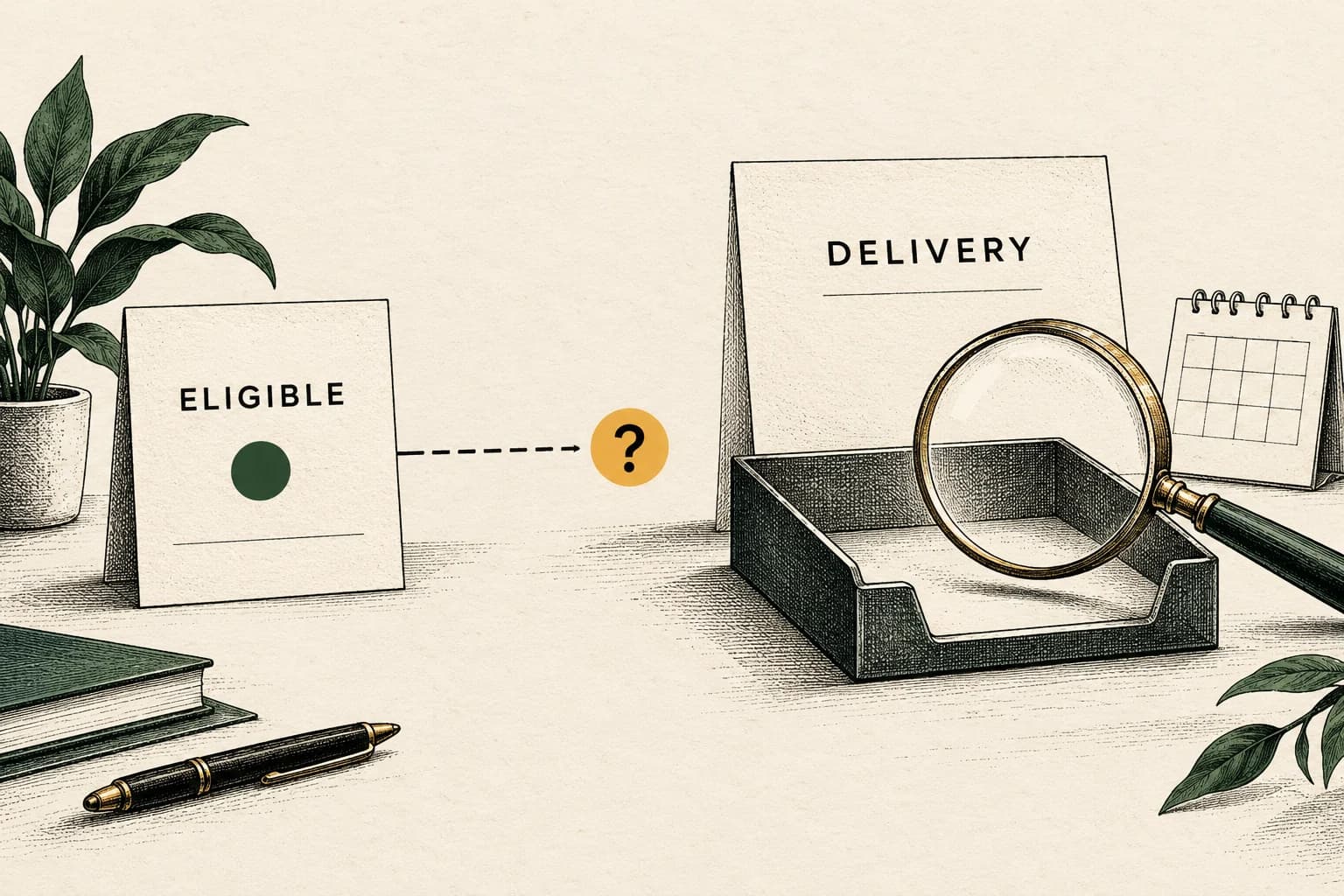
If Google Ads says Eligible but records no impressions, first verify the account, reporting window and affected campaigns. Then check account restrictions, the full campaign hierarchy and the relevant campaign-type diagnostics. Preserve the evidence before changing bids, budgets or targeting. Eligibility describes whether ads can run; it does not prove that an impression occurred.
An established account stopping across several campaign types needs a different investigation from a newly launched campaign with narrow targeting. Both can show a reassuring status. Neither should be diagnosed from that label alone.
A reader reported an account-wide stop despite Eligible campaigns, including Search, Standard Shopping and Demand Gen. The earlier review recorded it as created on October 25, 2026 in India time, with a substantive reply on October 27. On November 10, the thread showed three comments, including two substantive replies; its newest relative timestamps did not expose an absolute time or timezone. The post distinguishes zero impressions and spend from delayed conversion reporting. Its claims about account health, support responses and an internal pause are the reader's account, not independently verified findings. Community replies are possible checks, not confirmation of a cause. The useful question is how to turn that symptom into a reproducible investigation.
First separate the three kinds of zero#
These symptoms point to different boundaries:
| Observation | Start with | What it does not establish |
|---|---|---|
| Google Ads reports no impressions and no cost | Account, reporting scope and serving eligibility | A confirmed outage or hidden suspension |
| Google Ads reports delivery but site analytics shows no sessions | Landing path, analytics collection and consent | That the ads never served |
| Impressions and clicks exist but conversions are absent | Outcome definition, tracking, attribution and processing | An account-wide delivery stop |
| An independent collector received no events | Tracking coverage, integration health and matched platform exports | Zero platform impressions without additional evidence |
Google's campaign-status documentation defines Eligible as an active campaign that can show ads. Read it as a current state, then verify observed delivery in the reporting interval. Also inspect ad-group, ad and asset details rather than treating the campaign row as the complete account state.
For the second symptom, use the Google Ads clicks versus GA4 sessions guide. Keeping these investigations separate prevents a missing analytics tag from becoming an explanation for every zero in the buying platform.
Check why eligible ads did not serve
Eligibility does not ensure impressions. Discuss the campaign status, auction conditions and delivery evidence for the period.
Discuss a measurement questionA short inquiry to scope relevant options; no campaign access is needed.
Check the reporting window before diagnosing the account#
Save a campaign-level export with impressions and cost for the last normal completed day, the first affected day and subsequent completed days. Record the account time zone, selected dates, retrieval time, campaign IDs and active filters. Check the correct client account if you work through a manager account.
Remove accidental view restrictions and compare the same named campaigns. A report scoped to one network, a new campaign or an incomplete day can differ from the account total. Preserve the original export so a later refresh can be compared honestly.
Google's data-freshness guidance gives most clicks, impressions and cost statistics a one-hour freshness objective, while acknowledging temporary delays. Other metrics follow different schedules. That objective is not a promise that every row is final at exactly one hour.
A brief gap in recent data therefore needs a later read. Multiple completed days showing no impressions across previously active campaigns deserve a serving investigation. A generic explanation about conversion processing does not, by itself, explain that observation. Ask which metric is delayed and which reporting window was examined.
Treat an unchanged prepaid balance as supporting context, not the sole delivery test. The balance, reported cost, impressions and transaction record are different observations. Do not infer a billing error or a refund merely because one of them looks unexpected.
Use the affected scope to choose the next check#
Build a small incident table before editing anything:
| Pattern | First checks | Evidence that narrows the question |
|---|---|---|
| Several established campaign types stop together | Shared account, billing, verification and account notices | Matched exports showing their last delivery and first zero intervals |
| One campaign stops; others still serve | Its dates, status hierarchy, targeting and bid strategy | A working campaign in the same account and a scoped change timeline |
| Shopping stops while Search continues | Product and Merchant Center eligibility alongside Ads settings | Affected products and listing scope |
| A new Search campaign never starts | Review state, keyword eligibility, targeting and bidding | Exact status messages and a correctly configured preview |
| Only a dashboard widget shows zero | Report scope, refresh and filters | A separate campaign export for the same interval |
This is a prioritization method, not a cause detector. Simultaneous stops make a shared dependency worth checking first; they do not prove one exists. Separate campaign changes may coincide, and apparently healthy labels may leave an unresolved question.
Keep “all campaigns” precise. List which campaigns existed and were expected to serve. Include an unaffected campaign if there is one. A paused historical campaign contributes no evidence about the new incident.
Inspect account restrictions before tuning auctions#
Review account notifications, billing status, required verification tasks and any account-level restrictions through the authorized account interface. Capture the exact message and its timestamp. A positive balance does not answer whether verification is complete, and an eligible ad is not a substitute for account review.
Google's advertiser-verification instructions distinguish verification with a deadline from optional verification without one. Missing an assigned deadline pauses the account; the same conclusion should not be applied to every unfinished voluntary task. Use the requirement actually shown for the account.
The Ad Preview documentation also identifies billing verification and security-related suspension as account states to check when ads do not appear. These are documented possibilities, not a diagnosis of the reader's incident.
Include the documented standard security review in the account branch
Google documents a standard security review that may temporarily limit spending, including for accounts that have been inactive, lack a policy-compliance history, or have unconfirmed users or domains. During the review, Google says a temporary daily spending cap may be applied and lifted automatically when its checks are complete; the account does not show a notification about the review. See Google's standard security review guidance.
This adds a specific, documented possibility to the broader account-restriction check. It does not establish that every inactive account is under review, that every limit is caused by dormancy, or that an advertiser can expedite the review. Treat a cap or hold shown by the account or confirmed by support as account evidence; treat a forum suggestion or a zero-spend pattern alone as a hypothesis.
For an older account or one recently reactivated, preserve its last known delivery interval, current account notices, verification and user/domain status, billing state, daily spend-limit message if exposed, and support response. Ask the authorized Google support channel to identify the current account-level serving state and any required task. Do not create a replacement account, change legal identity fields, or rebuild campaigns on the strength of a community guess. Keep campaign-specific bid and targeting diagnostics in a separate branch unless evidence shows they are also involved.
If the security review explanation is confirmed, record its source and next review step in the incident packet. If Google reports no security review or cap, return to the campaign hierarchy and the documented low-traffic troubleshooting sequence; do not keep treating inactivity as the cause.
If a task needs identity or business documents, use Google's authenticated submission process. The general escalation packet needs the task status and reference, not copies of documents or credentials. Preserve any existing support case number so subsequent replies refer to the same evidence.
Do not create a replacement account or repeatedly rebuild campaigns to work around an unexplained restriction. That changes the investigation and does not establish why the original account stopped. Seek clarification of the actual account state.
Read the complete hierarchy and campaign-specific controls#
For an affected campaign, inspect its start and end dates, serving schedule, ad groups, ads or assets, targeting, exclusions, budget and bid-strategy status. Note inherited or shared settings where applicable. Write down the detailed reason text instead of only copying Eligible.
Google's ad-status guide distinguishes an ad's policy eligibility from states involving its parent campaign or ad group. A campaign-level status, an ad's review status and a bid-strategy limitation are related but different records.
Then use the documentation for the actual campaign type. Google's Shopping troubleshooting guide covers both Google Ads and Merchant Center, including product eligibility. A product being approved in one view does not remove the need to check the campaign's selected inventory and settings.
For Search, review keyword statuses, negatives and the audience, language and location settings relevant to the query. For asset-based campaigns, inspect the applicable asset and campaign diagnostics. Do not transplant a Search keyword remedy into every other campaign type. For a GA4-derived list, audit audience export, current network size and forecast-versus-actual status before treating a large Analytics count as proof that remarketing can serve.
Google's general non-serving guide lists narrow targeting, bid targets, inactive components, conversion-tracking issues and auction dynamics among possible factors. It also cautions against frequent bid, budget and strategy changes. Investigate the factor supported by the evidence instead of applying every suggested remedy at once.
If the proposed test changes spend capacity, get the campaign owner's agreement on its scope and limit. Raising a budget is an intervention, not a diagnostic fact. The daily-budget guide explains why an average daily budget and actual billing need their own reconciliation.
Use Ad Preview as a scoped test#
For a Search symptom, record the exact query, selected location, language, device, test time and resulting message in Ad Preview and Diagnosis. Use a context that matches the campaign's intended targeting. Save an example for which the expected keyword and ad-group relationship are known.
The preview is useful for a particular search situation. Google notes that it may not represent all campaign activity. A preview with no ad, or an unclear reason, does not independently establish that nothing served elsewhere. Reconcile it with actual campaign statistics.
Likewise, “no keywords matched” is the diagnostic result to report, not proof that the keyword disappeared or that Google internally paused the account. Preserve the keyword's visible status and the preview settings together. Ask support to explain the mismatch if it remains unresolved.
A good Quality Score does not settle this question. Google's Quality Score explanation calls it a diagnostic based on historical experience and explicitly says the score is not an auction input. It cannot certify current auction participation or override an account restriction.
Avoid repeated live searches for your own ads. Use the diagnostic tool for the scoped test, then inspect the evidence rather than generating an unstructured series of searches.
Reconstruct changes and escalate the remaining contradiction#
Inspect change history around the first affected interval, including account-wide and campaign-specific views. Google's change-history guide supports reviewing changes by scope, user, type and tool, including changes from automated rules, the API and Ads Editor.
A relevant change is a candidate explanation. Confirm its timing and affected scope before assigning causality. “No relevant change found in the inspected history” is also a valid finding; it is narrower than claiming that no internal account state could have changed.
If ordinary checks leave several established campaigns with no reported delivery, send a compact support packet:
Symptom: no recorded impressions/cost, rather than missing conversions
Account reference: supplied through the authorized support channel
Time zone and report retrieval time:
Last completed normal interval and first affected interval:
Affected campaign IDs and types; unaffected controls if any:

Campaign export: impressions and cost by day
Current campaign, ad-group, ad/asset and bid-strategy statuses:
Billing/verification/task messages checked, with timestamps:
Change-history scope, filters and relevant entries:
Search preview context and exact result, if applicable:

Checks completed and changes deliberately made:
Question remaining for support:
Requested next diagnostic or account-state review:
Existing case number:
Ask whether support evaluated delivery for that account and interval, rather than conversion imports or a single preview. Request a written explanation of any restriction or next step they can disclose. A chatbot's suggestion, another advertiser's anecdote or an unconfirmed “internal pause” label should remain a lead until corroborated.
If a platform-wide incident is suspected, compare the time and product scope with an official incident notice. An incident notice can support a broader event; it still needs to match this account's symptom. Several forum complaints alone do not confirm an outage.
Work a hypothetical account-wide stop#
Suppose a fashion retailer has three established campaigns. The team exports two completed account-local days:
| Campaign | Prior-day impressions | Affected-day impressions | Affected-day reported cost |
|---|---|---|---|
| Search | 2,400 | 0 | 0 |
| Standard Shopping | 8,100 | 0 | 0 |
| Demand Gen | 5,500 | 0 | 0 |
These invented figures illustrate the method; they are not customer data or a normal traffic benchmark. Prior-day impressions total 16,000. The affected-day total is zero across the same three campaign IDs.
The team checks the correct account, dates and filters, retrieves the report again, and confirms the same pattern. It finds no relevant change in the inspected history. A Search preview produces an unclear message while campaign rows remain Eligible.
That evidence supports an unresolved, cross-campaign serving question. It does not identify a hidden pause, prove an outage, or show that every campaign would have won auctions. The next step is a shared-account review and an evidence-backed escalation, rather than three unrelated bid experiments. If a required task is then identified, record that finding and verify later delivery after its authorized resolution. Do not claim recovery before the reports show it.
Verify recovery and keep measurement questions separate#
Repeat the same report after the intervention or support response. Check that expected campaigns actually record delivery in a completed, appropriately processed interval. Save the resolved status, first renewed delivery interval and any remaining affected campaigns. One successful preview is insufficient to close an account-wide incident.
A campaign can record delivery while a conversion action remains unverified. Use the inactive conversion-action diagnostic to inspect that action's warning and completed test separately; it does not explain why impressions stopped.
Once delivery resumes, investigate received-event discrepancies independently. The anonymized fashion-retail duplicate-counting case concerns an impression-record reconciliation after delivery. It does not demonstrate why a Google Ads account stopped, measure unique shoppers or prove recovered revenue.
For a supported campaign-event reconciliation, contact AdProof with platform exports, event definitions and matching date windows. Agree the measurement path and inspect received records using the campaign-delivery verification workflow. Google Ads remains the source for its account restrictions, eligibility decisions and serving diagnostics; an independent event log cannot reveal an undisclosed internal account state.
Frequently asked questions#
Does Eligible mean my ad received impressions?
No. It describes whether the campaign or ad can run under the relevant status definition. Verify recorded impressions in the correct account and reporting window, then inspect the detailed hierarchy and any account restrictions.
Should I wait for conversion reporting when impressions are zero?
Distinguish the metrics. Recent data can be delayed, but conversion processing does not by itself explain several completed days of zero impressions and cost. Preserve the report window and ask which metric the proposed waiting period concerns.
Should I increase bids or switch strategy immediately?
First establish the affected scope and check account restrictions and campaign diagnostics. If evidence supports a bidding test, agree a bounded change with the owner and preserve the baseline. Simultaneous edits make the result harder to interpret.
Can independent measurement prove that Google secretly paused me?
No. It can support reconciliation of events received through an agreed integration. Missing receipts also require a collection-health check. Account restrictions and undisclosed serving decisions need platform-side evidence, not an inference from an empty collector.
Check Ad Grants before changing bid strategy#
A zero-impression report from an Ad Grants account needs one additional check: the grant program has bidding and conversion-tracking requirements that are different from an ordinary paid Search account. Do not assume that the account's grant budget is a spend target, or that switching strategies is a safe way to force an impression.
Google's current Ad Grants account-management policy says accounts created on or after April 22, 2019 must use conversion-based Smart Bidding for all campaigns unless they use Smart campaigns. It names Maximize conversions, Maximize conversion value, Target CPA and Target ROAS. The same policy says newer accounts have meaningful conversion-tracking requirements and that policy violations may deactivate an account. Google's budget and bidding guide says the $329 USD daily equivalent is a ceiling, not a guarantee of delivery, and lists keyword volume, bid competitiveness, ad quality, targeting and conversion tracking among factors affecting spend.
There is a nuance to preserve: Google's current grant guidance also says an advertiser with no conversion data can begin with Maximize clicks to gather initial traffic, while its account-management policy sets the applicable account eligibility requirements. Check the account's creation date, Smart Campaign status, applicable policy notice, conversion configuration and current strategy before advising a switch. Ask the authorized Google support channel to clarify any apparent conflict or account-specific restriction. Do not present a Maximize Clicks change as a universal Grants fix.
For the campaign report, compare the exact account-local date range, campaign ID, impressions, clicks, cost and bid-strategy status. For a Search test, preserve the query, location, language, device, time and result from Ad Preview and Diagnosis. Google notes that the preview may not reflect all campaign activity and directs advertisers to check account status when ads do not appear. A preview mismatch is useful evidence to attach to an escalation; it does not independently prove an account hold.
If the account reports zero impressions across completed intervals, record that separately from zero conversions, an unspent grant budget, or a missing analytics event. A lack of conversion history may affect the available bidding choices or program compliance, but the forum user's claim that Smart Bidding was “stuck” is not verified by the thread and should not be repeated as the cause. Preserve the baseline before any authorized change and compare the same campaigns and date windows afterward.
Ad Grants review checklist
- Record account creation date, grant/program status and any policy or activation notice.
- Confirm the campaign type and whether it is a Smart Campaign.
- Record the actual bid strategy, target settings and any CPC cap; don't infer a cap from the strategy label alone.
- Check conversion actions for the grant's meaningful-action and activity requirements that apply to this account.
- Compare completed-day impressions, clicks and cost to the exact campaign IDs and account timezone.
- Save the Ad Preview query context and result, then ask support to identify any account-level restriction they can confirm.
- Change one authorized setting at a time; treat any later delivery change as an observation, not proof that the previous setting caused zero delivery.
This guide can help structure the delivery evidence. AdProof's independent event measurement cannot inspect Google's private account holds, grant eligibility or auction decisions; use the platform's authorized account and support surfaces for those questions.
Check why eligible ads did not serve
Eligibility does not ensure impressions. Discuss the campaign status, auction conditions and delivery evidence for the period.
Discuss a measurement questionA short inquiry to scope relevant options; no campaign access is needed.