
- Published
- Nov 5, 2026
- Reading time
- 12 min read
IMA Android Quartile Events Missing? Trace Manual Player Progress
Video plays but IMA Android quartile events are missing? Audit manual VideoAdPlayer progress callbacks, ad identity, lifecycle and receiver evidence.
In this guide (9 sections)
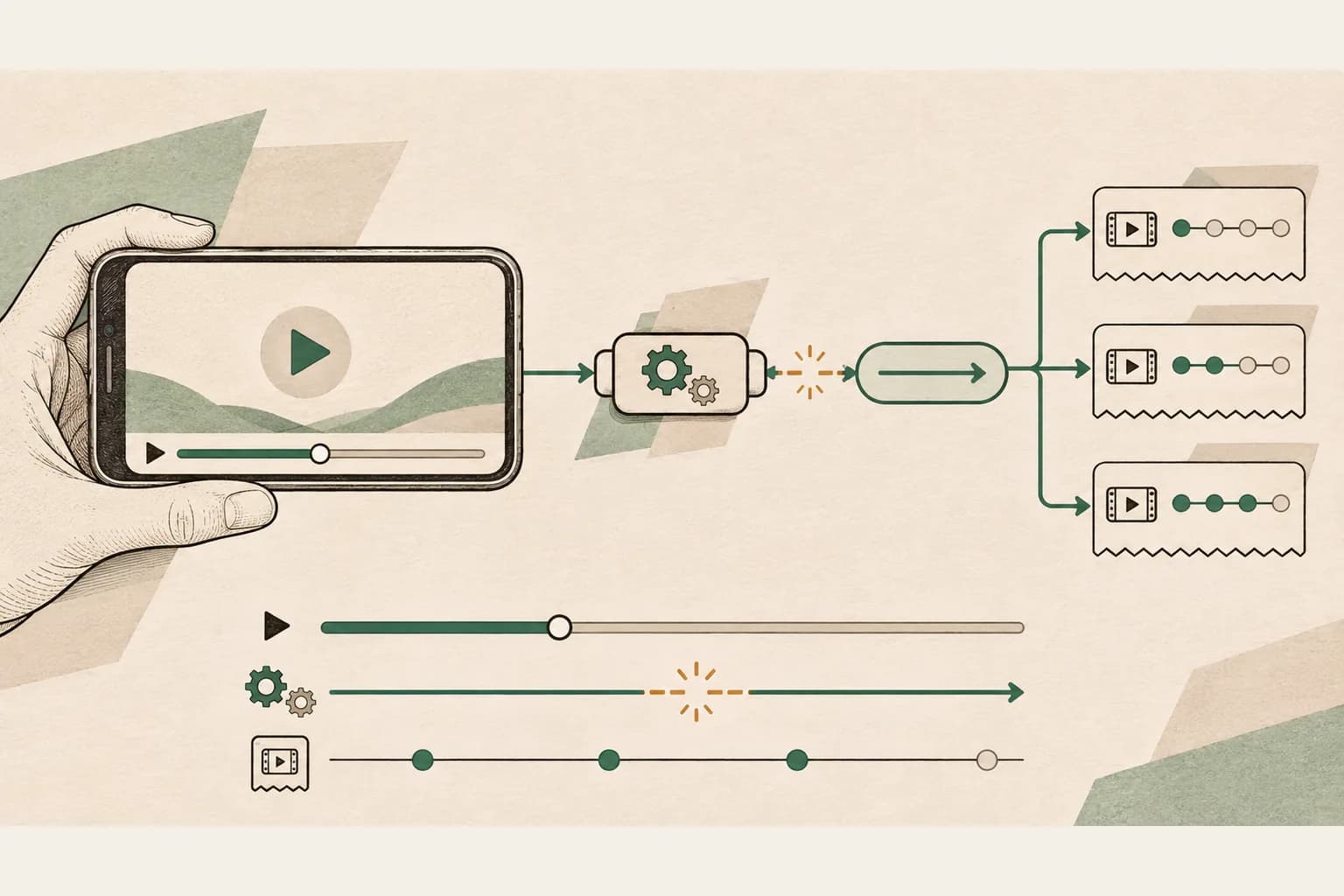
If a video ad plays in a manually integrated Android player but IMA start or quartile events are missing, trace the player-to-SDK callback path before changing the VAST tag or calculating a campaign discrepancy. Capture the active ad's playback state and progress, the callbacks delivered to IMA, the SDK events observed by the application, and the separate tracking requests and recipient records. Each is a different checkpoint.
This guide concerns a custom VideoAdPlayer adapter with IMA Android client-side ads. It is not a recipe for IMA DAI, HTML5, or an integration whose player library already owns the adapter. First establish who implements and drives the callbacks in your released app. Adding another progress loop without that check can create competing lifecycle behavior.
In an IMA SDK forum report, an Android developer described a manual ExoPlayer integration where ads played, getAdProgress() was not observed and start and quartile events were absent. The report states the developer's observations and expectations; it does not establish the root cause. In a separate Stack Overflow question, a custom-player developer reported receiving LOADED without later events or ad UI, and included code that already calls onAdProgress. The two symptoms warrant inspection, not a shared diagnosis or a promise that one code change resolves both.
Draw the actual event path#
In Google's Android client-side setup, the application supplies an adapter implementing VideoAdPlayer. The sample uses Android VideoView: the adapter manages registered callbacks, reads player progress on a timer, and forwards a VideoProgressUpdate through VideoAdPlayerCallback.onAdProgress. It also forwards relevant lifecycle notifications. Your player and integration may implement those responsibilities differently.
Keep the following observations on separate rows in a test trace:
| Checkpoint | Evidence to capture | What it does not establish alone |
|---|---|---|
| Player playback | Ad media identity, actual play state, position and duration | That IMA received correct progress |
| Adapter progress | Current-ad position and duration passed to the registered callback | That a named quartile or network request occurred |
| SDK event listener | Event name, time, manager and available ad context | That a third party accepted a tracking request |
| Outgoing tracking | Intended destination, event, request attempt and transport result | Inclusion in a later recipient report |
| Recipient reporting | Matching record or scoped report and its counting rules | The internal callback sequence |
A LOADED event is useful evidence about ad data, but it is not evidence that the ad played through a quartile. Similarly, the application's progress notification to IMA and an IMA event delivered back to its listener travel in different directions. Do not count every progress tick as an ad start, a quartile or a completion.
Follow the event beyond the player.
If the SDK event occurs but a recipient is silent, trace the VAST tracking recipients as a separate measurement path.
Trace VAST event recipientsOpens a practical guide. No email required.
Verify integration ownership and versions#
Record the Android app build, OS and device, IMA SDK version, media-player library and version, client-side or stitched insertion, and whether the adapter is custom or supplied by a player integration. Record the ad format, whether preloading is enabled, and how the AdDisplayContainer, loader and manager relate to the player instance.
The forum author described a manual integration, explicitly distinguishing it from ImaAdsLoader. Do not generalize its reported behavior to every ExoPlayer or Media3 integration. If a library provides the player adapter, inspect that library's documented contract and owner before copying the manual sample. Test against the same released configuration where possible; a sample app with another player is a control, not proof of production behavior.
Save a local session label, ad request time, response reference and a safe ad-occurrence identifier. Keep signed VAST URLs, identifiers and network traces in restricted evidence. A screenshot of an ad alone cannot link its playback to a particular callback sequence or recipient record.
Trace registered callbacks and the progress source#
For an authorized single-ad test, instrument the boundary where the SDK registers and removes VideoAdPlayerCallback instances. Record adapter instance identity, callback registration and removal times, the playAd and stopAd calls, and which player instance is active. Avoid logging sensitive request parameters.
Then follow one progress update from the actual player to the callback:
- Confirm the ad media is playing and that the position being read belongs to that ad, rather than the content timeline or a different player instance.
- Record the position and duration at the point the adapter constructs the update, including when duration is not yet available. Check units and the API contract in the version being used.
- Record the active
AdMediaInfosupplied toonAdProgressand whether a registered callback receives the call. - Observe the SDK event listener separately, with timestamps and available ad context.
- Compare an outgoing request and the recipient's evidence only when that reporting path is available and authorized.
The Google setup sample shows the application calling its own getAdProgress() from a timer and forwarding that result to each registered callback. Therefore, an absent log inside a custom method should prompt an inspection of who calls it and when. It does not by itself prove an SDK defect, and a timer copied into an integration that already supplies progress can be the wrong repair.
If the callback is never registered, investigate the adapter and SDK wiring. If it is registered but the application never sends progress, inspect its scheduling and lifecycle. If calls are sent with a stale ad or constant position, investigate the source and association. If accurate progress reaches the callback but the expected SDK event is absent, preserve the trace and escalate with the exact versions and reproduction. These are branches to test, not diagnoses of either public report.
Check duration, playhead and lifecycle together#
An update needs a meaningful association with the active playback. A position stuck at zero, unknown duration, content time substituted for ad time, or stale state after a transition can make a trace misleading. The setup sample uses VIDEO_TIME_NOT_READY in its content progress provider when duration is unavailable; treat readiness explicitly according to the relevant API, rather than inventing a duration or reporting zero as a completed measurement.
Inspect the player's real state at each boundary: loading, play, pause, resume, end, error and stop. Compare the callbacks actually sent with the player events that caused them. A timer continuing after an ad ends can report stale progress; a timer stopped too early can leave later playback unobserved. A pause should not be treated as continuous ad advancement, and an app background or player replacement should be tested under the application's supported lifecycle.
The Google sample sends onEnded for the ad and handles actual content completion separately. Keep those signals separate if one player is reused for both media types. Do not synthesize an end or quartile merely because a clock reached a guessed offset. If the user skips or the media errors, preserve the actual branch and test a full, non-skipped playback separately.
Use Google's Android compatibility documentation for supported VAST behaviors and constraints of the integration. Its instruction to disable seeking during ads is specific to that SDK context. Do not assume a desktop HTML5 test has the same lifecycle or ad-control behavior as the Android app.
Keep preloaded and playing ads distinct#
When preloading is enabled, a future ad can be loading while another ad is playing. Google's Android preloading guide instructs a custom player to track the AdMediaInfo supplied by loadAd() and playAd() and use the correct object in callback calls. The basic setup sample explicitly notes that its simple single loaded-ad state assumes preloading is disabled.
For a multi-ad test, log a privacy-safe identity for each media object at load, play, progress and end. Check whether a later loadAd overwrites the identity of the ad currently playing. That is a testable implementation risk, not evidence that it happened in the forum report. Preserve ordering and timestamps even when the same creative appears twice; two appearances in a pod may be distinct playback occurrences.
Run a single-ad test with the documented supported configuration, then test preloading and a multi-ad pod as separate branches. If only the preloaded branch fails, compare the active and upcoming media associations before changing tracking URLs. If both fail at the same callback boundary, examine the shared player and callback wiring first.
Distinguish an ad completion from a completed manager#
Read the event definitions for the actual Android SDK version. Do not treat a manager-wide terminal signal as one completion per individual creative. The Android AdEventType reference linked from Google's client-side setup distinguishes COMPLETED from ALL_ADS_COMPLETED and names the quartile events separately. Google hosts this shared Android API reference under its DAI documentation; the client-side setup links to the same enum, and its presence there does not make this a DAI integration.
In a pod, one manager may handle several ads. Record each ad occurrence, its actual start, observed progress, complete, skipped or error outcome, and the later manager-level result. A returned content screen or an ALL_ADS_COMPLETED event cannot reconstruct the number of individual completions when per-ad evidence is missing. An empty or invalid ad response also needs its own result, not an invented completed ad.
Likewise, a missing first-quartile receipt at one endpoint does not prove the player never crossed that point. A callback may be missing, a tracking request may not have been dispatched or received, or reporting may have a different scope. Identify the earliest boundary where evidence stops before assigning ownership.
Use a small controlled test matrix#
Capture the exact fixture and app build used in each test. Where a branch is unavailable, mark it untested instead of inferring a pass. Avoid sending artificial production beacons to make a report look complete.
| Test | Observe and retain |
|---|---|
| Single linear ad, uninterrupted | Player progress, callback registration and updates, SDK events, and authorized reporting evidence |
| Pause and resume | Playhead state, pause/resume notifications, resumed progress and final outcome |
| Ad ends versus content ends | Correct media identity and separate lifecycle notifications |
| User skips or playback errors | Actual terminal event and branch; no fabricated complete |
| Two-ad pod with preloading | Loaded versus playing media identity and callback association for each occurrence |
| App background, recreation or player replacement | Supported lifecycle behavior, registration/removal and absence of stale progress |
| Recipient missing a record | Outgoing request, transport and recipient/report scope; do not infer a player failure |
For a hypothetical test, suppose one ad visibly advances from 0 to 20 seconds and the adapter records callback registration. It logs no progress updates to IMA, while the listener receives LOADED. The first evidenced gap is between the player and the progress callback; it is sensible to inspect scheduling and ownership there. That observation does not establish why the callback was absent, whether a production campaign has the same issue, or whether adding a timer is the correct fix.
In a different hypothetical test, the callback receives advancing position and the correct ad identity, the listener observes quartile events, and a recipient has no matching row. Investigate dispatch, transport, filtering and report scope with the recipient. Changing the player merely because its dashboard is quiet would skip the evidence already collected.
Prepare an actionable support packet#
Share the smallest reproducible case with the integration owner or SDK support: app and SDK versions, device and OS, integration type, preloading state, a safe test tag or fixture, steps, expected and observed events, and a timestamped sequence of player state, media identity, callbacks and SDK listener events. Include the first missing boundary and the branches that passed. Restrict access to real ad URLs and identifiers.
After an approved fix, rerun the same fixture and matrix on the released build. Preserve before-and-after traces and distinguish player callbacks from recipient acceptance. For campaign reconciliation, use matching dates, timezone, event definitions and filters; do not present a corrected test callback as proof that historical counts were recovered.
For related work, audit multiple VAST tracking recipients when the SDK event occurs but one reporting path is silent. For stitched delivery, use the SSAI verification workflow and identify the actual event producer. These are different from a manual Android client-side callback investigation.
Frequently asked questions#
Does getAdProgress() automatically run in every custom player?
Do not assume that. Google's manual Android sample calls its adapter method from application-managed tracking and forwards the update to registered IMA callbacks. Inspect the ownership and documentation of your actual adapter and SDK version.
Is an onAdProgress call a quartile event?
No. It communicates a progress update to IMA. Observe the SDK's individual event listener and any tracking recipient separately; do not count ticks as quartiles.
Does ALL_ADS_COMPLETED mean every ad completed?
Do not infer a per-ad count from a manager-level terminal event. Consult the Android event reference and retain individual ad outcomes, including skips, errors and missing observations.
Should I add a second timer if quartiles are missing?
First determine whether the player integration already sends progress. Inspect registration, lifecycle, active media and updates, then test the supported correction. A competing loop can make the investigation harder and may report stale state.
Does a received completion prove the ad was viewable?
No. Playback completion and viewability are separate measurements. Use the VAST viewability investigation for the measurement and reporting path.
AdProof's available campaign evidence can support a scoped reconciliation where the relevant events are already collected. It does not replace Android player instrumentation, the SDK listener trace or a third party's receiver records. Discuss the evidence needed for a measurement review with the affected campaign and integration scope.
Follow the event beyond the player.
If the SDK event occurs but a recipient is silent, trace the VAST tracking recipients as a separate measurement path.
Trace VAST event recipientsOpens a practical guide. No email required.