
- Published
- Oct 31, 2026
- Updated
- Nov 4, 2026
- Reading time
- 10 min read
Android IMA Preloading: Trace Missing Ad Events and UI
Diagnose Android IMA preload gaps by separating VAST receipt, buffered media, current-ad identity, player callbacks, UI rendering and measurement evidence.
In this guide (10 sections)
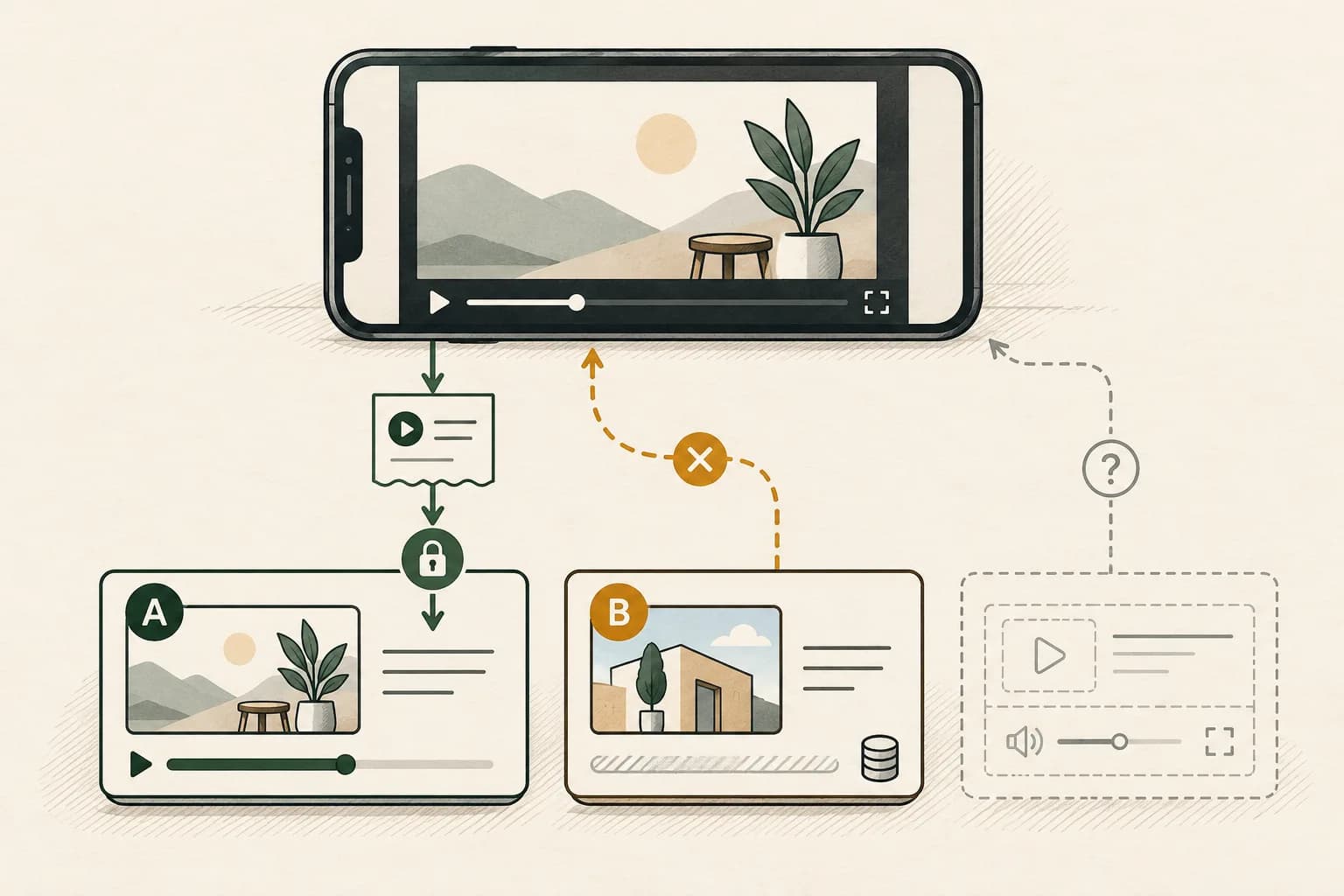
When Android IMA reports that an ad loaded but its expected events or controls are missing, separate the loading stages before changing the tag. Verify the current ad's identity, the custom player's callbacks, the manager's playback sequence and the actual display container. Preparing upcoming media is not evidence that the current ad rendered or completed.
An older Stack Overflow question about Android IMA preloading describes a custom MediaPlayer integration receiving LOADED and progress information without the expected UI and other events. The question includes an adapter and callback implementation but no confirmed resolution in the opened page. It establishes a real troubleshooting task, not proof of a current SDK-wide defect.
This guide concerns Android client-side IMA, especially custom VideoAdPlayer adapters. It does not prescribe the same implementation for HTML5, native DAI or every supported player extension. The official references were checked on 31 October 2026; their current contracts are more useful than copying an old snippet without its assumptions.
Name the observation that is missing#
“Preloading works, but tracking does not” combines several checkpoints. Write the narrowest failed expectation: no media begins, no SDK-owned UI appears, a callback is missing, or a recipient has no matching measurement record.
The current Android ad-event reference describes LOADED as receipt of the VAST response and STARTED as ad playback starting. Do not interpret the first event as the second. Progress information is useful evidence to inspect, but its name alone does not settle what the screen displayed.
Keep these columns separate in one test trace:
| Checkpoint | Observation to preserve |
|---|---|
| Ad response | Manager and response reference, SDK event and timestamp |
| Media preparation | Asset identity, requested media and readiness state |
| Playback | Requested ad identity, actual position and observed start |
| Adapter reporting | Callback name, associated media identity and timing |
| Display | Actual container, rendered controls and interaction result |
| Measurement | Outgoing request and recipient evidence, where available |
A screenshot can help demonstrate missing controls. It cannot establish which media identity a callback carried. A log can establish that code ran without establishing visibility. Keep both when both are needed.
Trace the current ad through playback
Record player callbacks, manager sequence and display container for one test.
Use the tracking QA checklistOpens a practical guide. No email required.
Confirm which integration owns preloading#
Record the app build, IMA dependency, underlying player and adapter or extension version. Preserve the effective rendering settings and whether preloading is enabled. Do not infer a production setting from the value in a development example.
Google's Android media-preload guide distinguishes built-in extension support from the additional work a custom adapter needs. It states that preloading requires IMA Android 3.17.0 or later. That is a documented feature prerequisite, not a recommendation to downgrade or proof that every later integration is correct.
The separate rendering-settings API defines setEnablePreloading. Verify the settings passed to the manager used by the affected request. An object created elsewhere but never applied to that manager does not establish its behavior.
Ask whether the adapter was designed for multiple in-flight media items. Google's basic Android setup example explicitly says its simple loading logic assumes preloading is disabled. Enabling the feature is therefore not merely a performance toggle for every copied adapter.
Choose the supported architecture with the player owner. A maintained extension may own behavior that a custom integration must implement itself. Avoid adding custom callbacks over an extension without first establishing what it already handles.
Keep upcoming media separate from the currently playing ad#
The preload guide explains that a later ad's loadAd can occur while an earlier ad is playing. A single field that always means “the most recently loaded ad” is therefore not automatically a safe identity for every playback callback.
For one test pod, make an identity table showing the object supplied to each load and play request, which asset is actually playing, and which object accompanies callbacks. Keep that association through pause, resume, completion, failure and cleanup. Use sanitized trace identifiers rather than exposing signed media addresses.
Consider a diagnostic hypothesis: ad A is playing, upcoming B is loaded, and a shared variable is overwritten with B. A later progress or ended callback for A might then be labeled B. This sequence is an example to test, not a confirmed diagnosis of the original question.
The VideoAdPlayer contract requires retaining the supplied AdMediaInfo for callbacks. It also distinguishes loading from starting or resuming that media. Follow the supported identity contract instead of replacing objects with a guessed ID or treating the latest URL as the current ad.
If the trace demonstrates a mismatch, ask the adapter owner to correct that association and repeat the same test. Do not create extra starts or completions just to force an expected sequence into the log.
Check callbacks against actual player transitions#
IMA manager events and player-to-SDK callbacks run in different directions. The manager tells your application about ad activity; the adapter must report its actual player behavior back through the callbacks it was given.
The player callback reference distinguishes readiness, play, pause, resume, progress, buffering, end and error. In particular, onLoaded means the video is ready with at least some media buffered. It is not interchangeable with the manager's VAST-response LOADED event.
Observe the underlying transition first, then inspect the appropriate notification and media identity. A callback should not be invented simply because an earlier callback was expected. If the underlying player never starts, an artificial onPlay would conceal the failure rather than repair it.
Check how callbacks are registered and removed, how progress belongs to the currently playing ad, and what happens after the player is disposed. Log callback counts for the same observed transition. Repeated registrations can be a hypothesis to investigate; repeated network activity alone does not prove that they occurred. If the symptom starts when the player is recreated, trace the retained Media3 IMA loader, content bookmark and ad-state identity before attributing a restarted ad to preloading.
Google's callback reference describes a progress-reporting best practice. Its setup sample uses its own timer. Preserve those source scopes and the deployed adapter's supported behavior rather than assuming any timer copied from a tutorial guarantees measurement. Periodic reporting also needs the correct playback position, duration and media association.
Trace manager startup and errors separately#
The Android AdsManager reference separates initialization from playback control. Capture manager creation, listener registration, initialization, the received event, the applicable start behavior and errors in order.
The basic setup guide distinguishes its single-preroll example from VMAP or ad-rules behavior. Review the actual response type and supported sequence instead of prescribing “call start again” for every missing UI symptom. Repeated startup attempts can make a trace harder to interpret.
Record loader errors and manager errors with their producer and affected attempt. If an error occurred before playback, continue along that failure boundary; it is not simply an absent completion. If no listener was attached to the manager handling this request, a quiet application log may reflect missing observation rather than a quiet SDK.
For wrapper or media-load failures, use the VAST timeout diagnostic. Increasing a loading deadline cannot correct a callback carrying the wrong ad identity.
Investigate the display container without fabricating controls#
Use the Android display-container contract to identify where SDK-owned UI belongs. Confirm the actual container and player associated with the affected integration, then inspect its runtime view hierarchy, dimensions, visibility and any overlay that could cover it.
Treat those as observations to collect, not an instruction to alter the UI until something becomes visible. A media surface and an SDK UI container can be separate parts of the implementation. Retain a representative screen recording and the relevant hierarchy with the trace.
Also establish which controls the selected ad and configuration should support. A missing skip button is not automatically a defect for every ad. The rendering-settings reference notes that UI customization can be constrained by the ad. Do not add an unauthorized replacement control or change measurement obstruction declarations merely to make a test appear to pass.
Fix the demonstrated display or lifecycle problem through supported integration behavior. A correction that exposes controls still needs an interaction test and a fresh playback/callback trace.
Use a matrix that exercises concurrent preparation#
A single-ad test may pass without exercising the identity problem. Include the documented preload branches that matter to your application, and keep the known-good control separate from the affected build.
| Test branch | Evidence that makes it useful |
|---|---|
| Single preroll | Basic startup, display and callback association |
| Multi-ad preroll | Later load requests while an earlier ad plays |
| Multi-ad midroll | Content-to-pod transition and per-ad identity |
| Seek while a later break is being prepared | Old preparation does not get mistaken for the selected playback |
| Post-roll | Content completion and final ad reporting remain distinct |
| Pause, resume or leave the player | Correct state and cleanup for the same playing media |
Google's preload guide recommends representative pod, seek and post-roll tests. Add your own disposal and interaction branches where required by the app. Use authorized test responses and preserve the actual returned ad sequence; a different decision on the repeat can change what the test exercises.
Test preloading enabled and disabled as a controlled comparison where the integration supports it. If only one branch fails, that narrows the investigation. It does not automatically prove a defect in the SDK, a specific line of adapter code or a campaign-wide reporting impact.
A hypothetical review of twelve playback opportunities#
Hypothetical example only. An engineer assigns each of twelve authorized test opportunities one initial evidence status:
| Initial status | Opportunities |
|---|---|
| Playback, media identity and expected callbacks verified | 7 |
| Playback observed; callback media identity mismatched | 3 |
| Media not ready and no observed start | 1 |
| Trace incomplete | 1 |
| Total | 12 |
Three of twelve, or 25%, have an observed identity mismatch in this test. There are ten observed starts, so the same three are 30% of observed starts. Those denominators answer different questions. Neither percentage is an industry benchmark, a measured invalid-traffic rate or a claim about billed waste.
The engineer investigates the three mismatches separately from the readiness hold. The incomplete trace remains unknown. If a correction later produces a matching callback, retain the corrected build and repeated conditions rather than assuming all historical results are repaired.
The UI check also retains its own evidence. Correct media identity alone cannot establish that disclosure, skip behavior or other supported controls rendered properly. A campaign counter is still another population.
Close the player investigation before claiming measurement recovery#
Give the implementation owner the deployed versions, effective preload settings, request and manager identities, per-media timeline, callback associations, runtime display evidence and the smallest reproducible branch. State the first unexplained transition and who owns the proposed correction.
For content continuing beneath an ad, use the separate content–ad handoff guide, remembering its HTML5 scope. For a verification script that executes without provider results, use the OMID evidence workflow. These adjacent tasks do not replace Android adapter acceptance.
For supported campaigns already sending relevant events to AdProof, retain a campaign/date/timezone-scoped export of the available delivery and video-stage records alongside the Android trace. Confirm which event types and filters exist. AdProof's received-event records do not reconstruct a missing adapter timeline or imply a native IMA integration.
The anonymized streaming-publisher case offers delivery-reconciliation context. Discuss the available campaign evidence with the tested build and reporting scope before interpreting a later counter increase as complete recovery.
Frequently asked questions#
Does the loaded event prove the ad started playing?
No. The cited Android manager event describes VAST-response receipt. Verify the relevant media readiness, playback request, observed start and correctly associated callbacks separately.
Can one current-ad variable safely identify every preloaded asset?
Not automatically. Upcoming media can load while another ad is playing. Preserve the identity supplied for each media item and verify which item each playback callback describes.
Does preloading download the whole ad for offline playback?
No. Google's preload guide says the creative is usually not fully loaded when playback begins and does not present preloading as offline ad serving.
If callbacks match, does that prove the UI and campaign report are correct?
No. Inspect the display and supported interactions separately, then trace any relevant measurement request into the recipient's report. Each checkpoint needs its own evidence.
Trace the current ad through playback
Record player callbacks, manager sequence and display container for one test.
Use the tracking QA checklistOpens a practical guide. No email required.