
- Published
- Oct 30, 2026
- Reading time
- 11 min read
Where Does mraid.js Come From? Audit the Host SDK Bridge
Understand who supplies mraid.js, separate creative and host SDK duties, and diagnose readiness, native actions and measurement with a practical audit.
In this guide (10 sections)
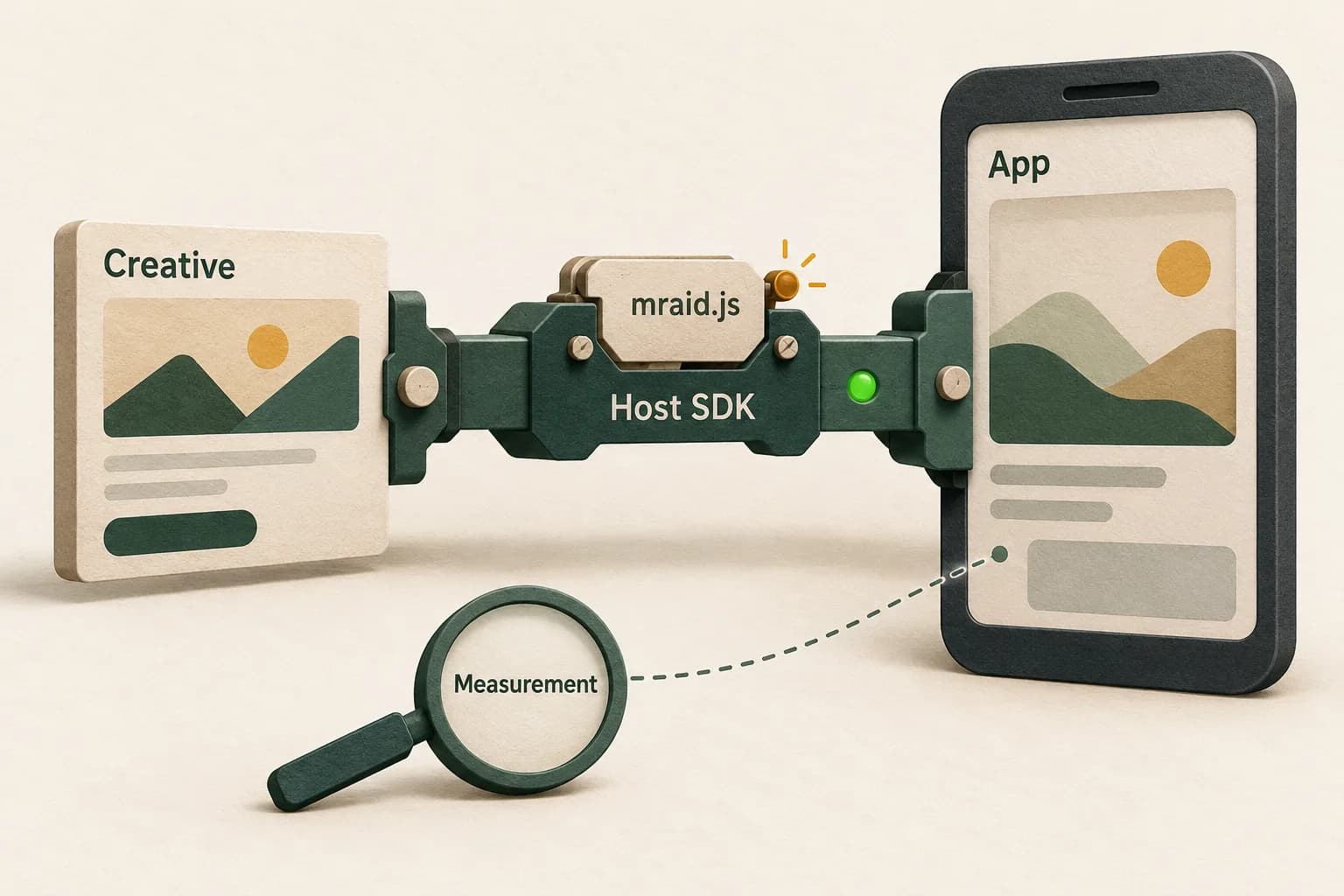
The ad's host supplies the MRAID implementation. Do not assume that a file named mraid.js from an unrelated SDK is a universal replacement. Establish who owns the container, which implementation it supports and whether its JavaScript interface can communicate with that host's native behavior.
If you integrate an existing advertising SDK, ask its provider about its supported MRAID path. If your team builds the hosting SDK, it owns a much larger implementation and testing responsibility than making one HTML test ad appear.
That distinction answers a real Android developer's question about where to obtain mraid.js. The poster clarified that their team was building an ad SDK. They later displayed a test ad using a file obtained from GitHub, but remained unsure whether it suited their own host. This is an older, archived discussion, not evidence of a new platform incident. Its unresolved compatibility question is still useful.
IAB Tech Lab's current MRAID resource page describes an interface for HTML/JavaScript rich-media ads to interact with mobile applications. Standardizing that interface does not make every vendor's underlying implementation interchangeable.
Identify which job your team actually owns#
Start with the delivery arrangement, not a filename search.
| Your role | First responsibility to establish | Evidence to request |
|---|---|---|
| Creative developer | The creative's required features and supported environments | Creative version, intended placement and vendor requirements |
| App publisher integrating an SDK | Which SDK actually renders this ad | Released app build, SDK/adapter versions and rendering path |
| SDK developer | The host implementation and its native interaction contract | Host-owned bridge, lifecycle behavior and repeatable test results |
| Ad operations | Whether the creative reached a compatible placement | Serving route, declared requirements and reproducible failures |
| Measurement owner | The separate measurement path and report definitions | Provider, integration scope, measurement evidence and reporting period |
These responsibilities can sit inside one company, but they remain different tasks. An SDK supplier cannot demonstrate compatibility merely by showing that the creative has a script reference. A creative supplier cannot demonstrate correct host behavior merely by showing that an HTML file renders in a desktop preview.
Write down the owner for each unresolved boundary. That prevents a support loop in which the creative team is asked to supply native functionality and the app team is asked to repair an unrelated measurement report.
Map the MRAID host relationship
Record the container owner, supported implementation and native bridge behavior.
Use the tracking QA checklistOpens a practical guide. No email required.
Treat mraid.js as part of a host relationship#
The MRAID 3.0 specification, sections 3.1 and 3.1.3, assigns the creative a script request and the host the JavaScript bridge. The downloaded standard describes that contract; a familiar filename does not establish a working native implementation.
For an existing SDK, preserve its supported integration rather than swapping its bridge to satisfy a console check. For a new host, identify the complete implementation scope before adopting external code: its intended SDK, version, native dependencies, maintenance history, licensing and supported test environment. Have the appropriate implementation owners verify those details.
A visible ad is one observation. A supported interaction reaching the intended native operation is another. Record them separately.
Avoid an acceptance criterion such as “the mraid object exists.” A borrowed interface could exist without establishing the behavior your creative expects. Equally, an absent interface in an ordinary browser preview may tell you that the preview is outside the intended hosting environment, rather than identifying a defect in a released app.
Check the actual released rendering path#
A mobile application can contain multiple advertising paths. Record which path produced the failing example, including any mediation adapter or wrapper. Do not assume that the SDK listed in the app's dependency file rendered every ad.
Preserve a small environment record:
- App build and operating-system version.
- Rendering SDK and adapter versions, where applicable.
- Creative identifier or redacted test identifier and creative revision.
- Placement type and expected interactions.
- Container/frame arrangement and the source of the MRAID interface.
- The exact failed behavior and its observed sequence.
Use provider documentation for the installed SDK family and version. A current integration page can describe a newer branch than the application actually runs. Keep the page reference with the release evidence rather than treating the documentation's existence as proof of deployment.
For a publisher, the practical question is “which component supplied this ad's host?” For an SDK builder, it is “which native implementation sits behind this interface?” Those questions are more useful than choosing the first similarly named JavaScript file found online.
Separate document readiness from interface readiness#
IAB's MRAID best-practices guide identifies initialization problems involving the document and MRAID readiness. A test should capture both rather than assuming one event proves the other. It also addresses the possibility that the interface becomes ready before a listener is registered.
Ask for ordered evidence of the creative's initialization and its first interaction. Preserve what was actually observed, including missing events. A timestamped record is more informative than repeatedly adding delays until a test appears to work.
Distinguish a failed asset load, unavailable interface, premature invocation and failed native behavior. They can produce similar blank or unresponsive experiences while requiring different owners.
Do not describe ready as a universal MRAID state name. The standard's readiness event and reported container state serve related but different purposes. Use the specification and the host's documentation when interpreting a trace, rather than translating every successful callback into “the ad was shown.”
Test behavior rather than API presence alone#
Choose a small authorized test creative with a clearly stated expected outcome. Start with one placement and one rendering route. Keep that baseline while changing one relevant condition at a time.
For each supported interaction under investigation, preserve:
- What the creative attempted.
- What the host received or reported.
- What visibly happened in the application.
- What state or error evidence followed.
- Whether the result repeats in the released build.
A screenshot answers the third question only. It cannot establish the entire interface contract. Conversely, a log entry for an attempted action does not prove that the expected native result occurred.
Use IAB's linked MRAID compliance-ad resources to structure applicable tests. The repository includes loading/events, viewability and negative-resize test areas. Record the exact test revision, environment and outcome. Running a sample is useful evidence; do not turn one successful sample into a blanket certification claim.
Retain failed and unsupported cases alongside successful ones. A test matrix that removes inconvenient rows cannot show the implementation's actual scope.
A hypothetical example: the picture works, the interaction does not#
Consider a team building a host SDK. In this hypothetical investigation, a rich-media test creative displays its initial artwork. Its intended expansion does not occur. The team has also copied a JavaScript interface from another project.
Their first report says “MRAID works except expansion.” That conclusion gets ahead of the evidence.
| Observation | Defensible finding | Next investigation |
|---|---|---|
| Artwork appears | The visual asset rendered in this test | Preserve the creative and host versions |
| Interface object is present | A JavaScript interface exists | Establish its intended native counterpart |
| Creative attempts its interaction | The creative reached that step | Inspect readiness and host receipt |
| No expected container change appears | The intended visible result is missing | Follow the host behavior and error evidence |
| Measurement report has no row | No row is available in that selected report | Investigate measurement separately |
Suppose the host trace then shows that the copied interface expects a native connection the new host does not implement. That is evidence for a compatibility boundary in this example. It does not prove that all externally obtained implementations fail, or that the creative itself needs rewriting.
The next action is to resolve the host relationship and rerun the same test. Changing the creative, interface, host and report configuration simultaneously would destroy the useful comparison.
After a correction, report the narrow result: the chosen interaction now completes in the tested build and environment. Broader compatibility still needs its own matrix.
Keep MRAID interaction and measurement separate#
MRAID includes exposure-related functionality. It should not be described as having no visibility signals. However, section 2.4 of the specification leaves the details of metric measurement and reporting outside its scope. A functioning bridge therefore does not settle a billing, impression or viewability discrepancy.
Open Measurement's native-app onboarding guide describes a separate route for measurement-provider signals through OMID. That is a different implementation task from connecting creative interactions to the host.
Google's Android Open Measurement documentation also distinguishes SDK support, provider configuration and mediation-partner support for the ads that partner renders. Its requirements concern that documented integration; do not generalize them to every SDK or WebView.
When the problem is missing or conflicting measured impressions, identify the renderer, measurement owner, provider and comparable report population. Our viewability discrepancy guide covers those questions, including hybrid apps. It does not replace this host-bridge investigation.
Likewise, a VAST viewability event that never reaches its receiver belongs in the missing ViewableImpression investigation. Avoid treating different interfaces as interchangeable because both appear somewhere in an advertising stack.
Route website 404s to the correct investigation#
Another older publisher question concerns repeated mraid.js 404 requests on websites. The poster's request-volume claim is their own observation, not an industry baseline or an independently verified saving opportunity.
For a website, first identify the requesting creative and its actual execution environment. Capture the request's initiator and serving route. Ask the creative or serving owner why that path requested a mobile-app interface.
Do not install an arbitrary bridge on the website merely to remove a 404. Removing an error response and establishing a supported host are different outcomes. Preserve any operational containment separately from the compatibility investigation, and verify the effect on the actual ad experience.
Close with a useful acceptance record#
Keep the test record small enough that another owner can reproduce it: versions, rendering route, creative revision, expected behavior, ordered observations, result and remaining uncertainty. The tracking QA checklist provides a broader release-evidence framework.
For campaign reporting alongside this work, discuss a scoped AdProof measurement review with comparable exports, dates, timezone and counting definitions. Our streaming-publisher case illustrates evidence from three measured campaigns. It does not demonstrate an AdProof MRAID SDK integration or certify a rich-media container.
Keep implementation acceptance and measured campaign outcomes as separate findings. That makes the next decision clear: repair an identified host boundary, correct a creative requirement, investigate a measurement gap or retain an unsupported case.
Frequently asked questions#
Is there one mraid.js file I can use with every SDK?
Do not assume interchangeability from the filename. Establish the implementation's intended host, native counterpart, supported version and test evidence. An existing SDK provider should document its supported path; a team building a host owns its implementation responsibilities.
Does an ad displaying prove that MRAID works?
It proves the observed display in that test. Preserve separate evidence for interface readiness, supported interaction and the native result. An initial image can appear while the intended interaction remains broken.
Can Open Measurement replace MRAID?
It addresses a different task: standardized measurement-provider signals rather than the creative's interaction contract with its host. Determine which boundary failed before choosing an implementation change.
Should I add mraid.js to my website to stop 404s?
First trace the request to its creative, serving route and intended environment. A successful response alone would not establish a supported mobile-app host. Work with the responsible owner and verify the actual behavior after any correction.
Map the MRAID host relationship
Record the container owner, supported implementation and native bridge behavior.
Use the tracking QA checklistOpens a practical guide. No email required.