
- Published
- Oct 30, 2026
- Updated
- Nov 4, 2026
- Reading time
- 12 min read
AdMob App Verified but Getting Ready? Check Each Gate
Separate AdMob app verification, account approval and readiness review from SDK request evidence. Diagnose ads not showing without guessing from a green badge.
In this guide (10 sections)
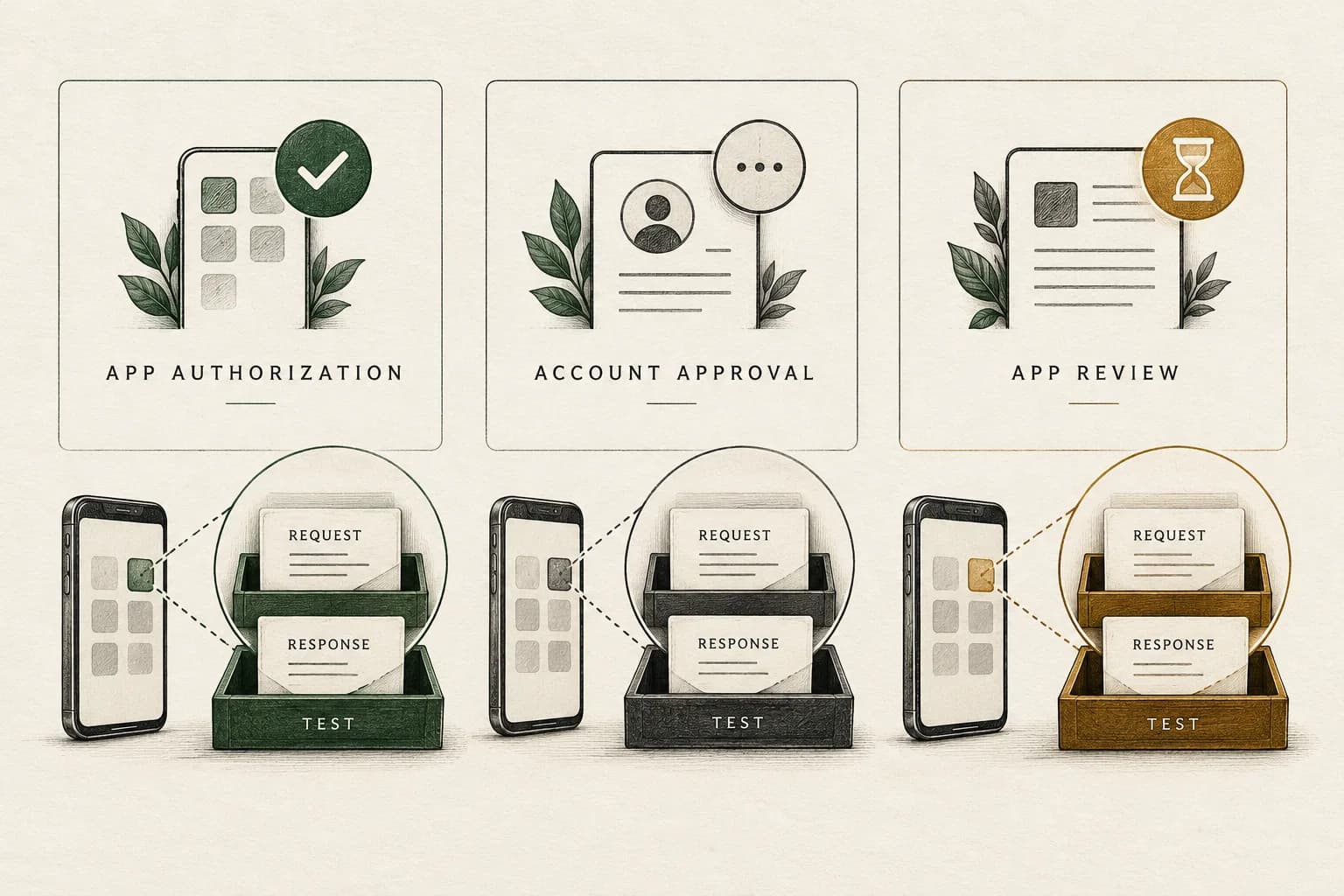
Verified does not mean every AdMob approval or delivery check has passed. Record app verification, account approval and app readiness separately, then inspect the actual SDK request and result. A reachable app-ads.txt file, an initialized SDK, a test ad and a production report each answer different questions.
A developer with a verified app still marked Getting ready asks whether the problem is code or approval. Another publisher with two apps in review and zero reported requests asks whether the review prevents requests from appearing. Replies offer conflicting explanations. These older evergreen questions identify a practical diagnostic task; they do not establish a universal rule for request reporting or a fix for another account.
The useful outcome is a precise finding: which approval state remains unresolved, whether the installed build reaches its load call, and what the receiving SDK reports. That supports an engineering change or a focused support request without guessing at the missing step.
Start with a state matrix, not one green badge#
Google's app verification guidance separates authorization through app-ads.txt from the subsequent app-readiness review. For affected apps, full serving requires the relevant verification and readiness approval. The same page documents an exception for apps listed only in third-party stores, so check the requirements presented for your app.
Create this recommended evidence matrix for one app and one platform:
| Checkpoint | Record to save | What remains separate |
|---|---|---|
| Account approval | Exact account notice and observation time | An individual app's authorization or readiness |
| App verification | The app's verification status and linked identity | Account approval and readiness review |
| Store association | Public listing and the store identity linked in AdMob | The build actually installed on a device |
| App readiness | Exact approval status and any issue details | A successful runtime request |
| Runtime integration | Build version, load attempt and SDK result | Production serving eligibility |
| Reporting | Named metric, app/ad-unit scope, dates and export time | Complete evidence of one device's behavior |
Keep the status text verbatim in your private record. Do not translate every pending status into “banned,” or every green verification indicator into “approved.” A Policy center screen showing no listed issue is an observation about that surface, not independent proof that every onboarding check is complete. If the app is approved but a cross-promotion campaign still serves paid ads or no house impressions, audit campaign priority, creative eligibility and the actual response separately from app readiness.
Check each approval and delivery state
Verification, account approval, app readiness and an SDK response are different checks. Discuss which state your evidence can confirm.
Discuss delivery measurementA short inquiry to scope relevant options; no campaign access is needed.
Check account approval and app readiness independently#
Google's onboarding troubleshooting guide has separate branches for an account not approved yet, an account application that was not approved, and an app not approved yet. Match the actual message rather than treating them as interchangeable errors.
If the account application was rejected, inspect the corresponding email and listed account or app issues. The guide calls for accurate, verifiable account information and reviewing the relevant Policy center details. Resubmit through the documented process after addressing the stated issues. Repeated submission without a changed finding is not a diagnostic method.
A notice saying the account was disabled needs a different branch: separate disablement, suspension and serving limits before applying a review timeline, including when only test ads were reported.
Do not create another account as a shortcut or copy another developer's account-recreation story. Likewise, a forum explanation involving a different product's settings is not a universal dependency for every AdMob publisher. Establish what your account's actual message and current official instructions require.
For app readiness, Google's readiness documentation requires a published app, a supported store listing and the correct store linkage. It distinguishes Getting ready from Requires review, Needs attention and Ready. It also notes that a newly signed-up account's apps can remain Getting ready until account verification is complete, and reactivated accounts have a specific request-review path.
Record whether this is a new app, a new account or a reactivation. Those histories can lead to different next steps. Published availability in a store is not the same record as an app correctly linked to that listing in AdMob.
Confirm that you are testing the same app and build#
Inspect the installed build, not only the source repository's current configuration. Save the package or store identity, platform, app version, release channel and installation source. Privately compare the configured AdMob app ID and format-specific ad-unit ID with the intended account records.
An app ID, an ad-unit ID and a store identifier are different identifiers. A correct value in one field does not validate the others. Confirm that Android and iOS configurations have not been crossed, that the selected ad unit matches the tested format, and that the release you are inspecting contains the intended configuration.
For an app added before publication, check its store association after release. Verify what the public listing actually exposes rather than relying on an unpublished console edit. Keep any identity mismatch separate from a readiness decision so you can show what changed and when.
If authorization is the failed boundary, use the existing app-ads.txt discovery and account-matching checklist. It covers the developer-website discovery chain, exact crawl URL, redirects and served response. Repeating a successful file fetch does not advance an unrelated approval state.
Trace the load attempt before interpreting zero requests#
A zero in a report is not a device trace. It does not identify whether the user reached an ad opportunity, the app invoked a load method, the SDK returned an error, or the report covers the wrong app and period.
Instrument a controlled journey on an authorized test device. Record these boundaries in order:
- The user action or screen transition that should make an ad eligible.
- The application's decision to request, defer or skip, including its stated reason.
- The ad format and intended destination configuration.
- The load attempt and callback timestamps.
- Success or the full error details returned by the SDK.
- A later show attempt and show result, if loading succeeded.
Preserve privacy and consent requirements while observing that sequence. Do not remove an intentional gate just to produce requests. Also distinguish a developer's diagnostic log from a platform-reported request; naming both “requests” can conceal the very boundary you are investigating.
For Flutter, Google's ad-load error guide identifies the error domain, code, message and response information as useful diagnostic fields. Read the complete result and the documentation for the actual platform. A numeric code copied from a different SDK or operating system is not a sufficient diagnosis.
An error explicitly describing account approval should take you back to that onboarding branch. A mismatched format or platform requires its own configuration check. A missing application load-attempt record requires inspecting the app path before attributing everything to approval. Keep unobserved steps unknown rather than manufacturing an explanation from the dashboard.
Use test ads to isolate implementation behavior#
Google's test-ad documentation provides sample ad units and test-device configuration. Use the method appropriate to your SDK and tested format. Confirm test status before interacting with an ad; do not recruit friends to click production ads to help an account get approved.
A test ad loading can support a limited conclusion: the tested integration path can obtain that test response. It does not establish production approval, available paid demand or future earnings. A production identifier correctly configured on a test device is also a different test from a released user's ordinary request.
The same documentation says test-ad requests, impressions and clicks do not appear in account reports. That makes “the test ad worked, but the production request total is zero” an observation that needs labeling, not an automatic contradiction. For mediation, enable test behavior through the applicable network instructions; Google's sample ad units do not verify every mediated integration.
Where supported, Ad inspector can inspect test requests, ad units, adapters and privacy settings. The Flutter guide requires a configured test device and supported integration prerequisites. Confirm that the inspected build has the required access path before asking someone to reproduce the test. An SDK initialization message alone does not show what happened to a later ad load.
Do not collapse every serving limit into the same problem#
Google's serving-limit documentation gives different scopes:
| Stated condition | Scope described by Google |
|---|---|
| Account traffic-quality assessment | AdMob Network and third-party bidding; named exclusions include waterfall, house and direct-sold demand |
| App not ready to show ads | All demand for the affected app |
| Invalid-traffic concerns | AdMob Network; the page identifies different treatment for other demand |
Check the exact condition before inferring what another ad source should do. A change of mediation configuration does not itself resolve an account or app review. Do not treat a general statement about one limit as a promise that every other demand path remains available.
If the actual notice concerns invalid traffic or accidental interactions, continue with the AdMob CTR and invalid-traffic investigation. That is a different task from deciding whether the app is linked, verified and awaiting review. Neither a high CTR nor a low CTR establishes readiness approval.
A hypothetical diagnostic record with bounded conclusions#
The following is a hypothetical investigation, not a customer result or an executed account test:
| Observation | Supported finding | Still unresolved |
|---|---|---|
| App verification says Verified | That verification checkpoint displays success | Account and app-readiness decisions |
| Readiness says Getting ready | That review state remains pending | When or whether it will complete |
| A sample test unit loads on the test device | The tested path received a test response | Production eligibility and demand |
| An approved test-device request using the intended unit returns an account-approval message | That request reports the account branch as unresolved | The responsible reviewer's underlying decision |
| Production report shows zero for the selected scope | No activity appears under that report definition | Every individual user's request sequence |
This record supports pursuing the documented account-approval issue while preserving the tested implementation evidence. It does not justify rewriting an already functioning load path, declaring all users bots or promising that approval will create a particular fill rate.
If a later test finds the released build never reaches its load call, that is an additional engineering finding. Approval and implementation issues can coexist. Fix and verify the demonstrated problem without presenting it as proof that the separate review has completed.
Send a support packet that identifies the unresolved gate#
Keep one private timeline containing account submission or rejection, app setup, store linkage, authorization verification, readiness observations and software releases. Date each observation with its timezone. Preserve the original messages and the state before and after any correction.
Attach the selected app/platform identity, relevant status screenshots, a redacted SDK error and response record, test method, build version and the exact report definition. Keep sensitive account, payment and device information in the appropriate authenticated support channel; do not post it in a public forum.
Ask a bounded question, such as whether the documented account-approval state requires another action, or whether the linked app meets the published readiness prerequisites. If the available support route cannot disclose a specific review cause, preserve that uncertainty. A community reply or a clean test does not reveal an internal approval decision.
Typical review durations in help pages are descriptions of particular processes, not recovery deadlines. Keep account approval, app review and automatic traffic-quality assessment on separate timelines. Do not promise another developer that a fixed number of days, more requests or a different network will lift the restriction.
For campaigns already measured through AdProof, keep a scoped campaign-event or aggregate export alongside the relevant delivery records, with explicit dates, timezone and supported filters. The anonymized FMCG in-app count-once case concerns delivery-count reconciliation, not AdMob approval. Request a demo to review the supported campaign measurement workflow. AdProof cannot approve an AdMob account or replace its review process.
Frequently asked questions#
Does Verified mean my app is ready for full ad serving?
It establishes the named verification checkpoint. Check account approval and the separate app-readiness status. Do not infer complete production eligibility from that one badge.
Do test ads prove that account approval is complete?
No. They test a particular integration path under test conditions. Record the method used and inspect the actual account and app statuses separately.
Does zero reported activity prove my app never called the SDK?
No. Preserve the report scope and capture the device's load-attempt sequence. Test traffic also has different reporting treatment, so distinguish it from production observations.
Should I keep resubmitting or switch accounts to get unstuck?
Use the documented review path after addressing stated issues. Repeated submission without new evidence and account-recreation stories are not reliable diagnostics. Retain the precise unresolved state and escalate through the available official channel.
Research and scope#
Reviewed 30 October 2026. Linked original questions are older evergreen reports; their claimed causes and timelines are not adopted as universal behavior. Technical references were opened from current Google documentation. The workflow and example are original diagnostic recommendations, not an executed account audit or an approval guarantee.
Check each approval and delivery state
Verification, account approval, app readiness and an SDK response are different checks. Discuss which state your evidence can confirm.
Discuss delivery measurementA short inquiry to scope relevant options; no campaign access is needed.