
- Published
- Oct 26, 2026
- Updated
- Nov 4, 2026
- Reading time
- 15 min read
AdMob High CTR and Invalid Traffic: What to Check Before Changing Your Ads
Separate AdMob disablement, suspension and serving limits, verify test-ad evidence, then audit CTR samples and accidental taps without a promised recovery date.
In this guide (11 sections)
A high AdMob click-through rate is a reason to investigate, not a complete diagnosis. There is no universal safe CTR established by the Google documentation reviewed for this guide. Adding a loading screen may help users stop tapping before an interstitial appears, but it does not certify the implementation, establish genuine click intent, or guarantee that an ad-serving restriction will be lifted.
Start with three questions: what does the account notice actually say, how many impressions produced the rate, and what was the user doing immediately before the ad appeared? Those questions lead to evidence you can act on. Comparing your percentage with an anonymous benchmark usually does not.
This guide answers a public developer question about high interstitial CTR after adding a loading screen. The discussion contains competing explanations and suggested thresholds. The developer's report establishes the problem they experienced; it does not establish its cause.
First, identify the notice rather than guessing from CTR#
Save the exact notice, its date, the affected account or app scope, and the status displayed in Policy center. A new account under assessment, an invalid-traffic concern, and a different policy issue should not automatically be treated as the same diagnosis.
If app verification is green but approval remains pending, separate AdMob account approval, app readiness and SDK evidence before diagnosing the restriction from CTR. The app-authorization badge does not establish every serving prerequisite.
Google's ad-serving limits documentation distinguishes traffic-quality assessment from limits associated with invalid-traffic concerns and other app-readiness conditions. It describes automatic review of the relevant limits. Do not turn a general duration mentioned in documentation into a promised recovery date for your account.
Also distinguish an ad-serving limit from Confirmed Click, a confirmation applied to affected Google Ads demand placements when accidental clicks are detected. A confirmation prompt, a serving restriction and a lower earnings total are different observations. Record the actual status before deciding which troubleshooting path applies.
If the notice or user report instead concerns unwanted navigation, downloads or abusive SDK behavior, separate the mobile creative from the bundled SDK. Preserve the installed build and serving evidence before assigning the cause to an ad or to traffic quality.
A useful first record contains:
- the exact notice and affected scope;
- the dates and timezone of the report being inspected;
- app, app version, ad unit and format;
- recent placement, SDK or traffic-acquisition changes; and
- whether the issue is reproducible with test ads.
Investigate the signal before drawing a conclusion.
A high CTR alone does not establish invalid traffic. Start with the notice and placement evidence.
Discuss traffic measurementA measurement discussion, with scope confirmed before any next step.
If the account was disabled before live ads#
A 3 November 2026 developer question reports a new iOS account disabled while the app was still in development. The developer says every build used Google's public test IDs and an appeal was already submitted. Those are the author's claims, not an inspected build history. The notice pasted in a later reply refers to invalid traffic and/or other activity violating policies or terms; it does not identify a verified technical cause.
First choose the correct process. A disabled account is not simply a serving limit waiting for automatic review:
| Actual status | Applicable distinction | Action to establish |
|---|---|---|
| Temporary serving limit | Documented automatic review depends on the named condition | Preserve the Policy center status and scope |
| Account suspension | Google's suspension guidance says it is non-appealable | Follow that notice; do not apply disablement instructions automatically |
| Disabled account | The disabled-account process provides an appeal route | Preserve the notice and the submitted appeal reference |
| App approval or readiness pending | A separate onboarding/app gate | Use the app-readiness investigation |
The suspended-account guidance and disabled-account guidance describe different states. Copy the actual wording into the private review packet before discussing recovery. Do not relabel an account-wide notice as a single app's approval delay.
Verify what “test ads only” establishes
Google's iOS test-ad documentation says its demo ad units are not associated with the developer's AdMob account. That is a useful, narrow fact. Using one's own ad units on configured test devices is a different method, and Google's demo units do not test a mediation configuration.
Preserve the actual ad-unit selection for each built configuration, not just the current source file. Record the app/build version, test method, device configuration and available request evidence. Check for separate release settings or older installed builds as hypotheses, without asserting that they existed. Do not replace missing historical evidence with a reconstructed claim that every earlier request was a test.
If there was no live measurement population, there is no meaningful production CTR to diagnose. Keep “no public release reported,” “no live unit found in the inspected build” and “no production activity in this selected report” as separate findings. None reveals Google's undisclosed account-level reason. A correct demo-unit test does not independently establish that a broader policy or terms decision was erroneous.
While an appeal is already pending
Keep one chronology of account creation, development builds, exact notice, appeal submission and any official response. Preserve the submission confirmation and the evidence supporting each statement. Review the stated issues and applicable policies; distinguish a demonstrated correction from a precaution or an unresolved hypothesis. Do not invent a traffic source, placement defect or corrective action to make an appeal sound complete.
Google directs disabled-account appeals through its official form and does not guarantee reinstatement. Its page says further appeals after a decision may not be considered. An existing submission does not create a promised follow-up route or response deadline. Retain its reference and follow the instructions actually provided rather than treating repeated submissions or a replacement account as a recovery method.
The notice's payment-hold period concerns calculation of any eligible final payment. It is not an appeal turnaround. Likewise, a duration described for a temporary serving limit is not a disabled-account recovery deadline. Keep those timelines separate while awaiting the official outcome.
A CTR is a ratio, not a traffic-quality certificate#
AdMob's Ads Activity report defines impression CTR as clicks divided by impressions, multiplied by 100. Keep those counts beside the percentage. Do not substitute requests, matched requests, app launches or distinct users for the impression denominator.
The distinction matters when a restricted account receives few impressions. A small number of interactions can create a large percentage, and a restriction can change the mix of traffic remaining in the report. A percentage observed after a restriction is not automatically comparable with the whole account before it.
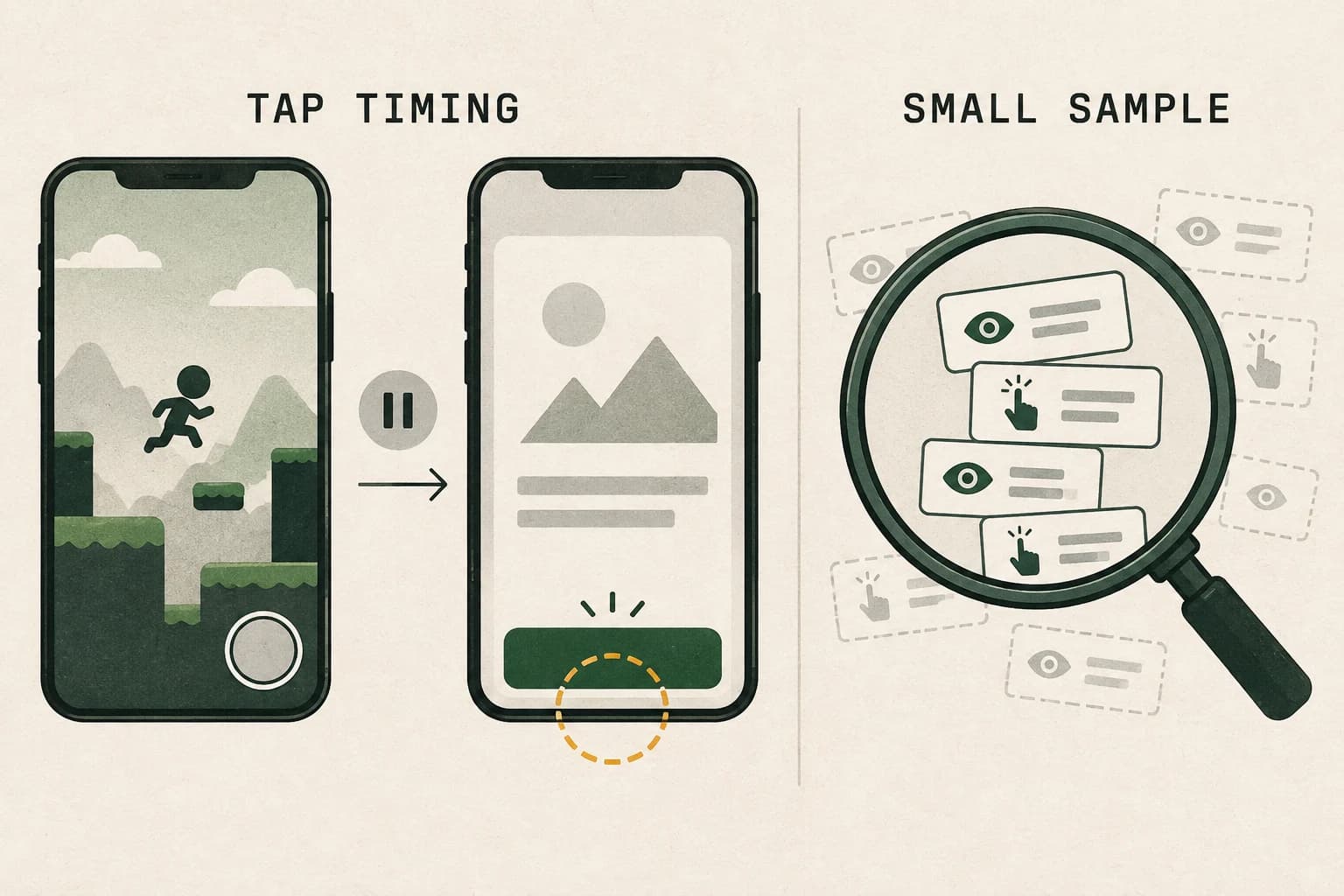
A hypothetical small-sample example
The following numbers illustrate arithmetic, not an AdProof customer result or an industry benchmark.
| Cohort | Impressions | Clicks | CTR |
|---|---|---|---|
| App version A, one selected ad unit | 1,000 | 20 | 2.00% |
| App version B, the same format | 10 | 5 | 50.00% |
| Combined selected scope | 1,010 | 25 | 2.48% |
The combined rate is 25 / 1,010 × 100, not the simple average of 2% and 50%, which would be 26%. The smaller cohort needs investigation, but ten impressions cannot establish a stable long-term rate or a specific cause.
One additional click changes a rate based on 30 impressions by about 3.33 percentage points. With 30,000 impressions, the same extra click changes it by about 0.0033 percentage points. Always ask how much activity sits beneath an apparent spike.
A lower rate is not proof of valid traffic either. Google's invalid-traffic policy covers accidental interactions as well as deliberately generated activity. The diagnosis concerns how the interaction occurred, not whether a number falls below a forum's suggested ceiling.
Does a loading screen actually help?#
It can help with a specific interaction problem. Google's recommended interstitial implementations describe a pause after a level ends for apps involving repeated tapping. The recommendation also places an interstitial before Continue or Next controls, rather than surprising the user after they tap those controls. It asks developers to account for ad-loading latency.
That is a timing and interaction recommendation, not a certification attached to a screen called “Loading.” Review the whole sequence:
active play ends → repeated tapping stops → eligible ad break → interstitial → dismissal → continue control
Compare it with a risky sequence:
next-level control appears → user taps → gameplay resumes → delayed interstitial covers the next intended tap
A loading screen elsewhere in the app does not fix the second sequence. Nor does changing its colour or adding a spinner demonstrate that input from the previous screen cannot coincide with an ad.
In an authorized test build, inspect what happens when the ad is ready immediately, loads slowly, fails to load, or becomes available after the original break has passed. Avoid showing a late ad merely because a load callback finally arrived. Verify that the current app state still represents the intended break.
Audit the placement before changing traffic settings#
Use Google's disallowed interstitial implementation guidance to review interruptions, recurring ads and interference with core navigation. Do not assume that a level boundary makes every surrounding interaction appropriate.
Then conduct a placement review with test ads:
| Test | Evidence to capture | Question it answers |
|---|---|---|
| Finish a level while tapping rapidly | Screen recording with the transition visible | Does the intended game action continue into the ad transition? |
| Tap Continue as quickly as the UI permits | Control visibility and ad timing | Was the user offered navigation before the ad appeared? |
| Delay or fail ad loading in an authorized test | App-state and SDK event timestamps | Does a late result interrupt resumed activity? |
| Close an interstitial and resume | Recording and state transition | Is another ad or an unexpected overlay immediately introduced? |
| Compare supported screen sizes and orientations | Screenshots and recordings | Are controls, banners and content separated as intended? |
These tests can reveal an interaction defect. Passing them does not establish that every production click was genuine. Traffic quality, creative behaviour and other placements still require their own review.
Test with test ads, including mediation#
Do not reproduce accidental-click scenarios against live paid ads. Google's test-ad guidance describes demo ad units and designated test devices. It also warns that mediated ads need their network-specific test configuration; a missing test label on mediated demand is not a reliable indication of whether testing is safe.
Record the SDK, platform, adapter and test configuration used for each reproduction. A fix tested in one Android build does not establish behaviour in an older production build or a different platform.
Use the integration guide for the SDK actually installed. Google's Android interstitial documentation, for example, illustrates separate callbacks for loading, fullscreen display, impressions and clicks. The documentation currently distinguishes SDK generations; callback names and setup should be checked against the chosen integration rather than copied blindly.
Capture an event sequence, not just an ad screenshot#
A static screenshot cannot show whether an ad covered a tap intended for the preceding screen. For your test build, correlate application-state changes with the SDK events that the integration supports.
Keep a short event timeline with relative or authorized timestamps:
| Observation | Useful evidence | What it cannot establish alone |
|---|---|---|
| Eligible break reached | App-state event and build version | That an ad was shown |
| Ad finished loading | SDK load result | That the user saw or clicked it |
| Fullscreen content shown | Supported display callback | That an impression passed final traffic-quality filtering |
| Impression recorded | Supported impression callback | Unique audience, viewability or final earnings |
| Click callback | Supported click event and surrounding app state | Intent, malicious activity or a billable valid click |
| Revenue callback | Value, currency and precision where provided | Final payout or a substitute for a click count |
Google's impression-level ad revenue documentation describes monetary values and precision types associated with impressions. A paid-event callback is not an instruction to increment a click counter. Keep observations, classification and financial reporting separate.
If callback values disagree with Firebase or GA4 revenue, audit automatic and custom ad-revenue collection. Check event ownership, units, currency, precision and possible overlap before treating a report difference as a traffic-quality finding.
When the question is why the reported earnings differ from payment, separate finalization, settlement timing and bank evidence. A revenue callback and an estimate do not identify the finalized payable amount or explain an undisclosed deduction.
Collect only information needed for the investigation. Avoid recording unnecessary personal identifiers, access tokens or raw user input. Restrict access to recordings and logs, and share redacted examples through the applicable support process.
Segment the report without turning a segment into an accusation#
Use one consistent reporting window and compare app versions, ad units, formats, countries and ad sources where the report supports those dimensions. The Ads Activity documentation also describes SDK-version reporting. Use that structure to narrow a change, rather than blaming an entire country or assuming that every unknown signal is a bot.
Prioritize segments with enough counts to matter to the investigation. Preserve small segments, but show their impressions and clicks rather than sorting solely by the largest percentages.
For an app update, record adoption as well as release time. Old and new versions can remain active together. A whole-account CTR after publication mixes both unless you deliberately separate them. Also check whether format or source mix changed during the same period.
Write conclusions at the level your evidence supports:
- “The test recording shows an ad appearing after play resumed” is an observed implementation issue.
- “This version has a higher reported CTR in this window” is a scoped measurement comparison.
- “A competitor caused the clicks” needs separate evidence and cannot follow from either observation.
Build a review packet instead of chasing a target percentage#
Prepare a concise packet that another engineer or the relevant platform support team can assess:
- Exact notice and affected app/account scope.
- Reporting window, timezone and export with clicks, impressions and CTR.
- App-version and ad-unit breakdown before and after the change.
- SDK and adapter versions, with the relevant configuration change dates.
- A diagram of the placement sequence and redacted test recordings.
- Findings separated into reproduced defects, measured patterns and unresolved hypotheses.
- Changes made, when they became available, and which versions actually adopted them.
If a placement cannot be implemented safely, plan how to stop that production path through your normal app-release or supported configuration controls. Do not disguise serving changes as a traffic-quality remedy or treat an arbitrary eCPM floor as an invalid-traffic fix.
After a correction, monitor comparable cohorts and retain the counts. A falling CTR may be consistent with fewer unintended taps, but it does not prove that the restriction was resolved or identify what caused the original notice. Check the account status separately.
Common questions#
What CTR is safe for AdMob interstitials?
There is no universal safe rate established by the official sources reviewed here. A rate needs its impression count, format, placement and reporting scope. Investigate how clicks occurred rather than using another app's percentage as a compliance threshold.
If the loading screen is in place, can I rule out accidental clicks?
No. Verify the sequence, tap behaviour, Continue controls and slow-loading path with test ads. A screen's existence does not prove that the actual transition behaves as intended.
Should I block a country with a high CTR?
A country-level percentage alone does not establish invalid intent. Check sample size, version, format, source and implementation evidence first. Any serving decision should consider legitimate users and the actual evidence.
Does an SDK click callback prove that the click will earn revenue?
No. It records the integration's click observation. Traffic-quality review and financial reporting are separate, and an impression-level revenue callback is a different event.
How long will a serving restriction last after I fix the layout?
Identify the actual state first. Serving-limit review, suspension and disabled-account appeals follow different processes. A payment-hold period is not an appeal deadline. Preserve the correction evidence and check the official account status without promising recovery.
Keep the measurement questions distinct#
If the account warning concerns seller-file verification, verify the app-ads.txt discovery and seller account separately from CTR and invalid-traffic findings.
For broader definitions, use AdProof's guides to invalid-traffic rates and evidence, impressions, clicks, views and conversions, and why viewability reports disagree.
The anonymized in-app count-once case concerns measured delivery reconciliation. It does not identify an AdMob enforcement reason or establish an appeal outcome.
If you need a clearer delivery-evidence and reconciliation workflow, discuss your measurement scope with AdProof. Describe the platform, format, available observations and reporting question first. An independent measurement conversation should not be presented as AdMob certification, a platform appeal service, or a guarantee that restrictions will be lifted.
Investigate the signal before drawing a conclusion.
A high CTR alone does not establish invalid traffic. Start with the notice and placement evidence.
Discuss traffic measurementA measurement discussion, with scope confirmed before any next step.