
- Published
- Nov 1, 2026
- Updated
- Nov 14, 2026
- Reading time
- 11 min read
Google Ads Conversion Value vs Revenue: Audit Adjustments
Separate Google Ads purchase value from lifecycle and value-rule adjustments. Audit columns, repeat purchases and order records without double counting.
In this guide (10 sections)
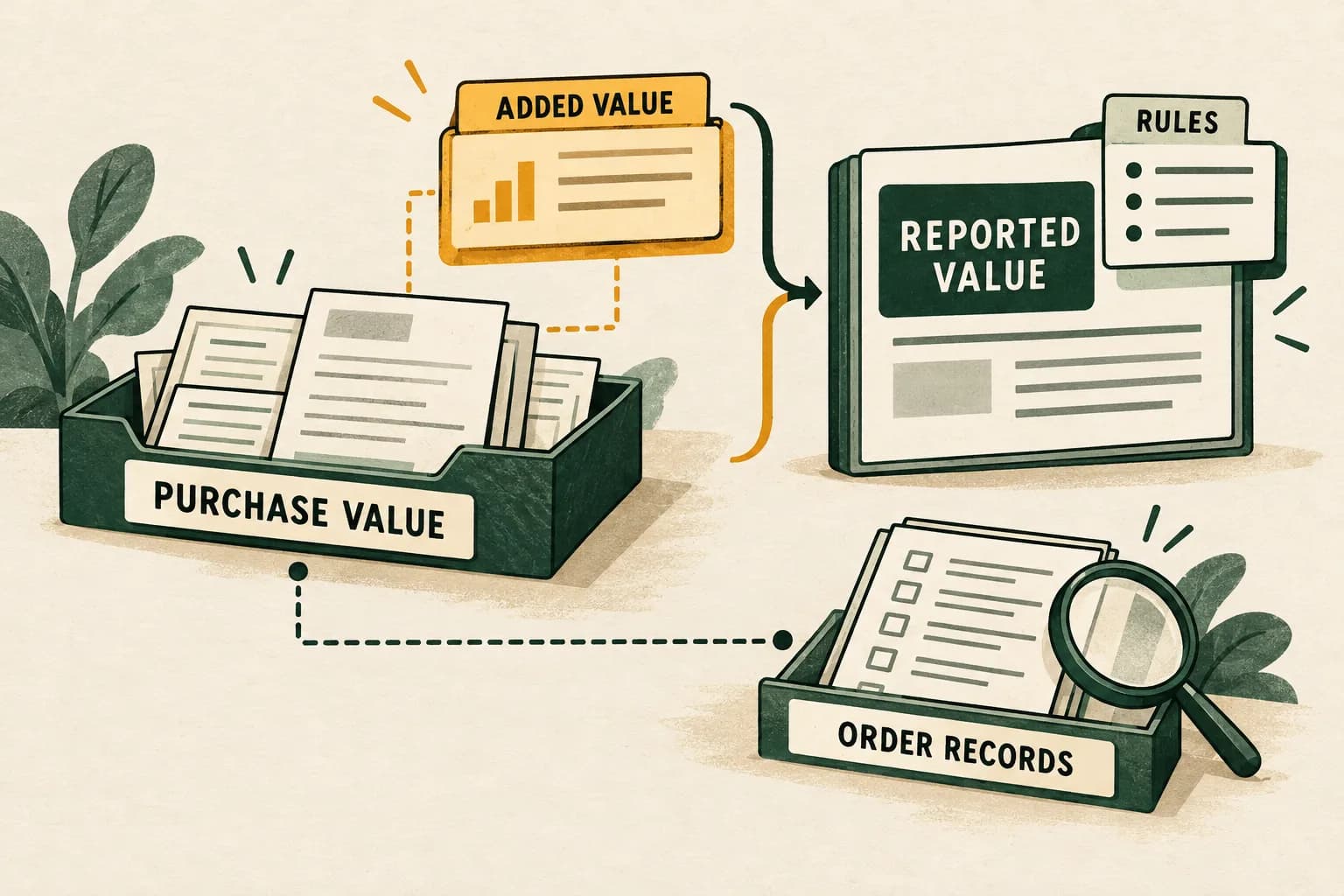
Google Ads conversion value can include configured valuation adjustments as well as the original value of a purchase conversion. When a new-customer value setting or conversion value rule is active, a larger reported total does not necessarily mean another purchase occurred or more cash was collected. Inspect the original value and adjustment components before treating the total as revenue.
If the commerce-side comparison combines Shopify attribution models, first check unique order membership across those views.
The useful diagnostic is a bridge: start with a clearly defined value population, identify the applicable adjustment, reconcile the reported columns, then compare the appropriate base with business records. Keep attribution, currency and timing differences visible instead of assuming that removing one adjustment makes every system agree.
Two older questions reveal the reporting gap#
An older PPC discussion about new-customer lifecycle goals asks whether assigning an extra value to a new customer changes campaign conversion value and its reported ratio to cost, or only changes bidding. Replies disagree. A separate question about the acquisition setting asks directly whether enabling it increases reported value.
These are historical question sources, not fresh demand claims or controlled tests of campaign performance. Current Google's lifecycle configuration documentation explicitly says the Conversion value column includes original purchase value and the additional value configured for the applicable lifecycle setting. The reporting question therefore deserves its own check before anyone interprets a change as extra sales.
Separate reported value from purchase revenue
Google Ads conversion value may include configured adjustments. Discuss how the selected value relates to your order records.
Discuss measurement scopeA short inquiry to scope relevant measurement options; financial adjustments are not promised.
1. Define which kind of value you are looking at#
| Value layer | Evidence to retain | What the number does not establish |
|---|---|---|
| Business order amount | Accepted order, monetary definition, currency and status | Which advertising interaction receives credit |
| Value sent to a conversion action | Actual event/import mapping and destination | That the value represents cash rather than a score, margin or estimate |
| Original reported conversion value | Exact unadjusted reporting field and selected actions | Equality with all orders in the commerce system |
| Configured adjustment | Lifecycle or value-rule configuration and its reported output | Additional cash received or realized future purchases |
| Adjusted conversion value | The named report column after applicable adjustments | Accounting revenue, profit or a causal return |
The word original is relative to the reporting adjustment. If your integration originally sends a modeled lead value or contribution-margin estimate, an unadjusted column does not turn that input into sales revenue.
For missing or wrong ecommerce inputs, first check purchase value, currency and item fields. If the question concerns products, cost coverage and gross profit, use the separate Google Ads cart-data reconciliation guide. Those collection and product-reporting tasks precede this adjustment audit.
2. Freeze the report and its settings#
Save a copy of the current export before changing goals, rules or columns. Record:
- Account and campaign IDs, included conversion actions and action sources.
- Exact report, column names, filters, segments and campaign selection.
- Date boundaries, account time zone, reporting date basis and extraction time.
- Account/reporting currency and the unit originally sent by the source.
- Conversion counting settings, selected actions and attribution configuration.
- Lifecycle mode, its activation boundary and configured value where applicable.
- Active value-rule scope, conditions, operation and relevant change history.
Separate the report population from the settings that happen to exist today. An export for a period before a setting was activated is not interchangeable with a later configured period. Preserve the effective dates rather than reconstructing them from memory.
Treat this as a read-only investigation first. Switching a production setting to make a dashboard agree can also change optimization behavior. Google's value-rule impact documentation explains that active rules can be considered during bidding. A reporting investigation should establish the evidence before proposing a separate configuration decision.
When a campaign says zero but a path card shows conversions, compare action populations first
Do not start by deleting a conversion action, changing bids, or assuming the report is late. First reproduce both surfaces with the same campaign, date boundary and conversion-action selection. The Campaigns “Conversions” column generally summarizes primary actions included in the selected campaign's goals; “All conv.” includes primary and secondary actions. Google also explains that campaign-level reporting requires an action to be Primary and included in the campaign's marketing objective. A conversion-path report is a separate attribution view whose conversion-action filter defaults to primary actions, and whose path rows can show repeated interactions along the path. Those views answer different questions.
Use this order:
- Name each surface and its exact metric. Record whether the zero came from a campaign diagnostic, campaign table, Goals summary, or another card. Record whether the other number is “Conversions,” “All conv.,” a path count, or a value field. A card label or path row is not an order count.
- Align scope. Select the same campaign and conversion action; compare the same date interval and account time zone. Note whether each view is grouped by interaction date or conversion time, and whether attribution lookback settings differ.
- Break out actions, then goals. In the campaign report, add
Conversions,All conv.,Conv. value, andAll conv. valueas applicable; segment by conversion action and day. In Goals, check whether the intended purchase action is Primary and whether the campaign actually includes the relevant standard or custom goal. The Primary label alone is insufficient if the campaign's goal selection excludes the action. - Separate purchase from funnel actions. Inspect each action's category, source, status, counting method and value mapping. An Add to Cart action can be tracked as a conversion action; its presence does not establish a completed purchase. Keep action names and events visible in the reconciliation rather than summing every action as a distinct order.
- Read path rows as paths. Google defines its Conversion paths report as sequences of ad interactions preceding a conversion; successive interactions with the same dimension can be consolidated into a path touchpoint with a repeat count. A repeated touchpoint is not proof of duplicate purchase firing. Use a transaction/order ID and the commerce record to validate distinct completed orders; use the report's selected actions to understand which conversions populate the path.
- Allow for reporting latency without treating it as a cure-all. Google documents a 15–48 hour conversion-reporting delay in its discrepancy guidance. Wait through the relevant processing period, then capture a new matched snapshot. A longer-standing zero with a nonzero path view needs an action/goal/scope reconciliation, not repeated waiting alone.
- Keep bidding changes separate. Preserve the existing goal and change history first. If a primary purchase action is absent from the campaign's optimization goal, document that configuration state and route any change through the campaign owner; do not switch goals merely to make two reports match.
| Observation | Check next | It does not establish |
|---|---|---|
All conv. is nonzero but Conversions is zero | Segment by action; inspect Primary status and campaign goal inclusion | That a purchase occurred or that the campaign optimized to it |
| A path report shows a repeated touchpoint | Read the selected conversion action and path definition; validate transaction IDs separately | Duplicate purchase events or multiple orders |
| Campaign table and diagnostic disagree | Match campaign, date/time zone, action, metric and date basis | A tracking outage without an event-level check |
| Store orders and Ads conversions differ | Compare eligible orders, action source, attribution, counting and reporting maturity | That every uncredited order is a lost click or that all reported actions are purchases |
Keep the original values reported by a forum poster as their own account snapshot. A reply that attributes the gap to All conversions, an unused goal, duplicate GA4/tag actions, or a repeated path touchpoint is a hypothesis until the campaign's settings and event records confirm it. Do not carry over an unverified numerical claim from comments. Establish the action and goal population before explaining adjusted value or comparing a platform total with commerce revenue. See Google's conversion goals, missing data and discrepancies, conversion tracking data, and attribution reports for the relevant definitions.
3. Inspect lifecycle columns within their documented scope#
Google's lifecycle reporting guide describes Original conv. value as value before value-rule and lifecycle adjustments. It also distinguishes New customer lifetime value, the acquisition adjustment, from All new customer lifetime value, whose population includes secondary purchase conversions.
Use those literal labels in the export. Do not join a Conversions-based total to an All-conversions adjustment without confirming they cover the same actions. The similarly named columns can answer different questions.
Lifecycle reporting requires the corresponding active goal and purchase optimization. This is distinct from the configuration option called New Customer Only, which can be available for non-purchase goals. Do not assume every acquisition setting adds the same value or exposes identical reporting.
Record the relevant columns in the actual account. Some lifecycle options depend on available settings; an absent column should remain an availability question until its scope is established. Avoid creating a universal subtraction formula from one screenshot.
4. Distinguish new-customer conversions from distinct customers#
A segment of conversions and a distinct-customer column need not have the same count. Google’s conversion-counting reference defines Every per conversion action after an ad interaction. Under the lifecycle reporting rules, eligible repeat purchases can remain in the new-customer conversion segment. The acquisition adjustment corresponds to the first purchase, rather than being another payment attached to every repeat purchase.
That distinction matters when someone multiplies an added value by every row labeled New. Check the actual customer-count and adjustment columns before attempting that calculation. Preserve Unknown and other segment categories exposed by the report; they should not be silently assigned to new or returning customers to force agreement.
Treat platform classification and your organization's customer definition as separate evidence. A first recorded order in one system does not necessarily prove a person has never purchased through another channel, account or device. Use authorized business records and a documented definition for any cross-system comparison.
5. Work a lifecycle-only reconciliation#
The following numbers are hypothetical, not AdProof customer results. Assume one completed reporting interval, one purchase action using Every counting, three eligible purchases with full unit credit in the same comparison, USD throughout and no other value rules, refunds, tax, shipping or currency differences. The original sent values equal these example order amounts.
| Purchase | Customer status in this example | Original value, USD | Added lifecycle value, USD | Adjusted value, USD |
|---|---|---|---|---|
| Customer A, first purchase | New | 100 | 50 | 150 |
| Customer A, repeat purchase | Same newly acquired customer | 60 | 0 | 60 |
| Customer B, purchase | Existing | 80 | 0 | 80 |
| Total | Three purchase conversions | 240 | 50 | 290 |
There is one newly acquired customer in this example. Counting both of that customer's purchase conversions as two distinct new customers would be a population error. Applying the USD 50 adjustment twice would also produce the wrong bridge.
The arithmetic is 240 + 50 = 290. The added USD 50 is a configured valuation component; it is not a fourth order or evidence that Customer A has already made another purchase.
If the same hypothetical report contains USD 100 of cost, adjusted conversion value divided by cost is 290 / 100 = 2.9. Original conversion value divided by the same cost is 240 / 100 = 2.4. Label the numerator on each ratio. Neither ratio by itself establishes profit, incrementality or the return a business should expect.
This example intentionally removes other discrepancies. In a real report, fractional credit, modeling, action selection or later adjustments can complicate the bridge. Retain an unexplained residual rather than using the example's clean equality as a required outcome.
6. Audit generic value rules as a separate branch#
Generic conversion value rules are another mechanism. Google's overview says rules adjust values and the adjustments appear in conversion value reporting. That is different from merely annotating a spreadsheet after extraction.
The value-rule reporting reference describes a Value rule adjustment segmentation with these components:
- Original conv. value for conversions to which a rule applied.
- Original conv. value for conversions to which no rule applied.
- Net adjustment for the applicable condition category.
Use the components as a bridge, not as extra conversions. In a separate hypothetical rule-only example, original value is USD 120 for affected conversions and USD 80 for unaffected conversions. A multiplier of 1.5 on the affected part makes that part USD 180, a net adjustment of USD 60.
original total = 120 + 80 = 200
adjusted total = 120 + 80 + 60 = 260
Do not add the original-total column to both original component rows; that would count the same base twice. Do not confuse an adjusted amount of USD 180 with an adjustment of USD 180.
Google's setup reference says only one generic value rule applies to a given conversion, with precedence rules where conditions overlap. That does not supply a universal formula for stacking every lifecycle and value-rule output. Where multiple mechanisms exist, inspect their actual report components and scope before adding or subtracting them.
7. Reconcile the base with order records separately#
After identifying the adjustment, ask whether the original value is comparable to the business amount you want to inspect. Use a small, authorized sample and preserve a nonidentifying reference internally where available. Do not publish order IDs, customer details or full production payloads.
| Check | Question to resolve |
|---|---|
| Action population | Are both sides limited to the intended purchase actions? |
| Value definition | Is the input order revenue, net merchandise value, profit or an estimated score? |
| Monetary unit | Are transaction and reporting currencies documented consistently? |
| Order status | Are cancellations, refunds and failed payments treated consistently? |
| Date basis | Is one report organized by ad interaction while the other follows order time? |
| Credit and coverage | Are attributed conversions being compared with all store orders? |
| Snapshot maturity | Were both exports saved at comparable processing stages? |
A successful arithmetic bridge only explains the configured adjustment. It does not prove collection completeness or settle attribution. Our platform-versus-independent measurement guide covers those additional comparisons and the settings sheet needed to reproduce them.
For current Analytics reporting, separate conversion surfaces, assists and attributed credit before comparing the export with business outcomes.
If you cannot identify the source of a remaining difference, label it unresolved. Do not subtract an estimated adjustment again from a report that already uses original value, or overwrite the sent purchase amount simply to match the adjusted interface total.
8. Publish a metric dictionary with the report#
A useful handover includes the raw export, configuration snapshot, effective dates, conversion-action list, chosen value definition, adjustment bridge and unresolved differences. For every chart, state its numerator and unit in the label.
Prefer precise names such as “Ads-attributed original purchase conversion value” and “Ads conversion value including configured lifecycle adjustment.” Keep the order-system amount in a separate series with its own scope. An annotation prevents a stakeholder from reading a change in valuation as a change in paid orders.
Finish with three checks: can another analyst reproduce the bridge; does each component appear exactly once; and are assumptions distinguishable from measured fields? A clean explanation is more useful than forcing all totals to equal.
For campaigns measured by AdProof, request a delivery-measurement review with campaign IDs, date boundaries, time zone and supported report fields. Delivery exports can document the impression-side baseline alongside your value reconciliation. They do not determine Google's lifecycle adjustments or prove purchase revenue. The anonymized fashion-retail delivery case illustrates that narrower reporting boundary.
Frequently asked questions#
Does added new-customer value change reporting or only bidding?
For the documented lifecycle value setting, Google says the added value appears with original purchase value in Conversion value reporting. Confirm the active mode and appropriate original-value and adjustment columns before comparing it with order revenue.
Is Original conv. value the same as cash revenue?
It is unadjusted relative to the documented value-rule and lifecycle changes. The original input may still represent a score, estimate or margin, and its attributed population can differ from all business orders. Verify the input definition and scope.
Why can new-customer conversions exceed distinct new customers?
Repeat purchases can be counted under the relevant conversion-counting rules while the customer column counts distinct newly acquired customers. The acquisition value adjustment concerns the first purchase. Inspect those populations separately instead of multiplying every new-segment conversion by the configured value.
Should I remove a value setting to make the reports match?
Establish the reporting components first and keep any configuration decision separate. Preserve the active settings and explain original versus adjusted values in the report. Changing an optimization input is not a substitute for reconciling its documented output.
Separate reported value from purchase revenue
Google Ads conversion value may include configured adjustments. Discuss how the selected value relates to your order records.
Discuss measurement scopeA short inquiry to scope relevant measurement options; financial adjustments are not promised.