
- Published
- Nov 6, 2026
- Reading time
- 11 min read
Google Ads: Exclude Only the Converters You Mean
Build and validate a Google Ads exclusion for one specific conversion. Separate event meaning, audience membership, export eligibility and campaign settings.
In this guide (10 sections)
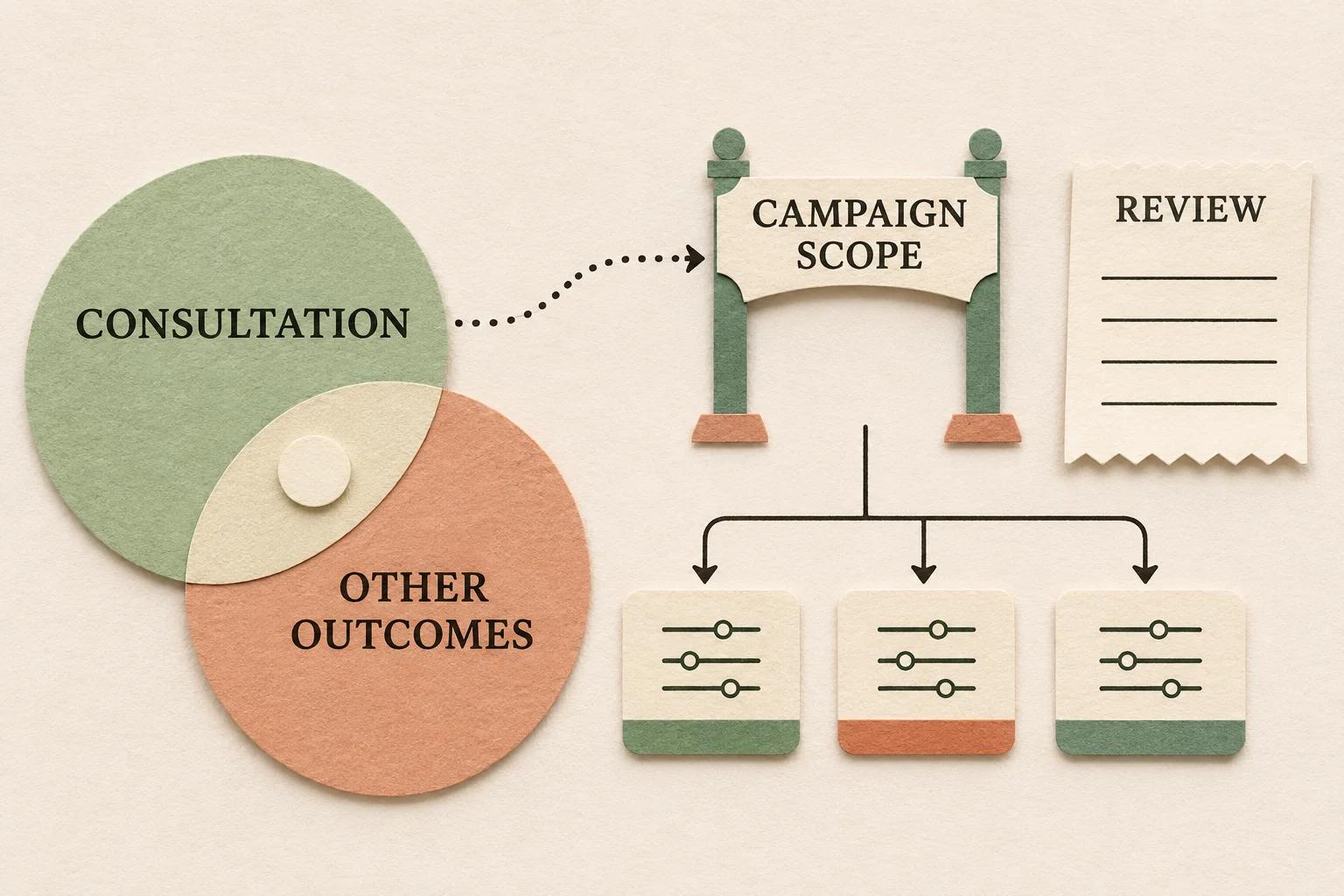
Define a first-party user audience for the specific accepted outcome, verify its destination segment, and apply that segment through the intended campaign's exclusion control. Do not substitute an “All converters” audience if it also includes people who completed unrelated actions. A narrower conversion goal and a narrower delivery audience are separate configurations.
Treat suppression as a measured policy with identity, consent, membership and timing limits. Collecting a conversion does not prove that the person immediately became an eligible exclusion member, and a saved exclusion does not establish perfect recognition across every device or advertising context.
The real question is which converters should stop seeing this offer#
In an August 26, 2024 public question, an advertiser wants to exclude people who completed product_consultation, while the available option appears to be “All converters.” They ask how to select only that particular outcome. Several replies are removed; the remaining suggestions do not constitute a verified implementation receipt.
An independent March 9, 2026 question about converted lead exclusion describes a thank-you-page segment and asks whether it will work. Replies disagree about list sizes, identity limitations and whether conversion tracking automatically stops ads. These are older reader questions, not evidence of a newly confirmed platform failure.
Both expose the same practical gap: define the desired people, prove the underlying event, then check the advertising control. An audience name that sounds right is not enough.
Check the audience before the exclusion.
Trace which eligible users reached Google Ads and separate list readiness from the campaign control.
Audit audience readinessOpens a practical guide. No email required.
1. Write a suppression policy in business language#
Start with an offer and an outcome, not a dropdown. For example: “For the introductory consultation campaign, set aside recognized users who have completed the accepted consultation request during the intended suppression period.”
Decide what should remain eligible. A person who downloaded a brochure might still need the consultation. Someone who completed one product's consultation may still be eligible for another offer. Conversely, a request being rejected or cancelled later may require a separately defined treatment.
| Policy field | Question to resolve |
|---|---|
| Business outcome | Accepted request, booked appointment or completed consultation? |
| Scope | One product or offer, a campaign family or the whole business? |
| User population | Which measured identity can legitimately represent the participant? |
| Time | How long should the outcome influence this offer? |
| Requalification | What happens after another eligible action? |
| Exceptions | Are cancellations, test records or another product treated differently? |
Do not choose the longest available membership period merely because the word “exclude” sounds permanent. Match the period to the business policy and the actual platform controls. Keep the policy owner and effective date with the configuration.
This decision is separate from which conversion actions support bidding. Google's primary and secondary action reference describes optimization and reporting roles. Changing one of those roles does not itself create a user exclusion.
2. Prove the event means the intended outcome#
Inspect the actual event and its owner. A click on Submit, a successful form acceptance, a booking confirmation and a completed consultation can represent different stages. Pick the one named in the suppression contract. Map the Ads conversion action to the actual collected event or other approved first-party source. An identically named action and GA4 event do not, by themselves, establish that relationship.
A thank-you URL can be useful evidence only if the route reliably represents that outcome. Test direct access, reloads, failed submissions and another form that shares the same page. Do not infer an accepted lead solely because the page loaded.
For a shared event such as form_accepted, document the parameter that distinguishes the intended form or product. The audience condition should not inadvertently combine the event from one interaction with a matching product value observed somewhere else in the user's history.
Use a small authorized journey matrix: intended outcome, another outcome, failed attempt and ordinary browsing. Retain the event name, relevant values, destination, time and consent branch for each. The marketing tracking QA checklist explains the wider action-to-report evidence path.
If the event itself is incorrectly generated or renamed, use the Create and Modify rule audit first. An audience built on the wrong occurrence faithfully carries that mistake into a different system.
3. Define users with the right event and condition scope#
Google's audience-management reference supports user conditions based on collected events, dimensions and metrics, with conditions evaluated across sessions, within a session or within an event. Use the scope that matches the policy.
For the shared-event example, a conceptual definition might be: users whose single observed form_accepted event has form_kind equal to consultation. This is an example contract, not a promise that those exact custom fields already exist or are usable in your property. Verify the actual collected representation and the conditions offered by the builder.
For a dedicated product_consultation event, test that its name and source genuinely identify the accepted outcome. Avoid a broad “any key event” definition when a resource download or unrelated purchase is not grounds for suppression.
Keep membership settings explicit. Record the duration, static or dynamic evaluation where applicable, requalification behavior and exclusions inside the audience definition. An attribution lookback window answers a different question and does not substitute for membership policy.
Also distinguish two possible designs: a converted-user audience applied as a campaign exclusion, or an eligible-user audience that excludes converters inside its own definition. Google's unconverted-user example illustrates the latter. Record which design you chose; creating one audience does not prove that every campaign uses it correctly.
Do not add an audience-trigger event merely to make this audience important. The immediate task is a user cohort for a delivery decision, not another count of business outcomes.
4. Verify the receiving segment without equating its size with leads#
Record the Analytics property, audience identifier, creation time, definition version and exact receiving Ads account. Verify the source and link rather than matching only a friendly display name.
The audience reference describes a 24–48-hour accumulation interval and says eligible Google Ads lists can receive up to 30 days of available prepopulation. Neither is an immediate membership guarantee for every historical lead. Keep the observation time beside the list status.
If Analytics shows users while the advertising list is small or empty, use the GA4-to-Google-Ads audience-size diagnostic. It owns the distinctions between reporting users, estimates, advertising eligibility and network-specific sizes. Do not rebuild that whole investigation by widening the event definition to include unrelated converters.
Preserve the current consent and personalization controls. Google's Data Controls update dates the Google Signals transition from June 15, 2026, while further personalization changes are described as forthcoming without complete rollout dates. Some older troubleshooting still tells readers to enable Signals. Read the dated guidance alongside the actual supported configuration; do not promise one universal toggle or disable a visitor's choice to populate a suppression list.
Keep list readiness separate from a business CRM cohort. A business can have 100 accepted consultations without 100 individually eligible advertising members. An unexplained difference remains unexplained until its population and coverage are established.
5. Save the actual campaign exclusion receipt#
Google's current audience-exclusion instructions describe an Exclusions module showing the segment, where it is excluded and the exclusion level. Inspect the actual campaign type and supported scope in the intended account. Do not assume a familiar audience signal or a negative keyword is the same control.
For an authorized configuration change, retain a before-and-after readback containing:
- Receiving Ads account and intended campaign or ad group.
- Exact segment identifier and source audience definition.
- Actual exclusion level and effective time.
- Other applicable exclusions and audience inputs.
- The unchanged conversion-action and goal configuration, unless those were separately approved changes.
The Audience builder reference distinguishes first-party “your data” exclusions from audience signals. An audience used as an optimization hint does not establish that its members are excluded. Use the exclusion control offered for that first-party segment and campaign, then read back what was saved.
An absence of the expected control is a compatibility or access finding, not evidence that an account-wide workaround is appropriate. Avoid expanding a one-campaign policy to unrelated campaigns just to find an editable screen.
Worked example: “All converters” removes a different business set#
Consider a hypothetical set of 100 synthetic user records with known outcome relationships within this worksheet. Eighteen completed the intended consultation, 32 completed a resource download and six did both. These invented sets illustrate policy logic; they are not GA4 membership counts or advertising delivery results.
The union of people completing either outcome contains 18 + 32 − 6 = 44 records. A consultation-only policy identifies 18, while the broader any-outcome policy identifies 44. The difference is 26 records that downloaded the resource without completing the consultation.
| Business-policy selection | Worksheet records | Share of the 100-record fixture |
|---|---|---|
| Intended consultation set | 18 | 18% |
| Either outcome | 44 | 44% |
| Resource-only difference | 26 | 26% |
The broad policy selects 26 more records, a 26-percentage-point difference in this fixture. That does not establish 26 unnecessary ad exclusions in production: platform recognition, consent, timing and eligibility have not been joined to these business records.
Nor does avoiding the broader selection prove an increase in leads or savings. The worksheet checks whether the policy means what the team intended. A performance claim needs a separately designed comparison.
6. Validate timing and unexpected ads at the right boundary#
Retain timestamps for the accepted outcome, collected event, audience creation or revision, advertising-list observation and exclusion change. They are different milestones. A person reporting an ad after converting is a useful lead, but the ad's impression time and the relevant identity context still matter.
Google's exclusion reference warns that exclusions may not apply to users who opted out of ads personalization. Therefore, do not promise that every person who submitted a form will never see the advertisement again. A campaign-level setting also cannot establish recognition across every browser, device or account.
For a controlled implementation check, verify the positive and negative event cases, the intended audience definition, receiving segment and saved exclusion. Do not generate repeated paid clicks or recruit a large artificial audience to make a test appear successful.
If an apparent failure remains, preserve the actual creative, campaign where identifiable, impression or observation time, device context and configuration history. Check whether another campaign or channel could explain the observation. Keep personal traces in an approved restricted support packet.
A fall in impressions after activation is not a count of suppressed individuals. Budgets, competition, audience mix and other changes can move delivery. Compare like periods and retain a clear separation between configuration acceptance and any later outcome study.
Maintain the policy when the offer changes#
Review the audience when forms, event names, product mappings or business stages change. Retain versioned definitions so a stale event name does not silently stop qualification, and so a reused thank-you page does not broaden membership.
Check new campaigns individually rather than assuming an exclusion followed a copied setup. Record the chosen scope and the ordinary eligible-user controls. A suppression rule can fail by selecting too few intended users or by selecting unrelated people; both matter.
For an AdProof-measured campaign, export its supported date range, timezone and available dimensions and metrics as an independent delivery baseline. Bring that evidence alongside the platform's audience and exclusion receipts to a scoped measurement review. AdProof does not identify individual Google Ads audience members or configure these exclusions.
The anonymized fashion-retail delivery-quality case concerns scoped impression evidence. It does not establish that a converted-user suppression rule worked or that every excluded person stopped receiving ads.
Frequently asked questions#
Does marking a conversion Secondary exclude its converters?
No. Conversion-action roles and user-audience exclusions serve different purposes. Inspect the actual event-specific audience and campaign exclusion separately from the campaign's conversion goals.
Can I use the All converters audience for one product's consultation?
Only if its actual definition matches that policy. If it also includes unrelated actions, it selects a different set. Define and test the specific outcome and relevant parameter scope instead of relying on the audience's name.
Will the exclusion stop ads immediately on every device?
No universal guarantee follows. Collection, membership, export, recognition, consent and campaign scope have separate boundaries. Preserve their timestamps and verify the actual control without claiming complete person-level suppression.
Does a thank-you page prove the user belongs in the audience?
It is one possible collection signal, not independent business acceptance. Test direct visits, failures, reloads and shared forms, then verify audience conditions and advertising eligibility separately.
Check the audience before the exclusion.
Trace which eligible users reached Google Ads and separate list readiness from the campaign control.
Audit audience readinessOpens a practical guide. No email required.