
- Published
- Oct 31, 2026
- Updated
- Nov 1, 2026
- Reading time
- 11 min read
MediaTailor Tracking: Polling Metadata Is Not Firing Beacons
Choose and test MediaTailor client tracking with live/VOD timing, session and SGAI checks, playback-event mapping and separate beacon-receipt evidence.
In this guide (11 sections)
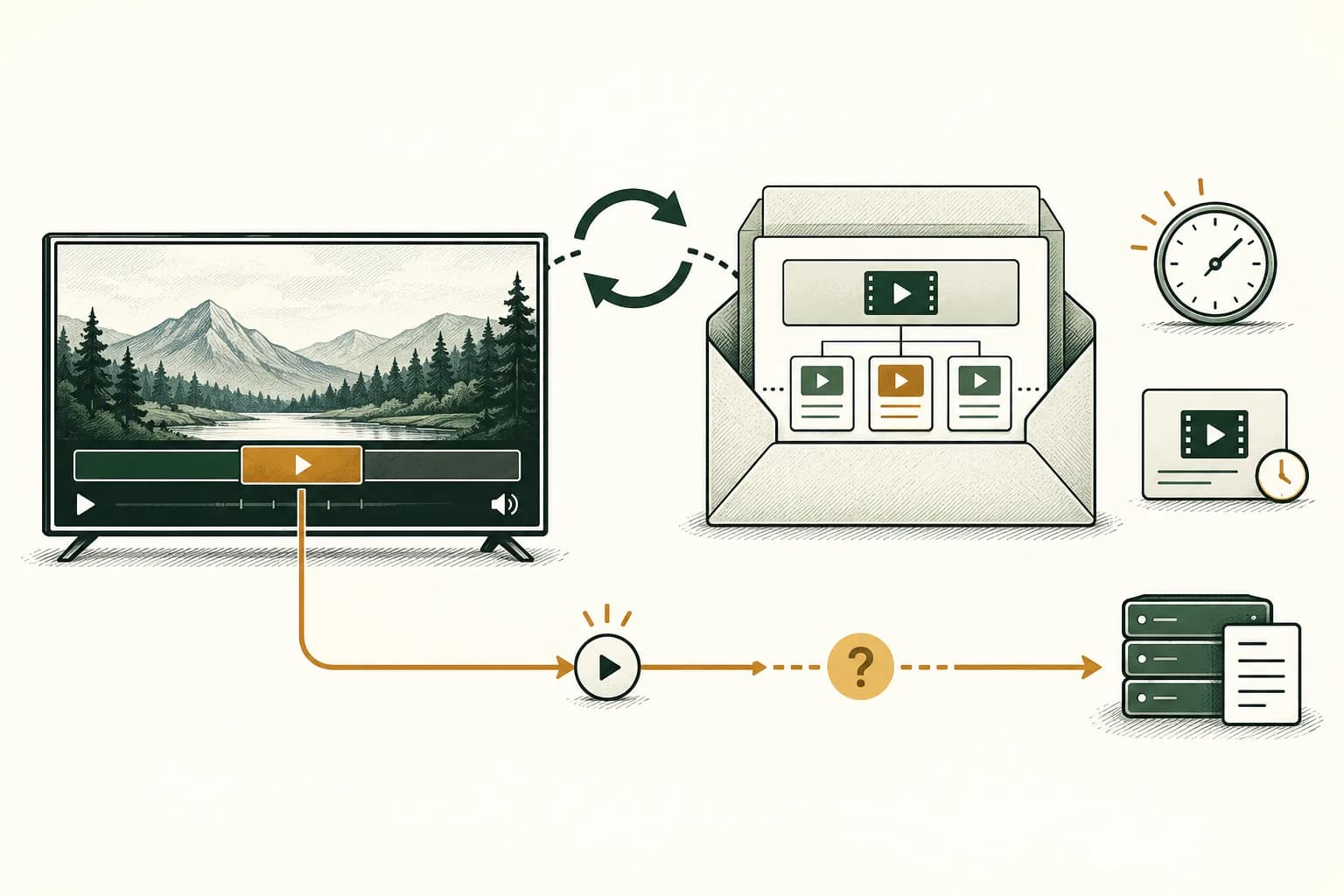
A player that can play a MediaTailor manifest does not automatically implement its client-side ad-tracking contract. Confirm how the integration retrieves session metadata, maps it to actual playback, sends the appropriate beacons and verifies receipt. A successful tracking-URL response is metadata evidence, not an impression or completion.
If MediaTailor cannot retrieve the content manifest, trace origin authorization and CloudFront response boundaries before investigating downstream client beacons. Viewer access, service-to-origin retrieval and ad measurement need separate evidence.
An older AWS re:Post question about players that can poll the tracking URL asks precisely this. Its answer suggests a custom integration and a player example; the author then asks for documentation of polling support. The useful answer is an implementation and acceptance contract, rather than a list of players that happen to decode HLS.
This guide uses current AWS documentation reviewed on 31 October 2026. The original discussion is labeled five years old in the visible page; it is evergreen provenance, not a newly reported outage or evidence that every current integration needs custom development.
Choose the tracking path before choosing a timer#
Write down whether the session uses stitched SSAI or server-guided insertion, live or VOD, HLS or DASH, and client or service-owned reporting. Record the effective session configuration. Similar feature names do not imply interchangeable endpoints or defaults.
For the stitched-session workflow in AWS's client-side tracking guide, a POST initialization can return a manifestUrl and a separate trackingUrl. Its reporting-mode setting controls who sends beacons and is fixed for that session. Verify the response your player actually receives, rather than constructing a tracking address from an unrelated example.
AWS separately documents explicit HLS/DASH initialization, including session parameters carried into manifest and tracking URLs. Preserve the correct session and query context. A successful request against another session cannot explain the missing events in this one.
Keep signed addresses, session identifiers and private ad parameters out of public troubleshooting posts. A shared evidence packet can use restricted references and sanitized examples without exposing the live credentials needed to replay a viewer's session.
Trace metadata through to beacon receipt
Record how the player retrieves metadata, maps playback and sends tracking events.
Use the tracking QA checklistOpens a practical guide. No email required.
Apply different retrieval rules to live and VOD#
AWS's best-practice instructions distinguish these branches:
| Workflow | Documented retrieval approach |
|---|---|
| Live HLS client tracking | Refresh at the HLS target-duration interval |
| Live DASH client tracking | Refresh at the DASH minimum-update-period interval |
| VOD client tracking | Retrieve once after successful initialization and after MediaTailor receives the first manifest containing media |
The VOD prerequisite matters. An initialization response alone is not the same observation as the first media-containing manifest reaching the service. Preserve the ordering in your trace before interpreting an early empty response.
Avoid choosing a universal one-second timer or treating every workflow as continuous polling. Conversely, a live session needs a way to discover updated upcoming metadata. Test the cadence against the actual manifest and supported integration, including how the polling task stops when that player session ends.
AWS also describes event-driven retrieval with appropriate ad-ID decoration. Its separate ad-ID documentation warns that this decoration mechanism is incompatible with SGAI. Treat a manifest event as a supported retrieval trigger only after validating the required configuration and platform behavior; it is not a universal replacement for the tracking contract.
SGAI does not use the same tracking endpoint#
The current SGAI tracking reference says client-tracked SGAI uses aws.reportingMode=CLIENT. Tracking data arrives in the asset-list response's TRACKING section; the GetTracking endpoint is not used. Its documented default is server-side tracking, unlike the client default described for the stitched-session initialization workflow.
Therefore, “there is no trackingUrl” is not automatically an error in an SGAI session. Check the insertion method, mode and asset-list response before adding a polling loop. A loop targeting an API that this path does not use cannot create the missing integration.
Do not copy mode syntax or defaults between those paths. Keep the actual request and response with the configuration evidence. If documentation or account behavior is unclear for your combination, ask AWS and the player owner to confirm that precise workflow rather than treating a neighboring example as an implementation guarantee.
Ask player suppliers for feature-level evidence#
The AWS client-tracking integration catalog describes several integration options. It also documents an as-is JavaScript reference SDK for HTML5 players, obtainable through AWS Support. That is a starting point for evaluation, not a promise of production support across every device.
Ask the supplier or engineering owner to demonstrate the exact combination you need. Keep ordinary stream decoding separate from ad metadata and measurement support:
| Capability | Evidence to request |
|---|---|
| Session initialization | Supported method, parameters and correct returned session references |
| Metadata retrieval | Live/VOD or SGAI-specific behavior on the actual platform |
| Timeline mapping | An event tied to the correct played ad and position |
| Beacon dispatch | Trigger, intended recipients and actual outgoing requests |
| Replay and repeated metadata | Documented handling of repeat observations and actual repeat playback |
| Required interface/verification features | Supported countdowns, interactions or measurement resources, with limitations |
| Maintenance | Tested player/SDK versions and owner of updates |
An example page playing a stream proves only that demonstration. Ask for a representative acceptance trace in your supported browser, TV app or native runtime. Do not assume a browser-only reference covers a television platform or that every optional verification resource will execute there.
Preserve the actual response schema#
AWS's schema reference separates avails, ads, tracking events and beacon URLs, alongside verification and companion metadata. Maintain those relationships when parsing a response. An avail can contain several ads, and one event can identify several destinations.
Capture the response used for a test before flattening it into a worksheet. Record the relevant session, break, ad and event references with their actual fields and nesting. Documentation examples can differ in naming or shape; validate your parser against the current returned payload and the supported contract instead of copying a sample unexamined.
Do not equate the number of URL entries with the number of impressions. Nor should verification resources, click-through destinations and playback-event URLs all be treated as requests to fire immediately. Each has a different job.
Where pagination or incremental retrieval is used, preserve the request, returned token and actual response behavior. AWS's main tracking page contains inconsistent descriptions of an expired token's outcome. Resolve that detail against the supported integration and observed response before prescribing a retry sequence. Token handling is not evidence that an ad played.
Map playback position using the right time origin#
A timestamp is useful only with its origin and units. AWS's activity-timing reference makes an important distinction: HLS positions are session-relative; live/dynamic DASH uses the MPD availability-start-time anchor; VOD/static DASH is session-relative. Keep the corresponding manifest and timing fields with the response.
Do not compare a live-DASH timestamp directly with an arbitrary “seconds since this player opened” counter. Likewise, a content-only playhead and a stitched-stream position may describe different timelines. Ask the integration owner to demonstrate the mapping for one known ad boundary before generalizing it to the session.
Record how seeking, buffering, resuming and source replacement affect that mapping. These are test conditions, not permission to invent missing quartile events. If a viewer seeks past an ad, the existence of its metadata does not establish that its playback thresholds were reached.
A useful debugging question is: “Which observed playback condition caused this exact event to become due?” That connects the metadata to behavior. “The URL was in the JSON” answers only the earlier retrieval question.
Dispatch beacons from the agreed event, then check receipt#
AWS's beaconing guide distinguishes impression, start, quartiles and completion. It notes that an impression requires client-side loading and the beginning of rendering. Retrieving the metadata is not that rendering observation.
Maintain scoped dispatch bookkeeping so a refreshed payload does not automatically re-fire the same reporting obligation on every poll. Establish the policy for an actual replay separately with the measurement owner; globally suppressing every future occurrence of an identifier can also discard legitimate later playback. Include session, ad occurrence, event and intended recipient in the design review where available.
Capture the outgoing request result and the receiver's matching record when authorized access permits it. A network attempt, a transport response and inclusion in a processed report are separate checks. Do not claim that a successful client request proves billing, viewability or attention.
Also check sender ownership before enabling dispatch. AWS's hybrid-mode documentation says the full client payload can remain available while the service emits playback-related beacons. Receiving metadata therefore does not by itself mean the client should emit all those beacons too. Agree which component owns each notification and test that arrangement.
Run an acceptance sequence that follows one session#
Use authorized fixtures and recipients. Start with a known ad and a small representative test, then include the failure branches your intended platforms must handle. Keep unrelated production traffic out of the test worksheet.
- Preserve the initialization request, effective mode and returned references.
- Establish the applicable manifest/asset-list retrieval sequence.
- Capture metadata before and during a known ad opportunity.
- Demonstrate the time-origin mapping against actual playback.
- Match each due event to its dispatch and intended recipient.
- Refresh metadata without replaying the ad and check duplicate handling.
- Exercise permitted pause, seek, replay and session-disposal behavior.
- Read the relevant receiver/report evidence after its documented processing interval.
Keep an explicit unknown state when a recipient cannot provide event-level readback. A missing row may reflect a collection failure, a correlation limitation or a report filter. Name the unresolved boundary rather than manufacturing a callback to make the totals align.
A hypothetical test with two different populations#
Hypothetical example only. An operator reviews ten distinct ad-start occurrences that its authorized test trace shows began rendering. The worksheet establishes metadata availability and impression-reporting evidence for those same occurrences:
| Initial review classification | Ad-start occurrences |
|---|---|
| Metadata, one expected dispatch per recipient and receipt evidence matched | 7 |
| Metadata arrived; expected dispatch was not evidenced | 2 |
| Dispatch was observed; recipient match remains unresolved | 1 |
| Total reviewed | 10 |
Seven of ten, or 70%, have the complete evidence required by this test. The other three retain separate next actions. This is evidence completeness for a defined test population, not the campaign's viewability, invalid-traffic rate or billable-impression acceptance rate.
Now suppose the player refreshed metadata thirty times. That is thirty metadata retrievals, not thirty new ad exposures. If one event has two intended recipients, two dispatches can be correct without establishing two impressions. Keep both distinctions in the worksheet.
After a parser or sender correction, repeat the same acceptance conditions. A larger downstream count alone cannot prove the fix was correct: duplicate firing could also increase the total. Retain the matching trace and documented reporting policy.
Connect this investigation to campaign reconciliation#
For missing prepared ads, use the separate MediaTailor first-play readiness guide. For interpreting server-originated reporting and device evidence, use the SSAI verification guide. For verification code that loads without usable provider results, continue with the OMID evidence workflow.
For supported campaigns already sending relevant events to AdProof, retain a campaign/date/timezone-scoped export of available delivery and video-stage records alongside the operator's metadata, playback and receiver traces. Confirm which event types are available. This does not imply an AdProof MediaTailor connector, automatic player polling or access to every recipient's logs.
The anonymized streaming-publisher case provides campaign-reconciliation context. Discuss the available evidence with the actual session and reporting scope before using a campaign total to diagnose an unobserved player transition.
Frequently asked questions#
Does a player that supports HLS automatically support MediaTailor client tracking?
No. Verify session setup, metadata retrieval, timeline mapping and event dispatch separately. Ask for feature-level evidence on the intended platform and supported versions.
Should every MediaTailor session poll continuously?
No. Follow the documented live, VOD or SGAI retrieval path and its prerequisites. A universal timer can add requests without implementing the missing tracking behavior.
Is a successful trackingUrl request an impression?
No. It retrieves metadata. Establish the relevant playback/rendering condition, the responsible sender and receipt evidence before interpreting an impression record.
Should the player fire every URL whenever metadata refreshes?
No. Dispatch according to each event's actual trigger and sender policy. Preserve scoped bookkeeping for repeated metadata, and handle genuine repeat playback under the agreed measurement contract.
Trace metadata through to beacon receipt
Record how the player retrieves metadata, maps playback and sends tracking events.
Use the tracking QA checklistOpens a practical guide. No email required.