
- Published
- Oct 29, 2026
- Updated
- Nov 1, 2026
- Reading time
- 12 min read
CM360 Click Tracker Not Counting? Trace the Actual Click Path
Diagnose missing CM360 clicks by checking tracker type, the trafficked version, macro expansion, redirect routing and comparable reporting evidence.
In this guide (10 sections)
If a CM360 click tracker redirects correctly but records few or no clicks, trace the actual served click path before creating another tracker. Confirm the tracker type and logging state, compare the original export with the version saved in the buying platform, and use an authorized QA journey to establish which measurement endpoints the click actually visits. Only then compare the relevant report rows after processing.
A working destination proves that navigation succeeded. It does not prove that the intended tracker was on that navigation path, received the expected identifiers, logged the event or appeared in the report you opened.
This is a real, recurring implementation question. An older ad-operations discussion describes accepted trackers that reach the landing page but record very few clicks. A separate programmatic discussion reports DSP clicks missing from two CM360 layers; adding a suggested macro did not settle the problem. These are older evergreen questions, not evidence of a current outage or a normal discrepancy percentage.
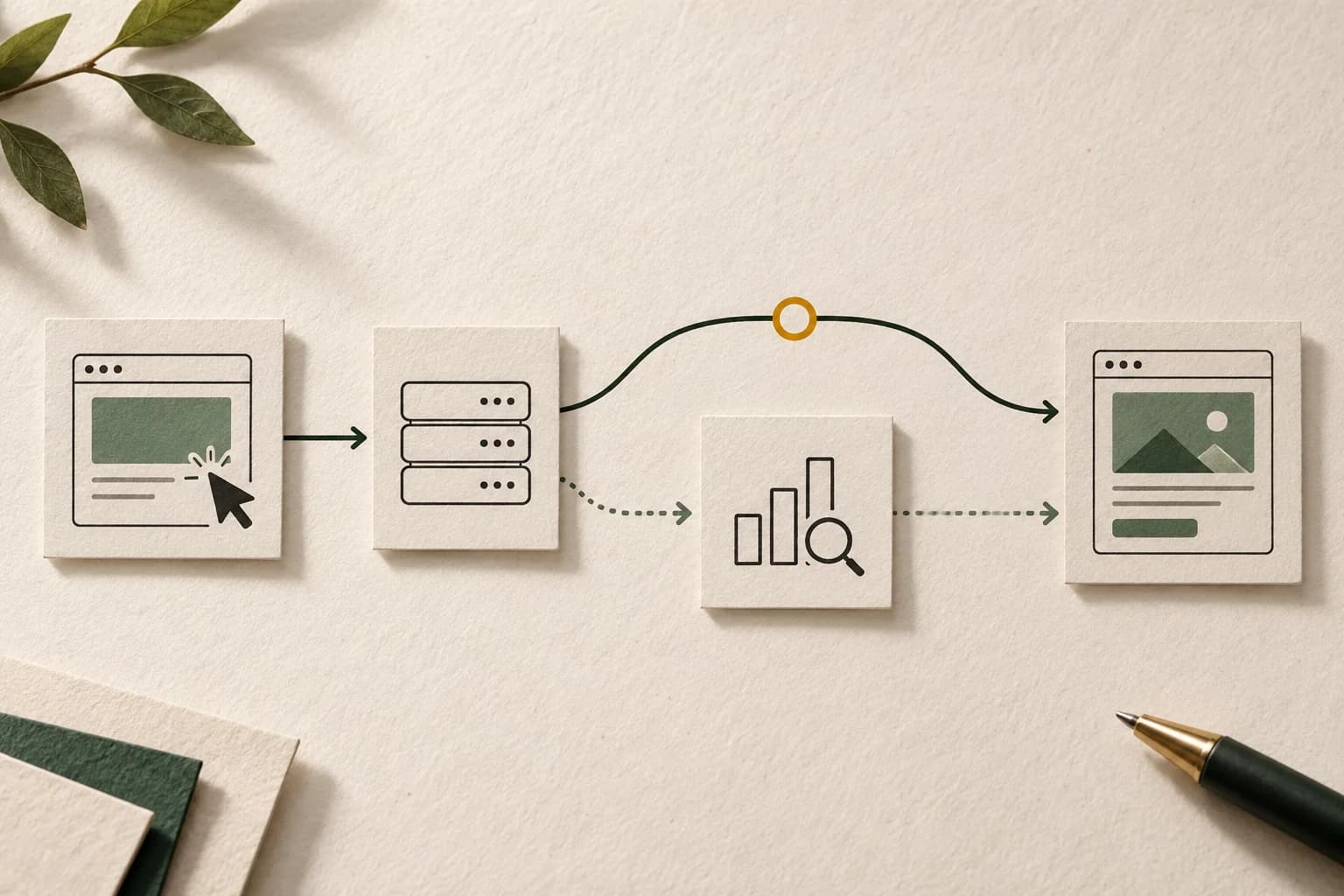
Write down the path you intend to measure#
Choose one affected creative and one placement. Draw the expected handoffs without assuming the platform names describe the implementation:
creative click → buying-platform tracker → intended measurement tracker → destination
Your path may contain a different order or additional systems. It may use a linked tracking-ad workflow rather than a standalone click tracker. Record the actual arrangement before editing it.
For each handoff, identify who owns the configuration and what evidence could establish that it happened. The agency may own the original tag, a publisher may own the deployed wrapper, and a separate team may own the reporting account. A person who can see the destination URL may not have access to the relevant tracker or report.
Keep a small configuration sheet:
| Field | Why it matters |
|---|---|
| Creative and placement IDs in each system | Similar names can hide different objects |
| Ad or tracker type | Determines which implementation instructions apply |
| Buying platform, ad server and linking arrangement | Determines where substitution and tracking occur |
| Original export, saved version and release time | Identifies a change between generation and serving |
| Expected destination and redirect owners | Makes a bypass or broken hop visible |
| Report timezone, metric, filters and extraction time | Separates collection from report comparison |
Do not combine every campaign into the first test. Start with an affected example and an unaffected control using the same type of creative. A contrast between two different creative architectures is harder to interpret.
Map the click path before changing the tracker
Use the checklist to compare tracker versions and record an authorized test journey.
Use the tracking QA checklistOpens a practical guide. No email required.
Identify the object and its logging state#
A standalone click tracker, a tracking ad and a standard served ad are different objects. Google's click-tracker reference distinguishes static and dynamic trackers: an active dynamic tracker logs clicks, while an inactive one does not; a static tracker logs when unarchived and stops when archived. A static tracker is not described by the same active-state rule as a dynamic one.
That reference also distinguishes destination ownership. A static tracker's landing page is embedded in its exported tag, so changing that destination requires replacement tags. A dynamic tracker obtains its destination from CM360 and supports changes there. Compare the current setup with the exact object deployed, rather than assuming a change in the interface updated every old tag.
Do not make the run dates your only diagnostic. Google explicitly states that dynamic click trackers count clicks outside their start and end dates. Those dates are not a universal on/off switch for click logging.
For the impression side, Google's separate pixel-and-click-tracker setup assigns different triggers: the impression tag is called when the element is displayed; the click tracker is called when the element is clicked. A working impression request cannot validate the click handler. An inappropriate request at display time cannot establish a user click.
If impressions are also missing or inflated, keep that investigation attached to the ad-server impression discrepancy guide. This guide focuses on the click path.
Compare three versions, not two screenshots#
Preserve three artifacts privately: the tag that was exported, the configuration currently saved in the serving platform, and the request or navigation produced by the authorized test. The difference can be introduced between any pair.
If the HTML5 asset cannot be accepted in the first place, separate creative-package validation from the CM360 upload request before investigating a later click path.
A newly generated correct tag does not prove the publisher replaced the old one. A screenshot of a correct macro field does not prove that the served creative uses that field. A developer's direct link can bypass the platform layer that ordinarily supplies the click-tracking URL.
CM360's tag-download instructions say click tracker tags are not included by default. Inspect the actual exported deliverable rather than assuming the attachment contains every tracking component. Keep the placement ID, export time and intended tag type alongside it.
Also verify the surrounding tag format. Google's tag-default guidance describes the optional click= parameter for third-party counting in iframe and JavaScript placement tags, and the need to implement the corresponding click routing consistently across supported variants. It is not an instruction to append that parameter indiscriminately to every tracker.
Ask the serving owner to show which saved field becomes the outgoing click URL. If that relationship is unclear, resolve it before changing encoding or adding a second wrapper.
Treat macros as instructions for a specific serving layer#
A macro is useful only when the intended platform recognizes and substitutes it in the supported context. Seeing the literal placeholder in an exported tag can be normal before serving; seeing it unexpanded where the runtime URL should contain a tracking destination is a different observation.
Google's DV360 macro reference distinguishes its click-tracking macro from encoded and double-encoded versions. Those variants insert the DV360 tracking URL in different forms. They are not three interchangeable attempts to try until a destination opens.
Make the integration owner specify what the receiving field expects: a complete URL, an encoded URL inside another parameter, or an additional encoding layer. Compare that contract with the final emitted value. Encoding can be correct at one boundary and incorrect at another.
Do not copy another platform's macro into the tag merely because both products buy display inventory. Do not paste a forum's suggested property into an unrelated creative format. For each proposed edit, state which system will substitute it, where that substitution occurs and which documented field consumes the result.
Keep test findings precise:
- “Placeholder remained literal in the served field” is evidence of an unresolved substitution boundary.
- “Destination opened after manual URL editing” proves only the edited path works.
- “Tracker endpoint was visited” establishes a transport observation, not necessarily a reportable click.
Use the correct DV360 tracking-ad architecture#
For third-party display tags, Google's DV360 setup guide describes automatic macro insertion when a tag is recognized, with manual setup available when needed. Its supported Test tag workflow checks the click path and can display Click tracking received. Save that result with the tested creative version.
The same guide warns against embedding a CM360 tracking ad inside a third-party creative and also selecting a CM360 tracking ad in DV360. Adding another measurement layer can create a different problem instead of repairing the missing count.
There is also a documented, specific wrapped third-party-tag workflow using dc_dbm_token and its associated DV360 macro. It applies to tracking ads, not standalone CM360 click tracker ads. Its serving and attribution-ping requirements must be followed together. The macro reference warns that using the token in other creative types can cause tracking events to be dropped.
These documents describe different supported arrangements. Establish which arrangement you have; do not assemble a hybrid from isolated instructions. If a vendor requires an embedded tracking ad, ask the responsible support team to confirm the complete integration rather than adding every available checkbox and macro.
Run an authorized test with evidence at each boundary#
Use the platform's supported QA or preview mechanism and coordinate with the campaign owner. Do not repeatedly click live paid advertisements, script production clicks, or generate traffic to make reports agree. Identify any test activity so it is not presented as campaign performance.
For one test, preserve the creative version, environment and timestamp. Record these observations separately:
- The intended element received the test interaction.
- Its click handler or navigation generated the expected outgoing path.
- Each required measurement hop was attempted.
- The destination responded as expected.
- A platform test result or receiver-side check confirmed the relevant tracking event, where available.
- The corresponding mature report row was checked with matching IDs and scope.
A browser network capture can help identify the last observed hop, but redirects, new tabs and embedded environments can make the capture incomplete. “Not present in this capture” is not always “never sent.” Ask the platform owner for the appropriate receiving-side check when the browser evidence stops short.
Keep access-controlled captures private. Remove authentication material and personal data before sharing a support packet. Do not publish real account identifiers or complete tracking links in a public troubleshooting example.
Compare reports only after establishing what they count#
A DSP click, a CM360 click and a GA4 session are separate measurements. Align campaign and placement mapping, environment, dates and timezone before calculating a difference. Use the same extraction time where possible and record any data-maturity mismatch.
For a CTV or OTT placement, separate CTV remote, QR and component click reporting before interpreting an unexpected click total. Establish the actual interaction and receiving field rather than assuming every click-shaped record follows a conventional browser redirect.
CM360's report-freshness documentation describes impression and click updates every three to four hours, with later processing adjustments possible. A test performed minutes ago is not resolved by refreshing an ordinary historical report repeatedly. A supported QA result and a processed reporting total answer different questions.
If CM360 has the expected clicks but GA4 has fewer sessions, continue with the clicks-versus-sessions diagnostic, applying the appropriate platform-specific implementation details. Do not treat a session total as a direct click-tracker receipt log.
If the downstream comparison uses Floodlight instead, separate tag activity, counted conversions and sales units before treating a landing-page counter as a click receipt or an order total.
| Observation | Next investigation |
|---|---|
| Destination works, required tracker hop absent from a complete QA trace | Saved click field, handler and routing |
| Placeholder unresolved in served output | Substitution owner, supported context and macro syntax |
| Tracker attempted, no supported confirmation | Transport evidence and receiver-side investigation |
| Supported test passes, recent report unchanged | Correct row mapping and processing state |
| Mature matched reports still differ | Counting policy, filtration and unresolved event evidence |
Worked example: a report gap is not a root cause#
Suppose a hypothetical comparable export shows 1,000 DSP clicks and 700 CM360 clicks. The difference is 300 clicks, or 30% of the DSP total: (1,000 − 700) / 1,000. It would instead be approximately 42.9% relative to the CM360 total. State the denominator whenever presenting a percentage.
Neither calculation proves that 300 valid human clicks were lost. It does not establish a refund, a billing adjustment or an equivalent number of missing sessions.
The team then performs ten authorized QA journeys against one affected implementation. Seven captured paths bypass the intended CM360 tracker and three include it. That identifies a reproducible implementation issue in that test sample. It does not establish that 70% of campaign clicks followed the same route, or explain the entire 300-click reporting difference.
After an approved correction, repeat the same QA conditions and preserve a new versioned result. Then compare mature campaign exports over a clearly stated period. Do not present a later change in totals as solely caused by the correction without checking changes in traffic mix, scope and processing.
Assemble an escalation packet that can be reproduced#
Send the responsible team a bounded problem, not an account-wide screenshot. Include the affected IDs, tracker type and state, original and saved tag versions, implementation owner, first known affected release, expected versus observed path, one timestamped QA case and its result. Attach report definitions and extraction times separately.
State what remains unknown. If receiver logs are unavailable, say so. If only one channel fails, include an unaffected example with a comparable architecture. Ask support to verify the missing boundary rather than prescribing a hidden cause.
Where an AdProof campaign is independently measured, use the relevant campaign and time window to prepare a scoped event or report export, retaining its filters and timezone beside the platform evidence. Request an AdProof workflow review around that concrete reconciliation. AdProof evidence does not automatically repair a CM360 tag or establish what another platform billed.
Our anonymized fashion-retail counting case illustrates why counting scope needs explicit review. It is context for separating observations, not evidence of a CM360 click-tracker outcome.
Frequently asked questions#
Can the landing page load even when CM360 records no click?
Yes. Navigation may follow a path that bypasses the intended tracker, or the tracker may not be in a logging state. Confirm the served route and applicable configuration, then investigate the matching report. Destination success alone does not identify the failed boundary.
Should I always add a DV360 click macro manually?
No. Recognized third-party display tags can receive macros automatically, and supported contexts differ. Inspect the saved and served versions and follow the documentation for that creative type before editing the integration.
Does an active tracker with correct dates prove the setup is valid?
No. It does not establish the served version, routing or report mapping. Static and dynamic logging states differ, and dynamic click-tracker dates are not a universal stop/start condition for click counting.
Can I repair the past report by changing the tag today?
A tag change affects the implementation going forward; it does not itself prove that missing historical events can be reconstructed. Preserve the original evidence and ask the platform to assess any supported reporting correction. Do not invent past clicks or assume a commercial credit follows.
Map the click path before changing the tracker
Use the checklist to compare tracker versions and record an authorized test journey.
Use the tracking QA checklistOpens a practical guide. No email required.