
- Published
- Oct 25, 2026
- Updated
- Nov 5, 2026
- Reading time
- 21 min read
GAM, CM360 and Third-Party Impressions Don't Match: A Diagnostic Guide
Investigate ad-server impression discrepancies with a practical GAM and CM360 checklist covering metric definitions, third-party tags, filtering and evidence.
In this guide (15 sections)
The publisher reports 200,000 impressions. Campaign Manager 360 reports 120,000. Clicks are close enough that everyone initially blames reporting delay, but the impression gap persists.
The next useful step is to identify the first event that exists in one system and cannot be found in the other. This guide explains how to do that across Google Ad Manager, CM360, DSP reports and third-party tags, with a reconciliation example and a support-ready evidence template.
The reader problem appears in discussions about CM360 impressions falling below publisher counts, third-party tags that return no ad and tracking discrepancies following an Adform tag change. Those reports motivate the checks below. They do not establish the cause of your campaign's discrepancy.
The first 30 minutes: establish a comparable population#
Create a shared comparison sheet before editing tags. Record the platform, exported metric name, reporting window, time zone, export time, placement and creative IDs, and any filters. Keep each original export alongside the normalized version so a later correction remains auditable.
Compare a completed reporting interval. A platform's partial current-day total and another platform's completed-day total cannot reveal a tracking defect. Record the applicable data-freshness guidance from each vendor rather than assuming a fixed waiting period works everywhere.
YouTube reporting in a client CM360 account also needs a format-specific account map. Use the CM360 YouTube tracking reconciliation to distinguish synced creatives, selected tracking ads, Audio scope and report permissions before interpreting the missing count as a transport failure.
Use one signed calculation throughout the investigation:
Difference = publisher impressions - advertiser impressions
Publisher-relative shortfall = difference / publisher impressions
With 200,000 and 120,000 impressions, the publisher-relative shortfall is 40%. Expressing the same difference relative to the advertiser total gives 66.7%. Neither calculation is inherently wrong, but an unlabeled percentage can derail the discussion.
Start with daily placement-level rows. Map identifiers explicitly; names can be reused, edited or truncated. Retain an unmapped row instead of silently dropping records without a match. Add creative, browser, app, device or supply dimensions only when both exports support a defensible comparison.
For a Prebid bidder breakdown, audit GAM hb_bidder report populations before treating the key as the served demand source. Scope the actual delivered orders and line items, then check whether the selected key-value rows overlap.
If the symptom concerns which line item was selected, audit GAM content-key eligibility before the selection decision. Preserve the request-side keys and saved rules before treating competition as a targeting bypass.
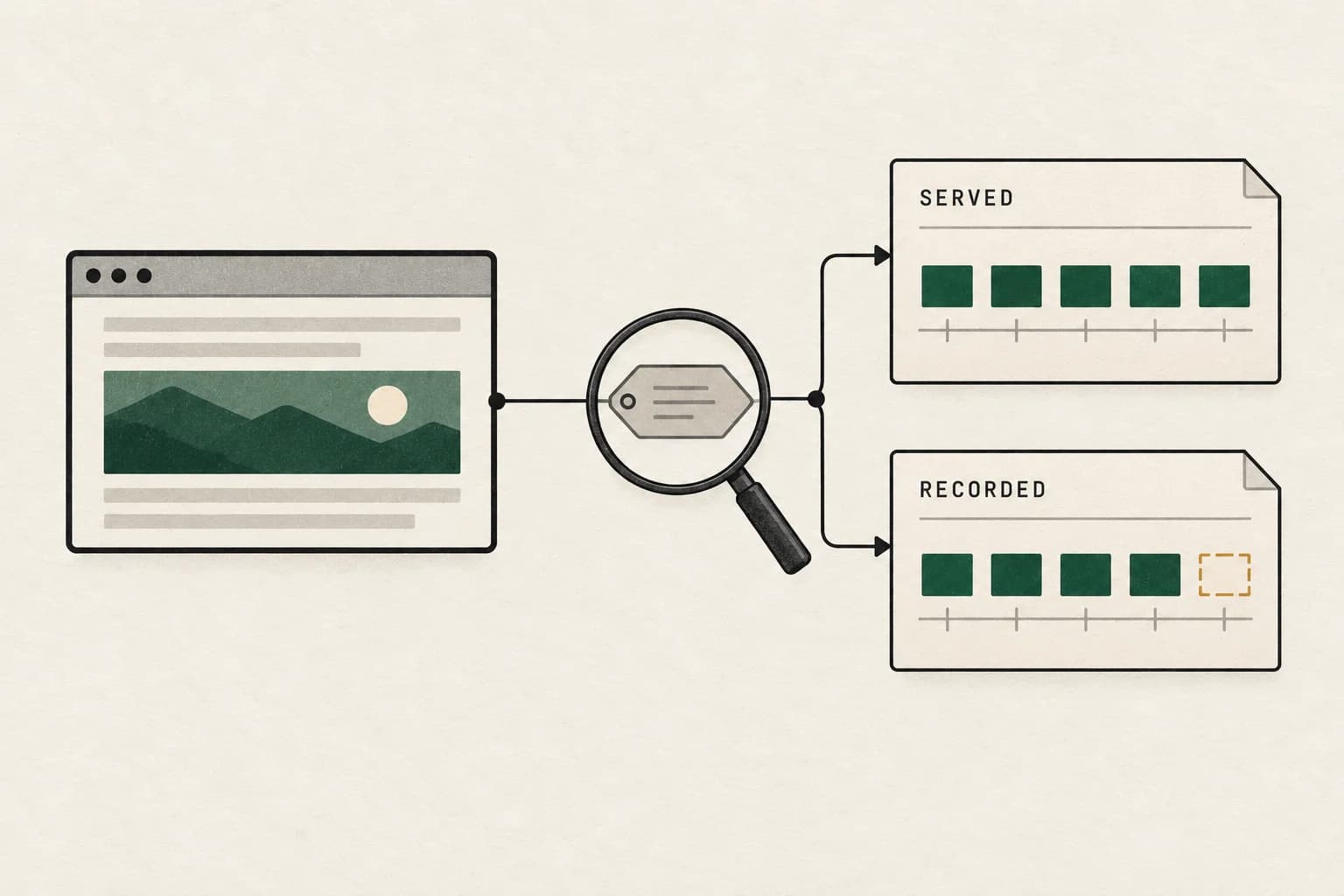
Find the first point where counts diverge
Start with a comparable population, then trace where one system records an impression the other does not. Discuss the reporting scope for your setup.
Discuss a measurement questionA short inquiry to scope relevant options; no campaign access is needed.
Check the metric before checking the network#
“Impressions” can conceal several different events. An ad request, a successful server response, the beginning of rendering, a received tracking call and an accepted report record are useful observations, but they are not interchangeable.
Google's counting documentation describes delayed impression counting: creative code delivery is followed by an impression request, and the code-served total can exceed impressions. Consequently, a successful ad response alone is not proof that GAM recorded an impression.
Ask each team to complete this table:
| Question | Publisher system | Advertiser or third-party system |
|---|---|---|
| Exact metric exported | Copy the UI or API field name | Copy the UI or API field name |
| Event that triggers counting | Request, rendering signal or another defined event | Receipt, rendering signal or another defined event |
| Filtration status | Raw or filtered, with available reasons | Raw or filtered, with available reasons |
| Included inventory | Placements, formats and environments | Placements, formats and environments |
| Time assignment | Event time and reporting zone | Event time and reporting zone |
The current Interactive report metric reference identifies unfilled impressions as requests that did not return an ad. Do not add those requests to delivered impressions and then compare the result with a third party's received impression trackers.
Use Interactive reports for a new export in Ad Manager's web interface. The legacy Reports UI retirement does not disable the SOAP API's documented read, run, and export functionality. Google states that the legacy Reports tool was turned off on 21 September 2026. A saved legacy report or an old screenshot should not be treated as the current reporting workflow.
For a general explanation of these units, see our guide to impressions, reach, clicks and conversions. Keep the immediate investigation narrower: choose the two observations you actually intend to reconcile.
If the business symptom is lower earnings despite similar page views, diagnose falling publisher revenue with stable traffic before assigning the difference to an impression-count mismatch.
If the business symptom is lower earnings despite similar page views, diagnose falling publisher revenue with stable traffic before assigning the difference to an impression-count mismatch. For an app using LevelPlay and Meta Audience Network, separate the report population from its revenue valuation; agreement on a count alone does not establish a matching estimate or payment.
Why matching clicks do not validate impression tracking#
An impression tracker and a click tracker can travel through different code paths. One can be correct while the other is missing, duplicated, stale or attached to the wrong creative. A working click redirect therefore does not demonstrate that an impression request fired on every eligible ad.
CM360 documents impression counting and click counting separately. Its reported totals also reflect filtering applied after initial counting. That makes a comparison of raw publisher events with filtered advertiser totals especially difficult to interpret.
Test both paths. On an authorized page or app session, capture the ad delivery without clicking first. Identify the impression event and receiving endpoint. Then exercise the click path separately and confirm the intended destination and tracker. Preserve the timestamps so the tests can be matched to receiving-side evidence.
If a creative registers clicks but no impressions, begin with the impression configuration. Do not generate additional production clicks to make the totals look proportionate. Test traffic also needs to be identified so it is not confused with campaign performance.
For the opposite implementation symptom (a working destination with few or no measured clicks), trace the CM360 click tracker separately. Confirm its logging state, saved tag version and runtime route instead of applying an impression-tag repair to the click path.
Build a small event ledger instead of trading screenshots#
A screenshot tells you that two totals differ. A diagnostic ledger explains where the difference might enter.
For a small authorized sample, request the following observations where available:
- The publisher's ad opportunity or creative-delivery reference.
- The impression event the publisher recorded.
- The final outgoing third-party tracking request and its timestamp.
- The receiver's receipt or equivalent confirmation.
- The receiver's accepted or excluded outcome.
- The reporting row where the accepted event should appear.
Do not assume every vendor exposes all six. Mark unavailable evidence clearly and agree an alternative test. For example, a vendor may validate a timestamped QA session without sharing unrestricted raw logs.
Keep the logical event distinct from transport attempts. Two attempts to send the same tracker can represent a retry rather than two ad exposures. Conversely, reusing a tracking URL is not evidence that two observations belong to the same exposure. Use the integration's documented event identity and deduplication rules.
| First boundary that fails | Next owner | Evidence to request |
|---|---|---|
| No publisher impression event | Publisher or player team | Trigger definition and authorized playback/render test |
| Publisher event, no required tracker attempt | Creative or tag integration owner | Final tag, trigger and deployment version |
| Attempt, no receiver confirmation | Sender and receiver engineering | Timestamp, endpoint, response and matching receipt search |
| Receipt excluded from valid totals | Measurement provider | Exclusion classification and applicable methodology |
| Accepted receipt absent from export | Reporting or analytics owner | ID mapping, time assignment, scope and processing state |
A 200 response establishes something about an HTTP exchange. It does not by itself establish valid, reportable or billable delivery. Record which component returned it and what the receiver says happened afterward.
Inspect the actual trafficked tag#
Compare three versions: the vendor's original export, the version saved in GAM or the publisher's system, and the request actually emitted by the browser or app. The discrepancy can be introduced between any pair.
For a change involving Adform or another third party, establish the change time and exact creative IDs before forming a theory. A simultaneous tag update and discrepancy is a useful lead, but correlation alone does not identify the broken parameter.
Review these details with the tag owner:
- Correct account, placement and creative identifiers after macro substitution.
- Supported creative type and tag format for the environment.
- Cache-busting behavior under the vendor's documented implementation.
- Whether encoding or nested wrapping altered the destination.
- Whether the new creative still includes the required impression tracker.
- Whether an old and a new tracker run together.
- Whether privacy parameters and vendor integrations remain compatible.
Microsoft's discrepancy guidance illustrates why tracker format and cache-buster implementation deserve explicit checks. Use the correct macros for your actual vendor; a macro from another ad server is not a portable fix.
Do not paste a tracker into a browser and treat the resulting image as complete validation. That tests one manually constructed request. It does not prove the live creative substitutes the right values, fires at the right event or includes the request in the right reporting scope.
For a suspected tag regression, keep the previous version and run an authorized comparison where one variable changes. If you cannot recreate the previous behavior, say so. A screenshot of old totals cannot substitute for a reproducible control.
Investigate no-fill and downstream eligibility separately#
A third party can decline to return a creative because of its own eligibility rules. Inspect the actual response and serving configuration before calling the outcome a tracking loss.
GAM's discrepancy guidance identifies third-party day/time targeting and frequency caps as possible causes when GAM and the downstream system behave differently. It also recommends using the CM360 creative type for CM360 tags. Verify the trafficked type rather than relying on what the creative's name suggests.
Build a short test matrix for the affected placement:
| Test condition | What to establish |
|---|---|
| Eligible user and time | A creative returns and its expected trackers fire |
| Frequency cap reached | Which system declines and what each report counts |
| Outside third-party schedule | Whether the publisher still selects the tag |
| Passback or fallback | Whether a second decision is confused with a second exposure |
| Slow response or aborted navigation | Which observation is the last one actually recorded |
Use the vendor's supported QA mechanism. Repeatedly refreshing a live page can change frequency, caching and invalid-activity behavior, making the test less representative. For a filled creative that briefly appears before replacement, audit slot-specific fallback ownership. Keep returned-ad evidence separate from publisher code that later changes the container.
For CTV and server-side ad insertion, the handoffs are sufficiently different to need a dedicated workflow. Use our CTV impression discrepancy guide rather than assuming a desktop browser capture reproduces an SSAI path.
Separate scope, transport and filtration in a worked example#
The following figures are hypothetical teaching numbers, not observed AdProof results or an acceptable discrepancy benchmark.
Suppose the initial publisher export contains 200,000 impressions and the advertiser export contains 150,000. The 50,000 difference initially appears to be a 25% publisher-relative shortfall.
The teams review evidence and assign mutually exclusive categories in this order:
| Reconciliation step | Events removed or explained | Remaining comparable publisher population |
|---|---|---|
| Initial publisher export | None | 200,000 |
| Remove dates outside shared interval | 10,000 | 190,000 |
| Remove placements without advertiser tracker coverage | 5,000 | 185,000 |
| Remove demonstrated duplicate publisher records | 3,000 | 182,000 |
| Compare receiver receipts | 172,000 received; 10,000 receipt gap | 182,000 |
| Compare accepted receiver records | 22,000 received records excluded; 150,000 accepted | 182,000 |
The remaining comparable difference is 32,000, not the original 50,000. It comprises 10,000 missing receipts and 22,000 received-but-excluded records. In this example, investigation demonstrates that 6,000 required tracking requests were never emitted; 4,000 remain unresolved.
The arithmetic reconciles because each adjustment applies to a defined population. The 6,000 missing requests are part of the 10,000 receipt gap, not an extra category to subtract again. The 22,000 exclusions are not automatically fraudulent impressions: the receiving provider must explain their classification.
If only a sample was inspected, the teams cannot assert that exactly 6,000 campaign events were affected without a defensible estimation method. Report a verified sample finding and its uncertainty instead of giving a hypothetical waterfall the status of measured fact.
Reconcile the delivery finding with the invoice#
A public ad-operations question about invoice reconciliation has a useful follow-up: finding a difference is one task; establishing the settlement basis and confirming a financial correction are separate tasks. A lower independent count does not by itself establish the amount payable.
Start with the deal and the agreed measurement basis. Google's transaction guide distinguishes traditional campaigns, whose billing and reconciliation you handle, from Programmatic Direct transactions handled through Google. Do not apply one transaction's settlement workflow to every line in an invoice.
Use this working ledger alongside the event reconciliation. It is a suggested review template, not a substitute for the applicable agreement:
| Record | Evidence to retain | Status to report |
|---|---|---|
| Contracted line | Deal/line identifier, booked period, pricing unit, currency and agreed counting source | Basis confirmed or missing |
| Comparable delivery | Same inventory, dates, counting event and exclusion policy | Agreed count or disputed count |
| Invoice line | Invoice identifier, units, rate, adjustments and service period | Matched or exception |
| Requested correction | Difference, calculation, supporting exports and partner response | Requested, accepted or rejected |
| Completed correction | Credit note, revised invoice or payment reference for that service period | Documented correction or still unresolved |
Automate stable identifier joins and arithmetic where the inputs are reliable. Route missing contracts, ambiguous line mappings and incompatible units to a person. A job that successfully joins two CSV files has not established that the selected metric is the billing basis.
For the full financial worksheet, use the ad invoice reconciliation workflow. It matches billed lines to the order basis, tests the charge calculation and follows an accepted correction through to an applied credit or revised invoice.
Hypothetical example: a CPM invoice lists 1,000,000 units at $5 per thousand, or $5,000. A comparable accepted-delivery export contains 960,000 units. The delivery difference is 40,000 units, which is 4% of the invoiced units. At that same rate, the arithmetic difference is $200: 40,000 / 1,000 × $5. This is a candidate amount to investigate under the agreement, not a verified overcharge or recovered saving. Preserve any separate fees, taxes, currency treatment and adjustment rules rather than silently assuming they follow that calculation.
For a concrete Ad Manager exception, Google's 2 November release notes announce that PG overdelivery reconciliation extends to DV360 PG deals starting 2 November 2026. This is Google's announced schedule; it does not establish deployment in a particular account or that a particular deal has completed reconciliation. The linked Programmatic Direct payment documentation explains month-end identification of overdelivery on ended deals before revenue finalization and the Total overdelivered impressions metric. Its timing limits mean some overdelivery can remain billed and paid. Keep delivered volume, identified overdelivery and finalized payment records separate; do not subtract every impression above a booked goal as an automatic refund.
Preserve the counting-method version when a platform changes it#
Google's display impression counting notice schedules the Ad Manager and AdSense change from count-on-download to begin-to-render for 17 February 2027, covering web, mobile-web and CTV banner inventory. Begin-to-render occurs later in the delivery sequence; it is not a viewability threshold or proof that a person watched the ad. This announcement cannot explain a completed October 2026 change as though the migration already happened.
For preparation, retain the metric name and methodology with each export. Compare current impression counts with the corresponding begin-to-render metrics by demand channel, inventory format and device. Google recommends a historical start date after 12 August 2026 for its impact report. Treat the result as a preparation estimate for the selected inventory, not a universal forecast of revenue loss. If the count later changes at migration, investigate the method boundary before calling the difference new invalid traffic.
Build a channel-matched preparation worksheet
Keep one row per comparable date, inventory format, expanded inventory type, device category and demand channel. Use completed periods and retain the original export plus retrieval time. Exclude formats outside the announced banner change from this particular preparation estimate; their counts can remain in a separately labeled review.
The notice lists Ad server impressions alongside Ad server begin to render impressions and corresponding Ad Exchange and Yield group BTR metrics. Select the current-impression counterpart for the same demand source. Do not subtract one channel's BTR observations from all-channel impressions. Confirm the fields available to your report using Google's Interactive metric reference, and preserve unavailable fields as unavailable.
| Worksheet field | Required comparison rule |
|---|---|
| Current-method count | Named metric, matching demand source and supported inventory |
| BTR count | Corresponding metric over exactly the same row population |
| Signed difference | Current-method count minus corresponding BTR count |
| Current-count-relative difference | Signed difference divided by that row's current-method count |
| Coverage note | Missing fields, suppressed rows, excluded formats and retrieval time |
Hypothetical preparation example: assume one completed banner slice has 100,000 current-method impressions and 92,000 corresponding BTR impressions, with identical demand source, dates and filters. The difference is 8,000, or 8,000 / 100,000 = 8% of the current-method count. Dividing by BTR instead would give about 8.70%, a different denominator. Neither figure is a verified customer result, predicted campaign-wide decrease or amount recoverable from a buyer.
Reconcile mutually exclusive channel components to the selected total before aggregating. If a total already includes a component, adding them counts that component twice. For a combined percentage, sum compatible counts and divide the combined difference by the combined current-method count; do not average percentages from differently sized rows. A zero current-method denominator makes that percentage undefined, not zero.
Save the worksheet as a baseline, not a target that tag changes must force to zero. After the announced migration and traffic ramp, annotate the counting-method boundary and recheck current documentation. A pre-change versus post-change impression trend can mix a definition change with actual delivery changes. Keep the corresponding BTR series, comparable inventory mix and creative diagnostics alongside it. Where a visible creative appears uncounted, retain the authorized test reference for the platform owner rather than inventing missing events or predicting the effect of an untested loading change.
Prioritize by missing volume and change point#
Calculate differences by creative and day, then order them by absolute missing count. A 90% gap on a placement serving 100 impressions may be less urgent than a 10% gap on a placement serving a million. Keep both percentages and counts visible.
Look for the first date the pattern changes. Compare it with tag deployments, creative replacements, consent-manager releases, app versions and vendor configuration changes. Record unaffected creatives as controls. If every creative shifts at once, a shared reporting or integration boundary becomes a stronger candidate than an isolated asset problem.
This is prioritization, not causal proof. A browser-specific loss could reflect creative behavior, tracking coverage or a traffic-mix change. Test the candidate explanation against observations that would disprove it.
Write a finding in a falsifiable form: “The final trafficked tag on creative X omits tracker Y, and authorized tests reproduce the omission.” Avoid “Safari is broken” or “the vendor filtered our traffic” until evidence supports that scope.
Send an escalation pack that can be reproduced#
CM360's support guidance asks for comparable daily placement reports, a live or equivalent test environment and the final modified tags. Prepare those while the affected campaign is still available for inspection.
Incident:
Campaign and mapped placement/creative IDs:
First affected time and time zone:
Relevant tag/configuration change:

Comparison:
Exact metrics and filtration status:
Shared reporting interval and export timestamps:
Publisher count / receiver count / signed difference:
Largest affected and unaffected slices:

Reproduction:
Authorized live or equivalent test page/app:
Device, browser/app version and privacy state:
Original exported tag and final trafficked version:
Timestamped outgoing request and receiver reference:
Expected event / observed event:

Request:
Confirm receipt and accepted/excluded status:
Identify classification or missing reporting mapping:
Name proposed repair, owner and verification method:
List unavailable evidence and remaining unknowns:
Share diagnostic material through an approved secure channel. Remove credentials, session tokens and unnecessary personal identifiers. A support attachment does not need unrestricted production browsing logs to explain a single missing tracker.
Verify the repair against the original definition#
Agree the intended behavior before deploying a change. Confirm the repaired creative emits the expected request, the receiver recognizes the authorized test and the resulting reporting outcome matches the documented counting rule.
Then compare a completed post-change interval using the original scope and denominator. Track coverage as well as the gap. A smaller discrepancy achieved by dropping difficult inventory from the report is a scope change, not proof that tracking improved.
Keep before-and-after tag versions, deployment time, test evidence and unresolved counts. If the change fixes only one creative or environment, state that boundary. Campaign-wide closure requires campaign-wide evidence or an explicit, supported limit on what was verified.
Frequently asked questions#
What impression discrepancy is acceptable?
There is no universal percentage that establishes correct delivery. Vendor documentation may describe expected variance for specific integrations, but your agreement, counting definitions and sudden changes still matter. Investigate a concentrated or newly introduced loss even when the aggregate percentage appears modest.
In a DSP-versus-CM360 discrepancy discussion, the operator later clarified that the disputed events were clicks. For that case, compare received click requests, excluded clicks, accepted clicks, and tracker routing using matching scope. Do not use an impression tolerance to diagnose a click difference, or substitute website sessions for received clicks.
Can the publisher count an impression when the third party returns no ad?
It depends on the exact creative path and counting events. Verify the metrics, downstream response and impression signals. Do not equate GAM code-served counts with impressions or infer display from an initial server response alone.
Why are clicks close while impressions differ substantially?
Click and impression trackers can be implemented and processed separately. Matching clicks does not validate the impression trigger. Capture both paths independently and ask each provider to explain its received, excluded and accepted observations.
Should we remove invalid-traffic filters to make reports match?
Changing filtration changes the metric being compared. First reconcile raw receipt, exclusion and accepted reporting where available. Review disputed exclusions with evidence; a lower discrepancy alone cannot show that disabling a control improved measurement quality.
Does a third measurement provider settle the disagreement?
A third observer helps when its coverage and counting method are explicit and its evidence can identify a disputed handoff. Another unexplained aggregate total can add confusion. Ask what it directly measures and what remains outside its visibility.
Turn the discrepancy into an actionable finding#
Finish with a shared population, documented adjustments, a confirmed failure boundary where evidence permits it, and a visible unresolved remainder. That gives operations teams a repair target and gives commercial teams a more defensible discussion than competing screenshots.
For the broader audit, use our campaign delivery verification checklist and platform versus independent measurement guide. Explore AdProof's measurement approach and measurement workflows, or discuss a campaign review with the relevant exports and integration details.
Sources and research notes#
Researched on 25 October 2026. Diagnostic tables, examples and templates are original editorial material. Figures are illustrative. Community questions establish the reader problem; they are not evidence of a campaign-wide failure or vendor fault. Verify documentation for your specific format and integration before changing live tags.
- Google Ad Manager: Investigate report discrepancies.
- Google Ad Manager: Counting impressions and clicks.
- Google Ad Manager: Report metrics.
- Google CM360: How impressions and clicks are counted.
- Google CM360: Click and impression counting discrepancies.
- Microsoft Monetize: What to check if you suspect a report discrepancy.
If the disagreement includes viewability rates above 100% on a report row, use the viewability count and timing checks before treating an anomalous percentage as campaign quality.
Find the first point where counts diverge
Start with a comparable population, then trace where one system records an impression the other does not. Discuss the reporting scope for your setup.
Discuss a measurement questionA short inquiry to scope relevant options; no campaign access is needed.